


 Troubleshooting Jazz product integrations with System Architect
Authors: StefanHjalmarssonBuild basis: Rational System Architect 11.4.2.x and Rational Team Concert 4.0.x
This page details some of the common error messages that you can encounter and their solutions, when integrating Rational Team Concert (RTC) with Rational System Architect (SA).
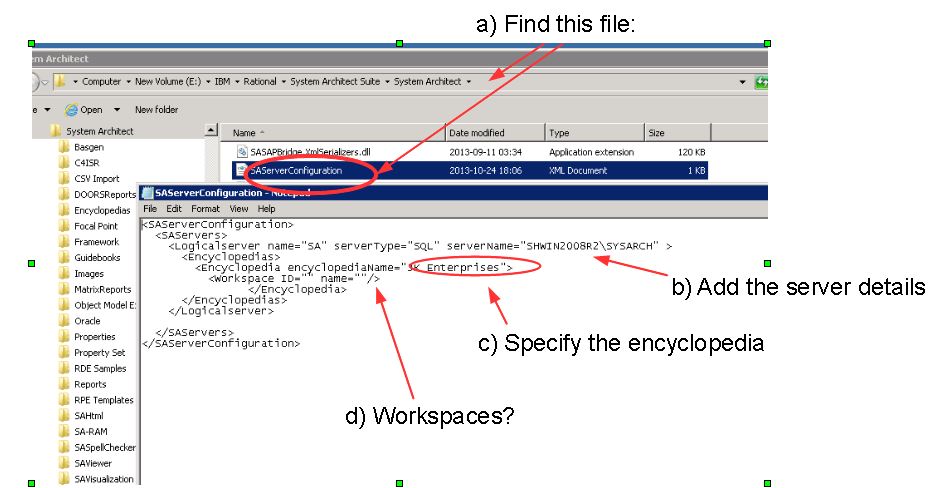
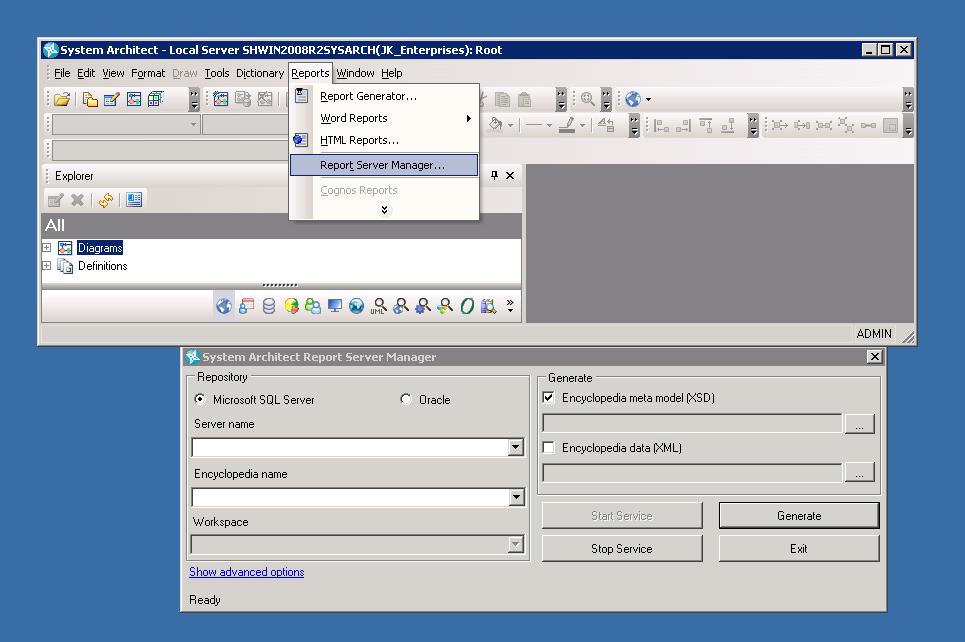 Start SA server problem II:
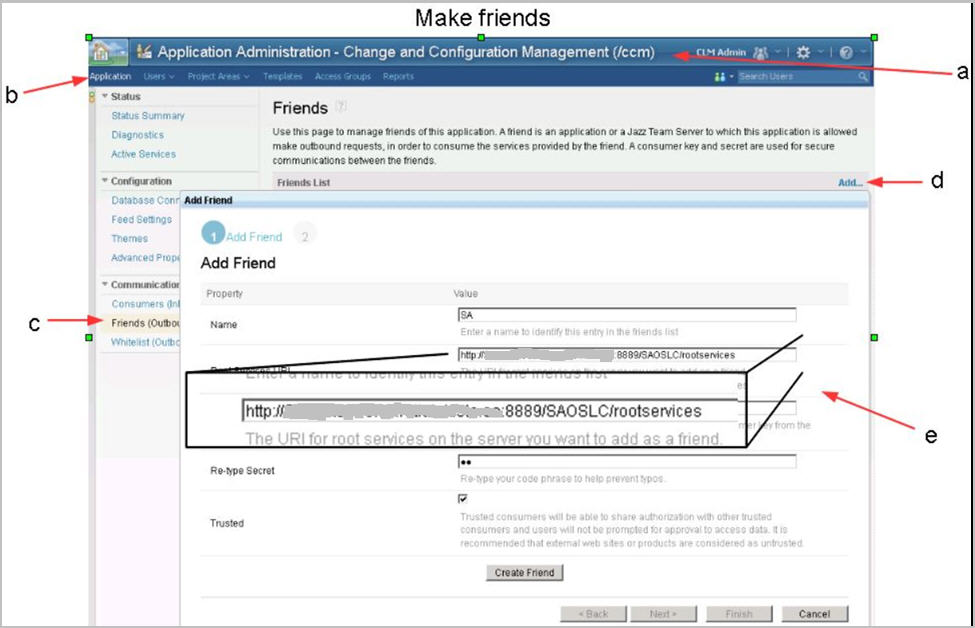
Make Friends with RTC consuming SA:
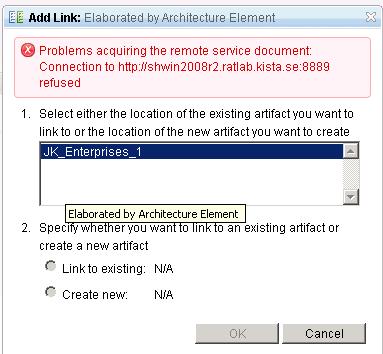
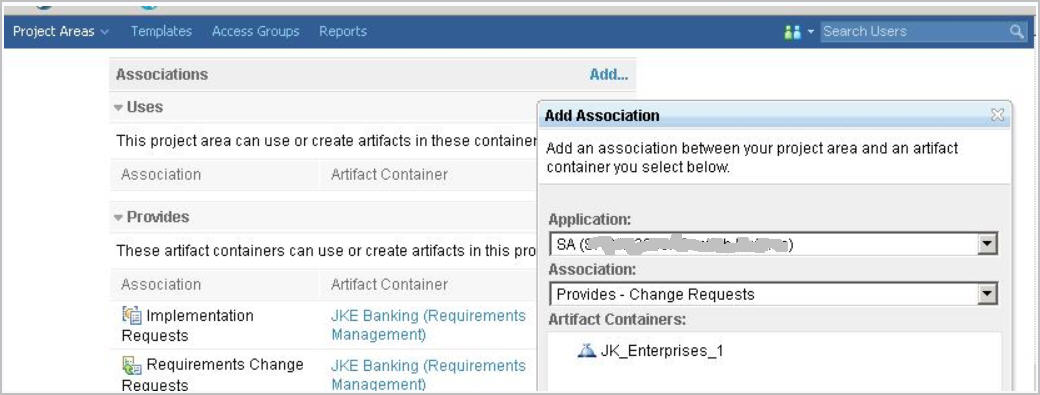
RTC consuming SA, associate RTC with SA:
Note the consumer key * consmer key:

SA consuming RTC part I:

SA consuming RTC part II:

Where are the diagrams?:
After completing all the above steps to configure the integration, one of the last hurdles that you can fall over is where you cannot see your diagrams in the OSLC rich hover.
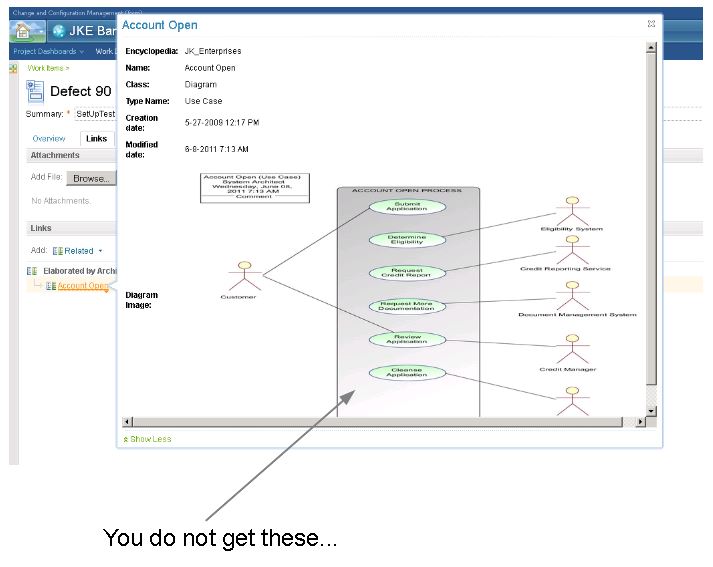
Let SA publish the diagrams:
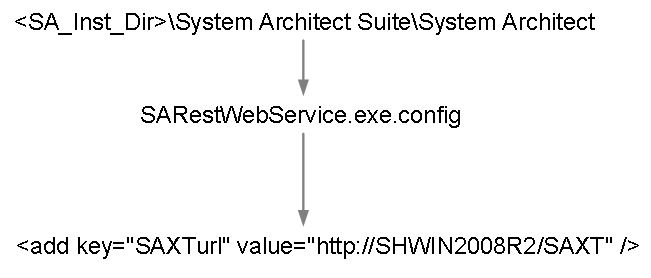
Why do I not see the links in SA?
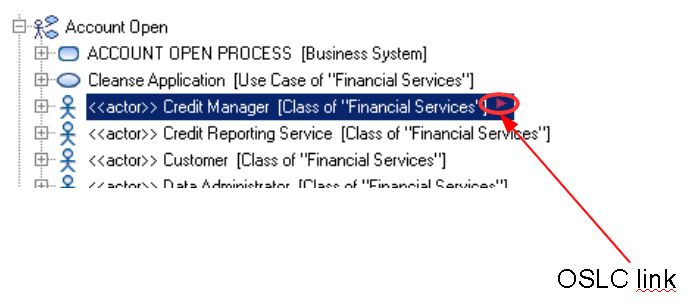
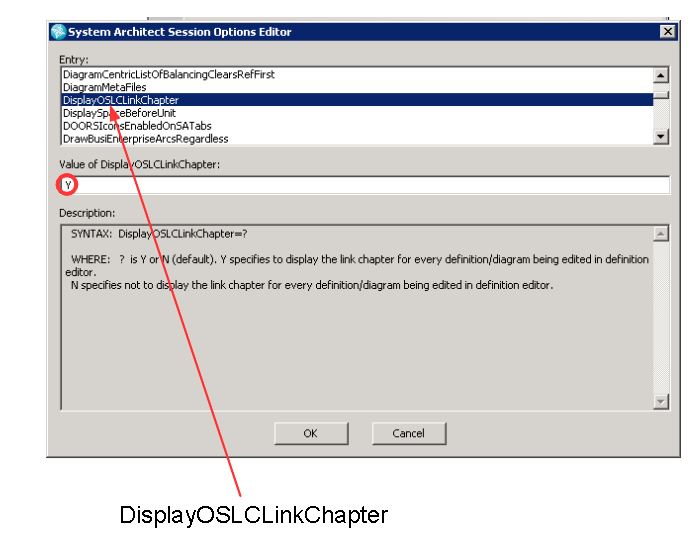
Let SA show link symbols:
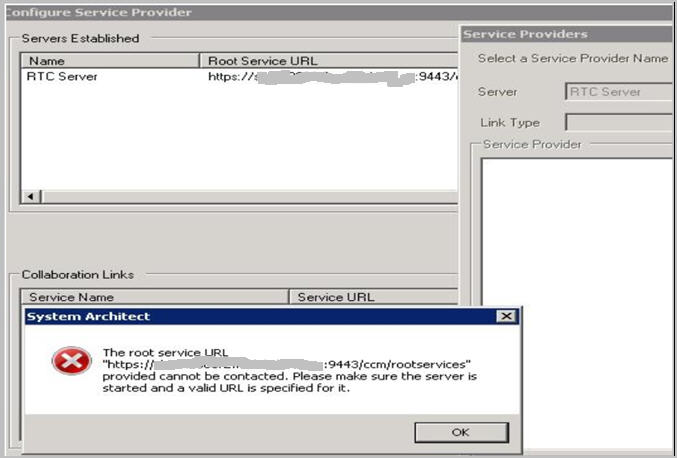
.NET not installed
The following error will show up when you have not installed .NET 3.5. When in the Service Providers window of System Architect, the error that responds to this scenario is: The root service URL "https://myserver:9443/ccm/rootservices" provided cannot be contacted. Please make sure the server is started and a valid URL is specified for it.- Setup SA to consume RTC:
Set-up: RTC consuming System Architect
Specify the encyclopaedias that can be consumed. RTC consuming SA setup:
Start the SA publishing server
Ensure that the System Architect publishing server is running.
Start SA server problem II:
Making friends - RTC consuming System Architect
There are 5 letters in this diagram, but I am not sure why?Make Friends with RTC consuming SA:
RTC consuming SA, associate RTC with SA:
Trustworthiness with the integration
- Cleaned up trust in firefox:

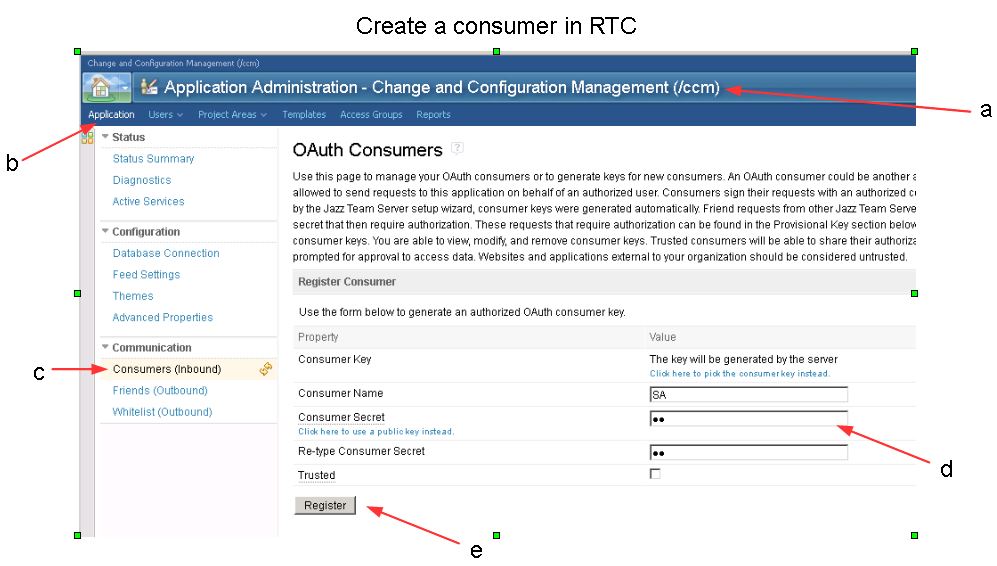
Create a consumer in RTC
* create rtc consumer key:Note the consumer key * consmer key:
Configuring the SA service provider
SA consuming RTC part I:
SA consuming RTC part II:
Where are the diagrams, links and link symbols?
Where are the diagrams?:
After completing all the above steps to configure the integration, one of the last hurdles that you can fall over is where you cannot see your diagrams in the OSLC rich hover.
Let SA publish the diagrams:
Why do I not see the links in SA?
Let SA show link symbols:
Related topics: Deployment web home
External links:
Additional contributors: MaeveOReilly, PaulEllis


| I | Attachment | Action | Size | Date | Who | Comment |
|---|---|---|---|---|---|---|
 jpg jpg |
OSLClinkchapter.JPG | manage | 55.0 K | 2013-10-29 - 18:23 | PaulEllis | Let SA show link symbols |
 png png |
consumerkey.png | manage | 2.1 K | 2013-10-29 - 18:06 | PaulEllis | consmer key |
| jpg |
creatertcconsumer.JPG | manage | 97.7 K | 2013-10-29 - 18:05 | PaulEllis | create rtc consumer key |
| jpg |
diagram.JPG | manage | 30.3 K | 2013-10-29 - 18:22 | PaulEllis | Let SA publish the diagrams |
| jpg |
dotnet.jpg | manage | 37.5 K | 2013-10-29 - 12:29 | PaulEllis | System Architect error when .net 3.5 is not installed |
| jpg |
finalwhere.JPG | manage | 52.0 K | 2013-10-29 - 18:21 | PaulEllis | Where are the diagrams |
| jpg |
saconsumingrtc.JPG | manage | 69.9 K | 2013-10-29 - 18:07 | PaulEllis | SA consuming RTC |
| jpg |
saconsumingrtc2.JPG | manage | 50.4 K | 2013-10-29 - 18:11 | PaulEllis | SA consuming part II |
| jpg |
setupconsumer.jpg | manage | 60.6 K | 2013-10-29 - 13:05 | PaulEllis | RTC consuming SA setup |
| jpg |
setupconsumer2.jpg | manage | 76.4 K | 2013-10-29 - 13:08 | PaulEllis | Setup SA to consume RTC |
| jpg |
setupconsumer3.jpg | manage | 64.4 K | 2013-10-29 - 13:15 | PaulEllis | SAPublishingServer |
| jpg |
setupconsumer4.jpg | manage | 92.9 K | 2013-10-29 - 13:31 | PaulEllis | MakeFriendswith RTC consuming SA |
| jpg |
setupconsumer5.jpg | manage | 40.4 K | 2013-10-29 - 14:05 | PaulEllis | RTC consuming SA, associate RTC with SA |
| jpg |
setupconsumer6.jpg | manage | 25.4 K | 2013-10-29 - 14:07 | PaulEllis | Start SA server problem II |
| jpg |
trust2.JPG | manage | 51.9 K | 2013-10-29 - 18:01 | PaulEllis | Cleaned up trust in firefox |
| jpg |
whynolinksinsa.JPG | manage | 39.3 K | 2013-10-29 - 18:22 | PaulEllis | Ehy do I not see the links in SA |


 Copyright © by IBM and non-IBM contributing authors. All material on this collaboration platform is the property of the contributing authors.
 Contributions are governed by our Terms of Use. Please read the following disclaimer.
Dashboards and work items are no longer publicly available, so some links may be invalid. We now provide similar information through other means. Learn more here.