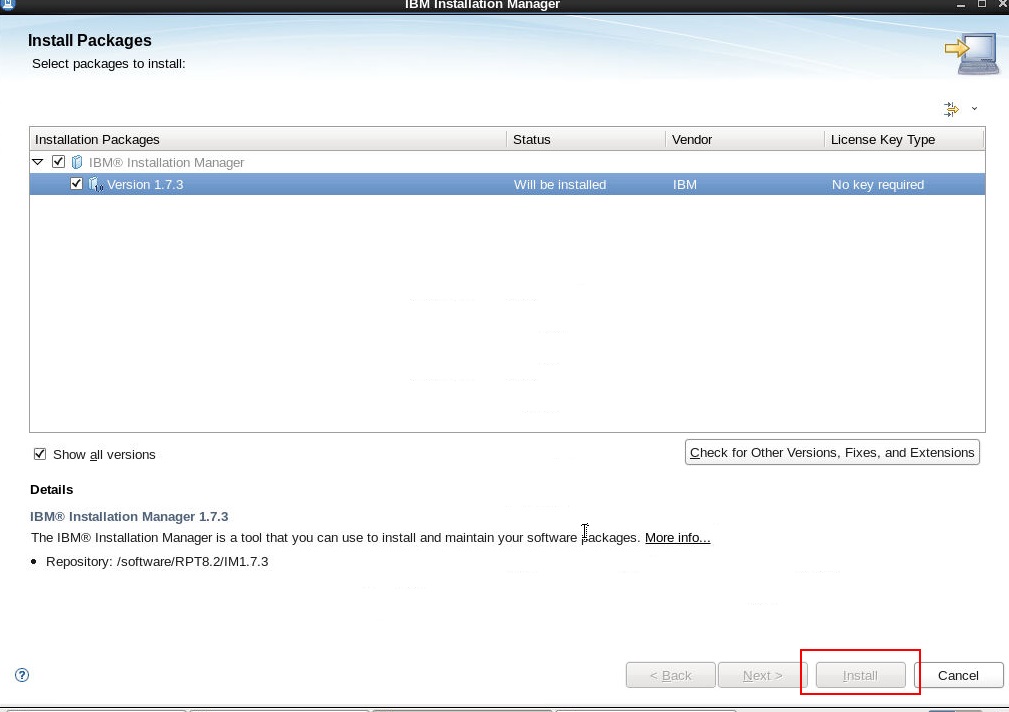
IM Install button is grey on RedHat6.6

Hi,
I planed to install IM1.7.3 on Redhat via its GUI, but found the install button was grey.
The IM package I used is: agent.installer.linux.gtk.x86_64_1.7.3000.20140521_1925.zip
The machine OS version is:
Linux version 2.6.32-504.1.3.el6.x86_64 (mockbuild@x86-022.build.eng.bos.redhat.com) (gcc version 4.4.7 20120313 (Red Hat 4.4.7-9) (GCC) ) #1 SMP Fri Oct 31 11:37:10 EDT 2014
The machine is a minimal operation system install. Before start with IM GUI, I yum installed "Desktop, Library, DEV tools" groups. And according to the article (http://www-01.ibm.com/support/knowledgecenter/SS7JFU_7.0.0/com.ibm.websphere.installation.express.doc/info/exp/ae/tins_linuxsetup_rhel6.html), I installed both 32-bit and 64-bit packages:
I planed to install IM1.7.3 on Redhat via its GUI, but found the install button was grey.
The IM package I used is: agent.installer.linux.gtk.x86_64_1.7.3000.20140521_1925.zip
The machine OS version is:
Linux version 2.6.32-504.1.3.el6.x86_64 (mockbuild@x86-022.build.eng.bos.redhat.com) (gcc version 4.4.7 20120313 (Red Hat 4.4.7-9) (GCC) ) #1 SMP Fri Oct 31 11:37:10 EDT 2014
The machine is a minimal operation system install. Before start with IM GUI, I yum installed "Desktop, Library, DEV tools" groups. And according to the article (http://www-01.ibm.com/support/knowledgecenter/SS7JFU_7.0.0/com.ibm.websphere.installation.express.doc/info/exp/ae/tins_linuxsetup_rhel6.html), I installed both 32-bit and 64-bit packages:
Finally, the IM GUI can be used but blocked due to "install button is grey". I did not find any install log to describe the issue. I guess I missed some key packages, but I don't know which are them. Can you give me some advise for this issue? Thanks!