


 Why am I not able to install RAM client on top of existing RTC client using Installation Manager
Authors: Integrations Troubleshooting Team Build basis: Products, editions and versions as applicable
This document describes what to do to install the IBM Rational Asset Manager 7.5.1.2 client on top of an existing IBM Installation Manager package group containing for example IBM Rational Team Concert client or IBM Rational Software Architect (for WebSphere).
Initial assessment
Symptoms
- When you install Rational Asset Manager 7.5.1.2 in the same Package Group where you previously installed Rational Team Concert 4.0.x or Rational Software Architect (for WebSphere) 8.5.x , the installation fails with the following error:
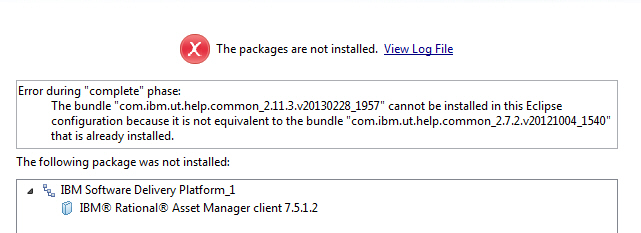
In plain text:Installation failed. Error during "complete" phase: CRIMA1082E: The bundle "com.ibm.ut.help.common_2.11.3.v20130228_1957" cannot be installed in this Eclipse configuration because it is not equivalent to the bundle "com.ibm.ut.help.common_2.7.2.v20121004_1540" that is already installed.
- When you install Rational Team Concert 4.0.x or Rational Software Architect (for WebSphere) 8.5.x in the same Package Group where you previously installed Rational Asset Manager 7.5.1.2, the installation fails with the following error:
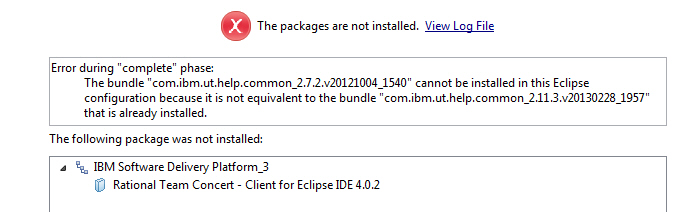
In plain text:Installation failed. Error during "complete" phase: CRIMA1082E: The bundle "com.ibm.ut.help.common_2.7.2.v20121004_1540" cannot be installed in this Eclipse configuration because it is not equivalent to the bundle "com.ibm.ut.help.common_2.11.3.v20130228_1957" that is already installed.
Impact / Scope
- This is affecting all the users who are trying to install RAM 7.5.1.2 on top of an existing package.
Recommended data gathering and subsequent analysis steps
Installation Manager logs
Note: Performing these steps can be time consuming. You may want to check first if a capability is disabled, as that is faster (see Possible Causes and Possible solutions).- Start IBM Installation Manager
- Collect the installation logs with the menu: Help > Export data for Problem Analysis
- Save the resulting zip file to a temporary folder
- Uncompress the files
- Check what exact products are installed by opening:
installed.xml - Look for installation errors by opening the file:
logs\index.xml - Compare the date and times of the installation logs with the installation history:
histories\index.xml. This helps in establishing the phase during which the installation errors occurred.
Possible solutions
- Install RAM using the eclipse Help > Install New Software mechanism by pointing to your RAM 7.5.1.2 server eclipse Update Site (for example:
http://). You ou can get the URL of your RAM sever eclipse update site by click on the Help icon and choosing Extensions.: /ram/RCPUpdateSite/ - Install RTC using the eclipse Help > Install New Software mechanism by pointing to P2 installer zip RTC-Client-p2Repo-4.0.x.zip that you can get from the RTC downloads
Related topics:
- For more troubleshooting topics, refer to Integrations Troubleshooting.
External links:
- None
Questions and comments:
Warning: Can't find topic Deployment.WhyAmINotAbleToInstallRAMClientOnTopOfExistingRTCClientUsingInstallationManagerComments Copyright © by IBM and non-IBM contributing authors. All material on this collaboration platform is the property of the contributing authors.
Contributions are governed by our Terms of Use. Please read the following disclaimer.
Dashboards and work items are no longer publicly available, so some links may be invalid. We now provide similar information through other means. Learn more here.