


IBM Quick Deployer modify Change Default LDAP Parameters defaults 
Authors: ThomasPiccoli, KennethThomson, JenniferLiu Build basis: CLM 6.0
Page contents
Follow the instructions in this topic to permanently change the default values used by the UCD ChangeDefaultLDAPParameters application process.
You should make a copy of the default values prior to making any changes so that the defaults can be restored if needed.
Modify the Change Default LDAP Parameters defaults
Be aware that once changed individual default values cannot easily be reset.You should make a copy of the default values prior to making any changes so that the defaults can be restored if needed.
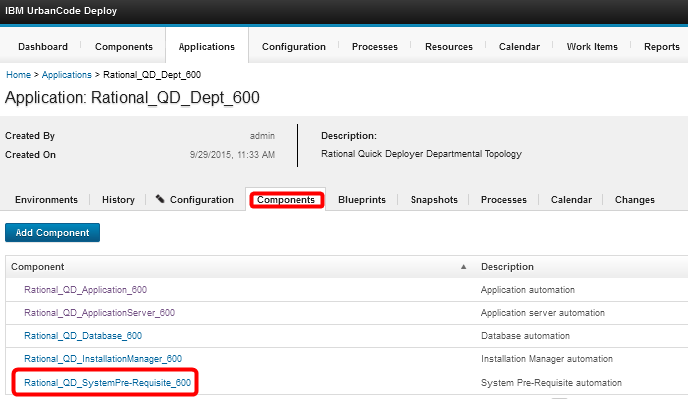
- Open application Rational_QD_Dept_600, select the Components tab and click on the Rational_QD_SystemPre-Requisite_600 component
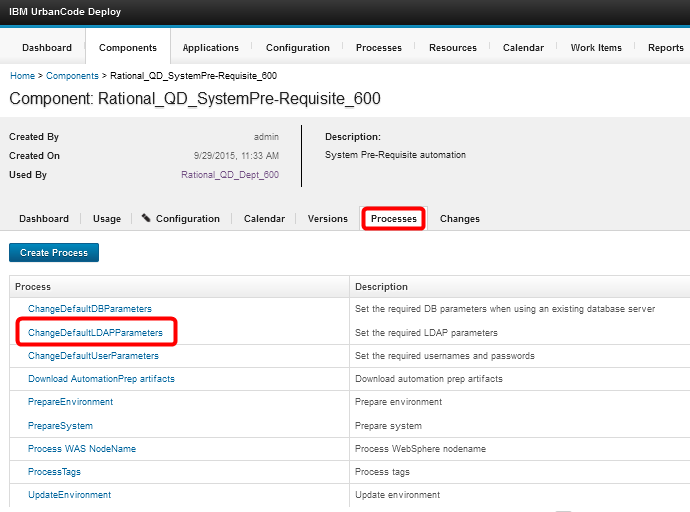
- When the component opens select the Processes tab and click on the ChangeDefaultLDAPParameters process
- When the process opens select the Configuration tab and then select Component Process Properties. Chose the property you wish to change and click Edit.
You can change all fields except the property name.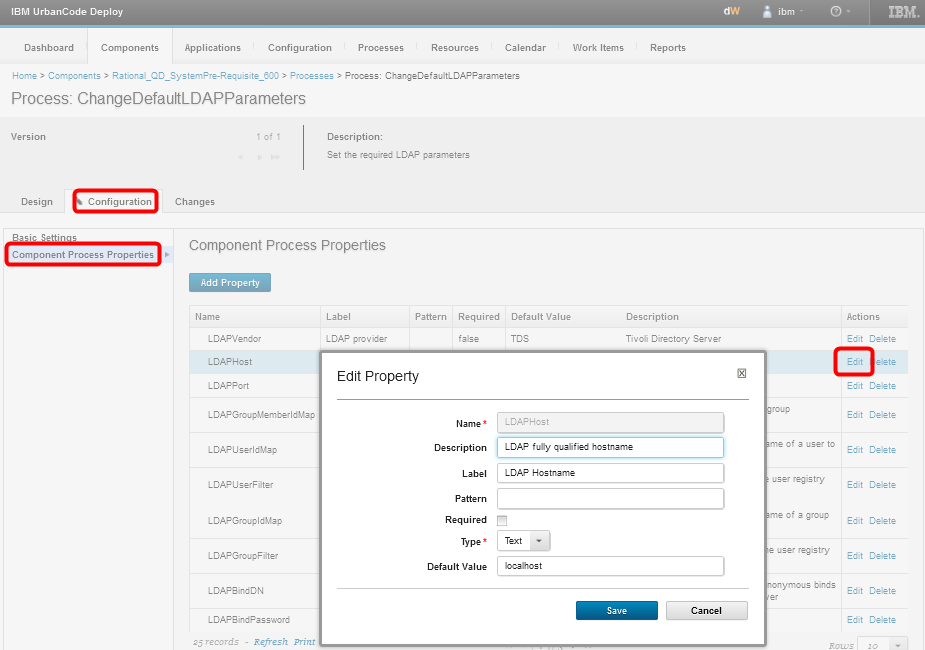
- When your changes are complete click Save.
- Repeat for each property that you want to change.
 Copyright © by IBM and non-IBM contributing authors. All material on this collaboration platform is the property of the contributing authors.
 Contributions are governed by our Terms of Use. Please read the following disclaimer.
Dashboards and work items are no longer publicly available, so some links may be invalid. We now provide similar information through other means. Learn more here.