


Topic title (use a lowercase style, which is known as "sentence-style" capitalization) 
Authors: ClareCartyBuild basis: CE/CLM 6.0.4+
Quick Deployer ships with a set of sample blueprints which are pre-set templates based on the CE/CLM Recommended Topologies. This page describes a method for using Quick Deployer to install CE/CLM environments using these blueprints.
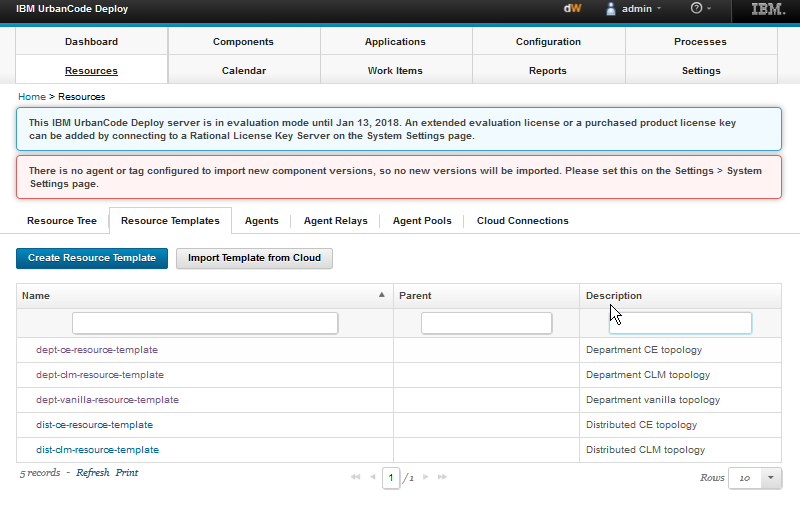 Select one of the templates and drill down to explore in more detail.
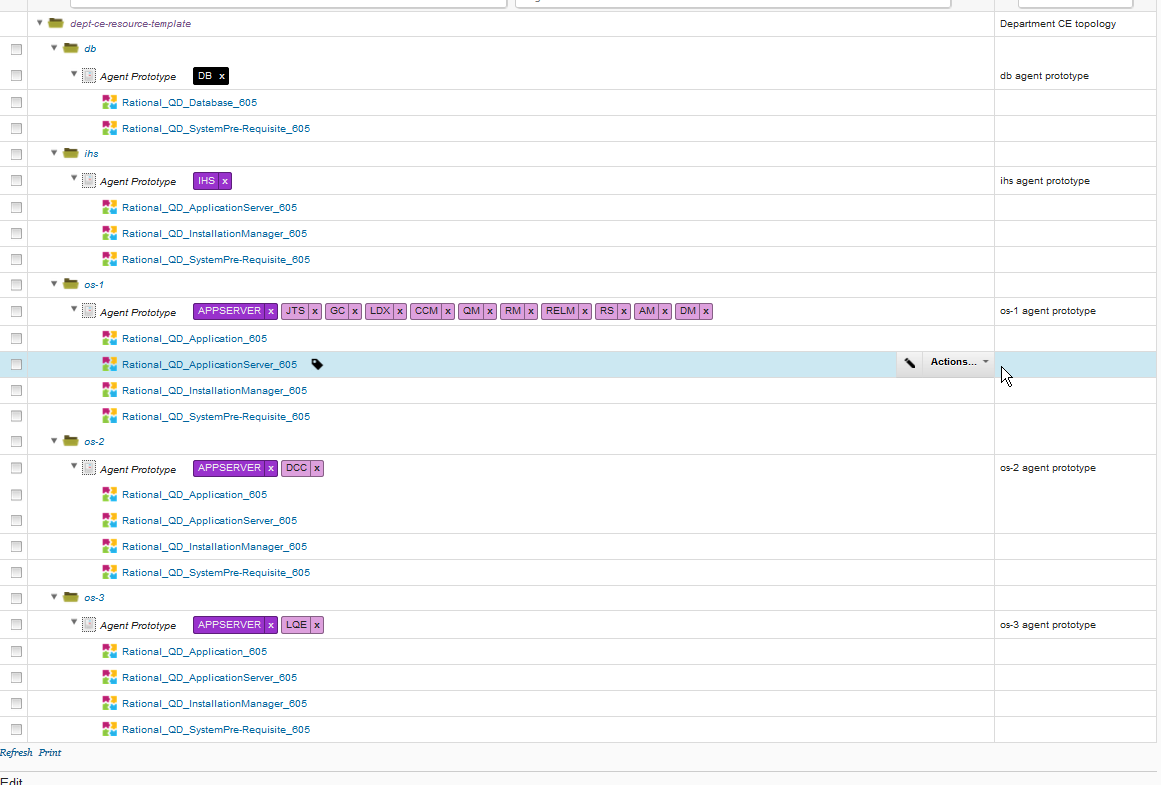
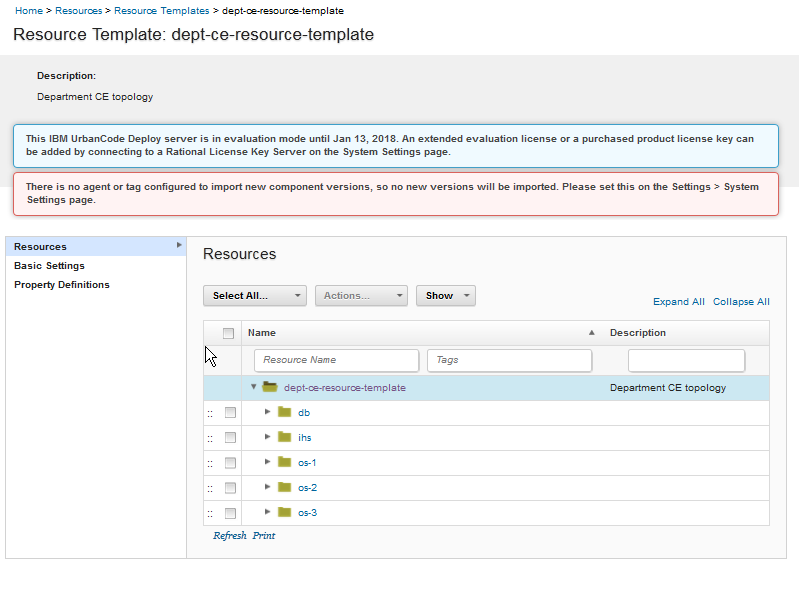 In the example above, The Departmental Continuous Engineering template is shown. You can Expand all to see more detail.
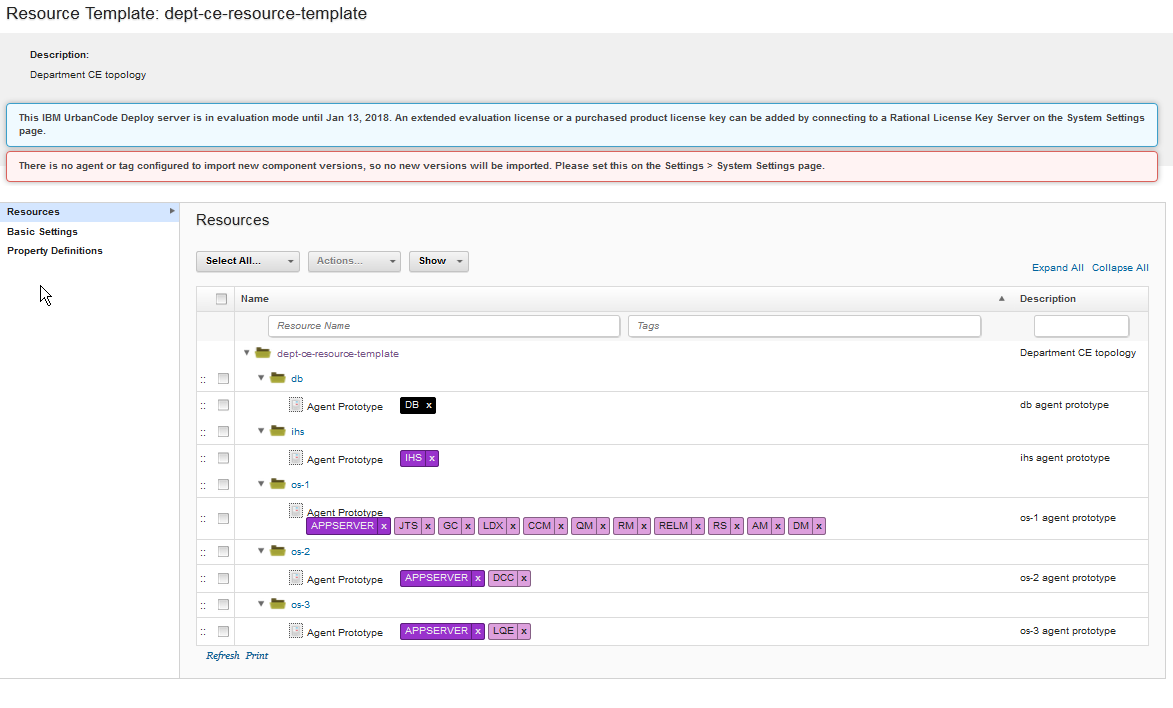 As you can see, the applications are distributed over 5 nodes or VMs three of which are Application Server environments.
 If you edit the agent prototype for each node it will show the naming convention to be used for the target VM names. For instance,
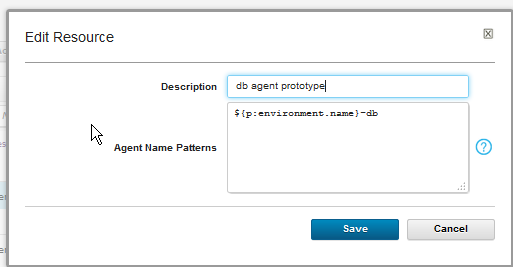 Here the agent name for the DB server must include the environment name and end in '-db'.
So if the environment is going to be called win16qd21, the DB server name should be something like win16qd21-db
Similarly, the agent prototypes for the IHS and other nodes:-
Here the agent name for the DB server must include the environment name and end in '-db'.
So if the environment is going to be called win16qd21, the DB server name should be something like win16qd21-db
Similarly, the agent prototypes for the IHS and other nodes:-
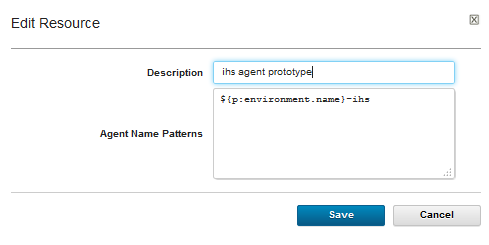
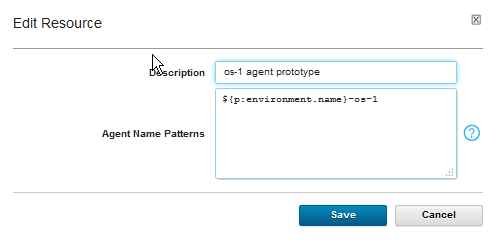
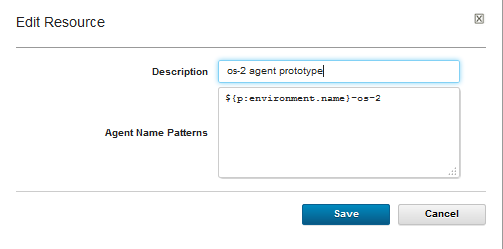
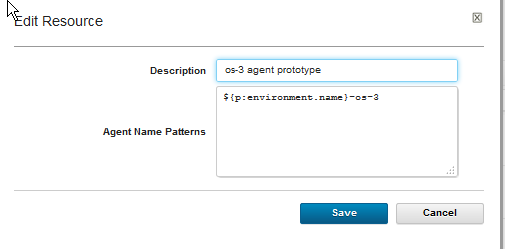 Again if we use win16qd21 as our environment name, this nets out to agent names as follows:-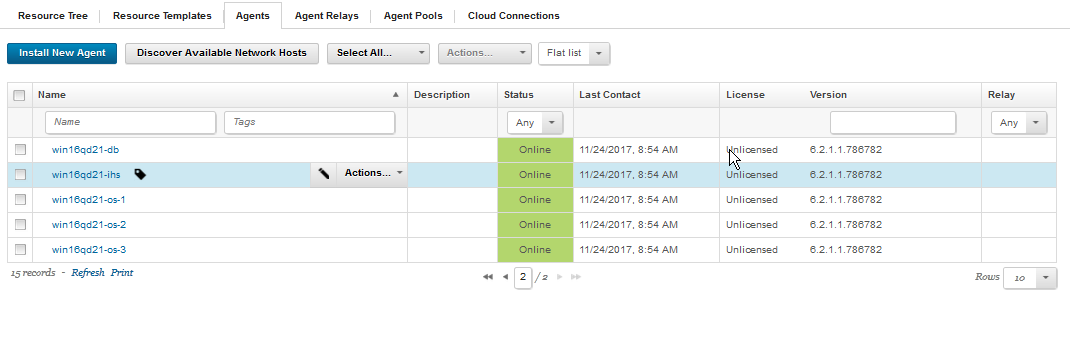
Standard Topology Blueprints installed by Quick Deployer
Once Quick Deployer is installed, the user can select the Resources tab and explore the available Resource Templates.
Select one of the templates and drill down to explore in more detail.
In the example above, The Departmental Continuous Engineering template is shown. You can Expand all to see more detail.
As you can see, the applications are distributed over 5 nodes or VMs three of which are Application Server environments.
How to leverage the Blueprints
The blueprints can be leveraged by connecting the agents - which are installed on the target VMs - to the application environment using a naming convention set up in the Agent prototype. Taking a slice from the example above:-
If you edit the agent prototype for each node it will show the naming convention to be used for the target VM names. For instance,
Here the agent name for the DB server must include the environment name and end in '-db'.
So if the environment is going to be called win16qd21, the DB server name should be something like win16qd21-db
Similarly, the agent prototypes for the IHS and other nodes:-
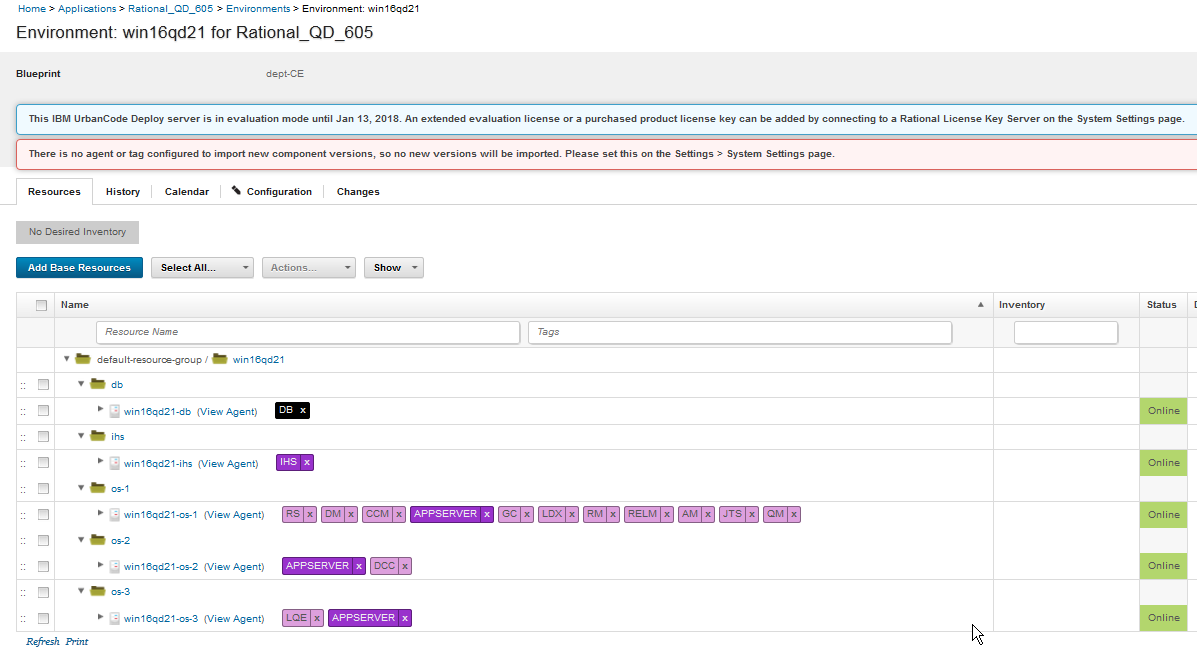
Again if we use win16qd21 as our environment name, this nets out to agent names as follows:- - db: win16qd21-db
- ihs: win16qd21-ihs
- node 1: win16qd21-os-1
- node 2: win16qd21-os-2
- node 3: win16qd21-os-3
VM naming convention
Environment naming convention
Heading 1
Related topics: Deployment web home, Deployment web home
External links:
Additional contributors: TWikiUser, TWikiUser
- agent_prot_tags.png:
- agents.png:
- agents_comp.png:
- env_with_blueprint.png:
 Copyright © by IBM and non-IBM contributing authors. All material on this collaboration platform is the property of the contributing authors.
 Contributions are governed by our Terms of Use. Please read the following disclaimer.
Dashboards and work items are no longer publicly available, so some links may be invalid. We now provide similar information through other means. Learn more here.