How to query for String and HTML type attribute in ALM

Hello,
We have a custom attribute of String Type, and we would like to add the attribute in query condition.
We see that no String or HTML type attributes are listed in Query condition.
Can someone please confirm if it is now possible to add String/Text and HTML type attribute in query condition.
Can someone please confirm if it is now possible to add String/Text and HTML type attribute in query condition.
Or if there is any workaround to query for the String and HTML type attributes.
Thanks in advance,
Sneha Bhaskar
One answer
I can query and display built in and custom string and HTML attributes.
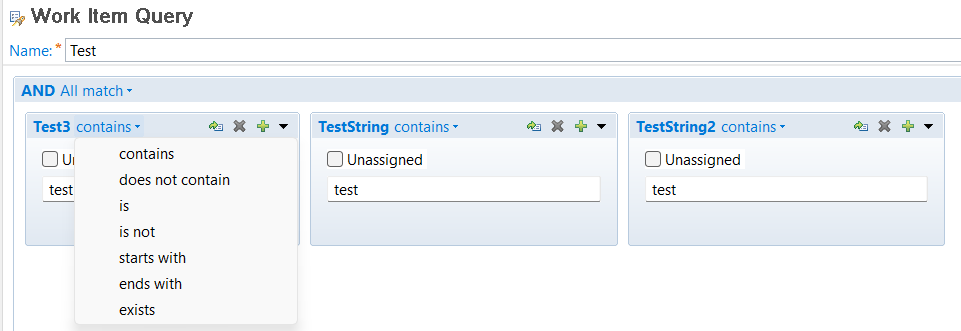
I added the attribute to the editor presentation. I synchronized the attributes. I set the attributes on one work item, then the attributes showed up in the Query editor. I did not expect I needed to create a work item with the attributes used. Maybe this is a racing condition. Not sure.
Comments
