


IBM Quick Deployer Modify Install Applications Process To Use An Existing Database 
Authors: Thomas Piccoli (ThomasPiccoli), Kenneth Thomson (KennethThomson) Build basis: CLM 6.0
Page contents
Out of the box the Install Applications process will install new database and configure it for the installation.
Should you not wish to use this database and prefer to use your own existing database you should modify the Install Applications process as described below. By following these instructions it is assumed that after modification all installations will use your own existing database.
An existing database server should only be used with one application instance or conflicts could arise that could corrupt the data.
Should you not wish to use this database and prefer to use your own existing database you should modify the Install Applications process as described below. By following these instructions it is assumed that after modification all installations will use your own existing database.
An existing database server should only be used with one application instance or conflicts could arise that could corrupt the data.
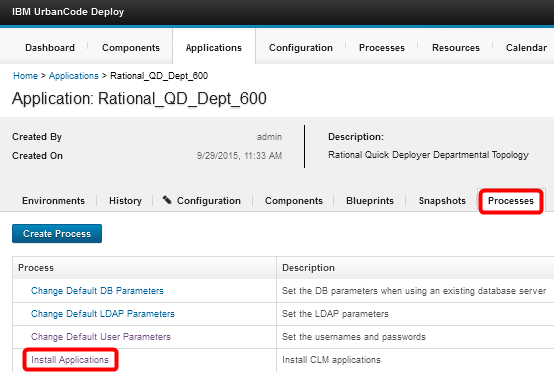
- Open the application Processes tab and select Install Applications
- If not already open, open the process Design tab
select the Install Database DB2 step and delete by clicking on the [X]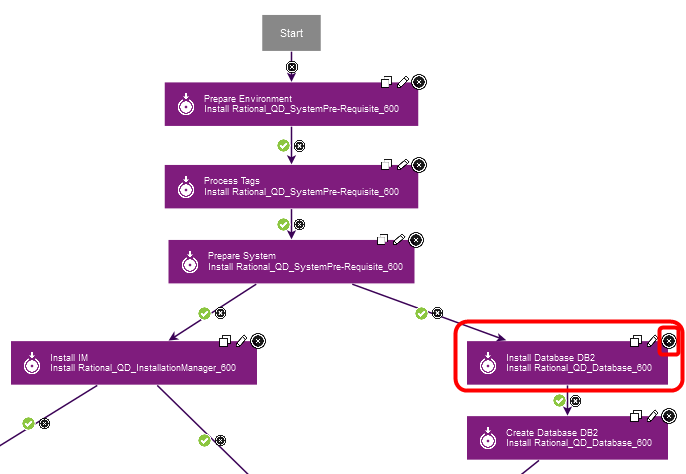
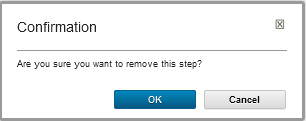
- Confirm that you want to delete the step by clicking OK
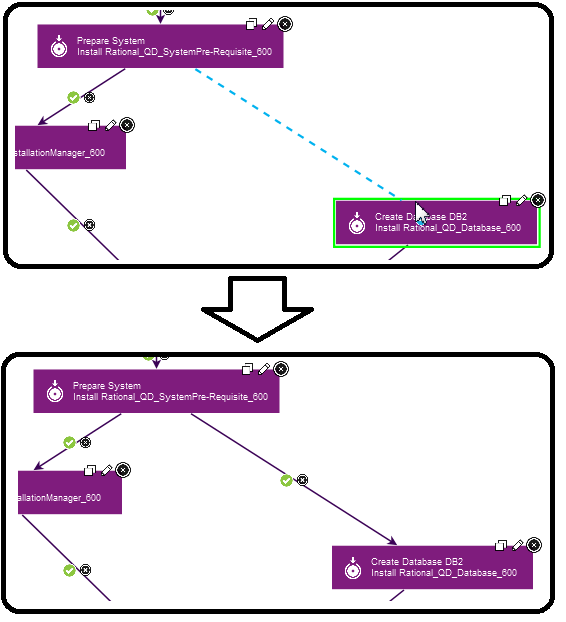
- Hover the mouse over the Prepare System step and drag the connecting line to the Create Database DB2 step

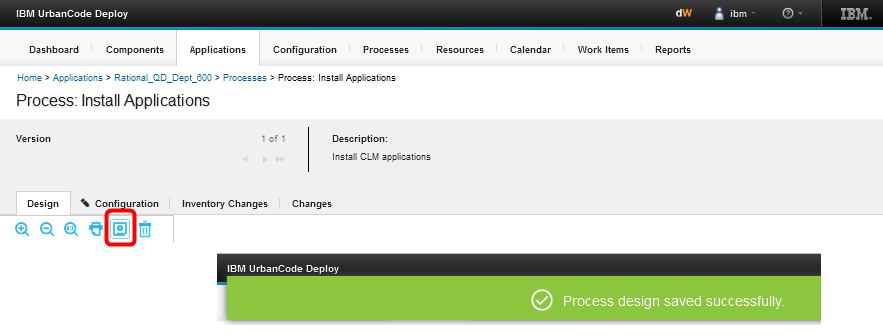
- Save the changes by clicking the save icon and waiting for the confirmation banner
Miscellaneous
Related topics: Deployment web home, IBMQuickDeployer, IBMQuickDeployerSetup
External links:
Additional contributors: TWikiUser, TWikiUser
 Copyright © by IBM and non-IBM contributing authors. All material on this collaboration platform is the property of the contributing authors.
Contributions are governed by our Terms of Use. Please read the following disclaimer.
Dashboards and work items are no longer publicly available, so some links may be invalid. We now provide similar information through other means. Learn more here.