HTTP Filtered Value Set and Dependent Enumerations

2 answers
Hi Gary,
as far as I can tell from helping to write the Process Enactment Workshop, dependent enumerations require two enumeration attributes. The HTTP Filtered Value Provider typically returns values like strings and the like. Therefore it is not possible to hook it up in a dependent enumeration, as far as I know.
as far as I can tell from helping to write the Process Enactment Workshop, dependent enumerations require two enumeration attributes. The HTTP Filtered Value Provider typically returns values like strings and the like. Therefore it is not possible to hook it up in a dependent enumeration, as far as I know.
Comments



This won't fit into a comment. Based on Freddies nice blog. If you want it the other way round, you can actually feed the value set for an enumeration using the HTTP Filtered Value Set providing data for another attribute too.
You feed the value set for the enumeration with the result of the HTTP Filtered Value Set similar to this script:
Then you configure your script in the Attribute Customization like this.
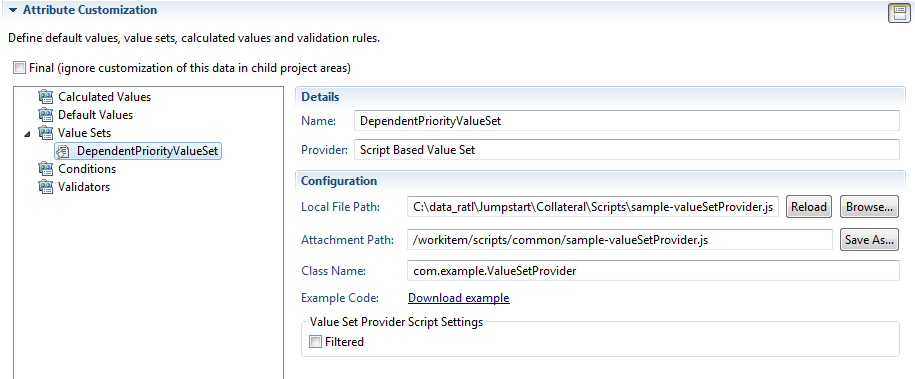
And use the value set like this:
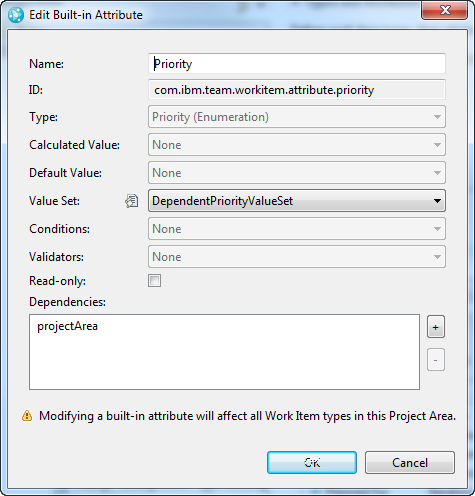
As a result you will now have only the literals to pick in the selection.
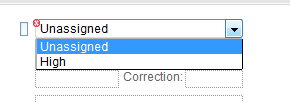
You have to pick the literal values to return from the process configuration source and just push the values you want, based on the input.
PS: You can use Jorge's trick to call a HTTP Based Filtered Value Set in JavaScript.
You feed the value set for the enumeration with the result of the HTTP Filtered Value Set similar to this script:
/*******************************************************************************
 * Licensed Materials - Property of IBM
 * (c) Copyright IBM Corporation 2011. All Rights Reserved.
 *
 * Note to U.S. Government Users Restricted Rights:
 * Use, duplication or disclosure restricted by GSA ADP Schedule
 * Contract with IBM Corp.
 *******************************************************************************/
dojo.provide("com.example.ValueSetProvider");

(function() {
    dojo.declare("com.example.ValueSetProvider", null, {

        getValueSet: function(attributeId, workItem, configuration) {

		// call your HTTP Filtered Value Set for another attribute
 		// Get the value of the attribute here and do something with the value
		var panic="true"; // This is the value of the other attribute
		var result= [];
		if(panic=="true"){
			result.push("priority.literal.l11");
		} else {
			result.push("priority.literal.l02");
			result.push("priority.literal.l07");
		}
		return result;
        }
   });
})();
Then you configure your script in the Attribute Customization like this.
And use the value set like this:
As a result you will now have only the literals to pick in the selection.
You have to pick the literal values to return from the process configuration source and just push the values you want, based on the input.
PS: You can use Jorge's trick to call a HTTP Based Filtered Value Set in JavaScript.