how to display the "Submitter" in a query column?

4 answers
I have checked in RTC 4.0.5. There is no "Submitter" (Contribution List) attribute in OOTB scrum and JKE banking process.
When I added a new custom attribute (Contribution List), I can see the value in a query as you expect.
As a result, I can say when you upgrade to 4.0/5.0/6.0, you are able to select a Contribution List attribute and see the value in a query. Does it resolve your concern?
As a result, I can say when you upgrade to 4.0/5.0/6.0, you are able to select a Contribution List attribute and see the value in a query. Does it resolve your concern?
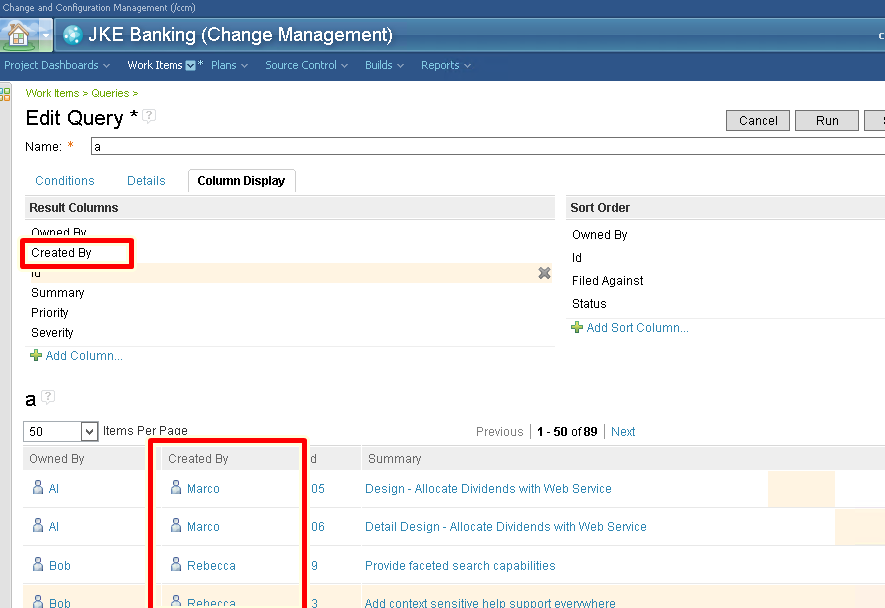
Thank you for the reply!..... however I cannot accept your answer,the "Created By" is a single value, where as "Submitter" is a multi-list field.
Comments

1 vote

The "Submitter" (Contribution List) is from com.ibm.team.workitem.editor.default editor, out of the box. I tried to attach a screen shot, but have insufficient reputation.
I will install 4.x and test again. I'll post my findings.
Thanks!
Comments