Does test connection to the RLKS Licenserver fail mean the connection to the physical host or its port fail ?

We have just updated the license file /opt/IBM/LicenseServer/RationalRLKS/config/server_license.lic on both d1 and p1 LicenseServer hosts for additional IDA and RSA licenses.
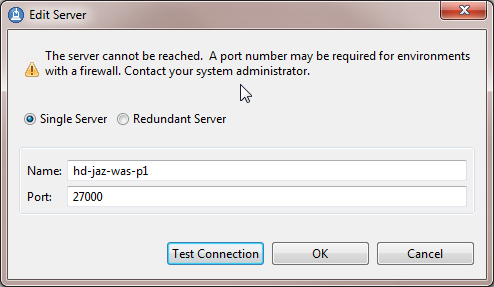
d1 LicenseServer continues (or rather resumes after the license server get bounced) working with additional licenses.
But p1 LicenseServer stops working.
Test p1 connection fails "The server cannot be reached. A port number may be required for environments with a firewall. Contact your system administrator"
Does this error message means:
- Only Connection issue with the actual LicenseServer host or its port.
- Or both, either above issue or something to do with the update of the license file: Note that port 27000 stayed the same, and lmstat & lmutil show the correct cumulative number of licenses.
One answer
There can be multiple problems
1. Is the host itself reachable
2. Is RLKS running, check log file to see if there are errors
3. Is there a firewall between app host and RLKS host.
To check
1. try to ping the host, if successfull then there is a problem with the port
2. try to telnet <HOST> 27000, if you get a positive response, you either don't have a firewall or firewall letting in port 27000
3. If negative response, check RLKS running and firewall
4. If firewall, you will need to add extra config in the license file to specify a secondary port and configure firewall to allow in/out traffic on that port. (Sorry can't remember the format of the line)
Comments
Thanks Lewis,
Had followed your advises and everything verified, unfortunately except the telltale telnet as it is intentionally turned off at our site.
However it turned out to be a known issue here, the cumulative license file provided by a 3rd party does not include the tweak for production, I have yet to understand how this tweak works, the License Server port (as reported by lmstat and lmutil) is 27000, but it is 28000 on the line that was replaced in the license file:
Under line: SERVER <serverName> <hostID> 27000
*old 2 lines
< VENDOR ibmratl
< VENDOR rational
--- replaced by below 2 new lines
> VENDOR ibmratl PORT=28000
> #VENDOR rational