Retrieve core URI using Report Builder

Hi all,
I have constructed a simple Report Builder report which shows all Requirements used in a model (using "Module -Uses-> Requirement"). For the artefacts which are given in the result list I would also like to see the URL reflecting the artefact as used in the module (BI_...) but also the core URI (TX_...) like it is accessible for every artefact when retrieving module contents through the REST API. I was not able to find anything in the "Format results" section. Is this possible maybe using advanced queries?
Thanks and best regards,
Bjoern
One answer
Yes definitely possible using a little trick and some advanced query tweaks.
To your report above, go to the traceability and add the same requirement a second time, name it something you'll recognise, then link it to the first with ALL link types (except parent/child). Then go to the format section and add the URL from the second Requirement.
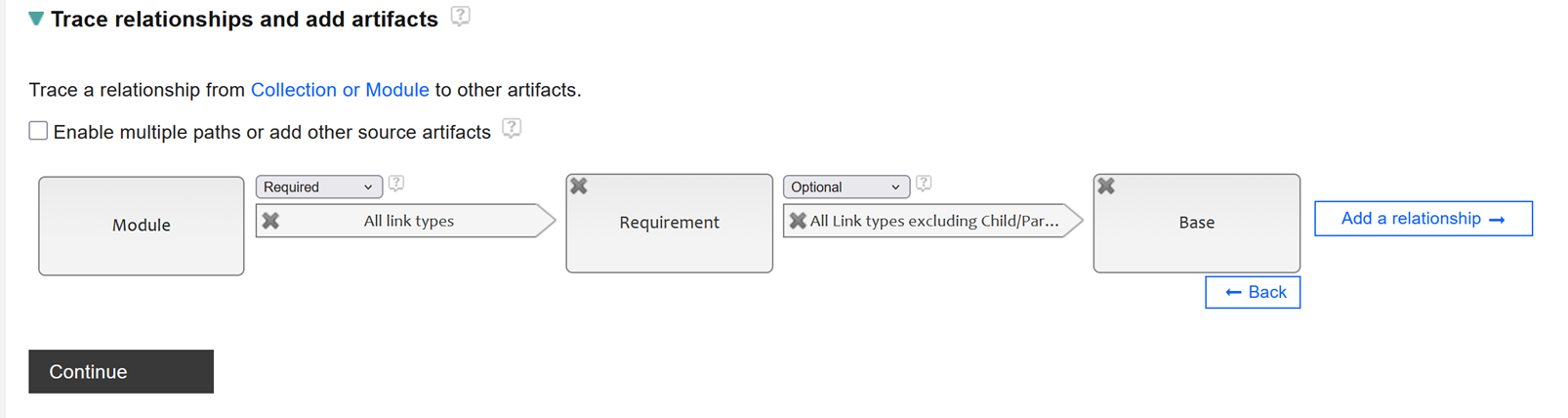
When you Save and run the report, you will see the Base columns are currently empty - this is because the second link is done via requirement URI, which is unique, and we want the link done via Requirement ID. So you go into Advanced mode, find the LEFT OUTER JOIN that is linking the two last entities, and then edit it to INNER JOIN on the REFERENCE_ID of both tables instead. In my example, it's easy to see that T2 and T3 are the ones, and here's the before and after SQL.
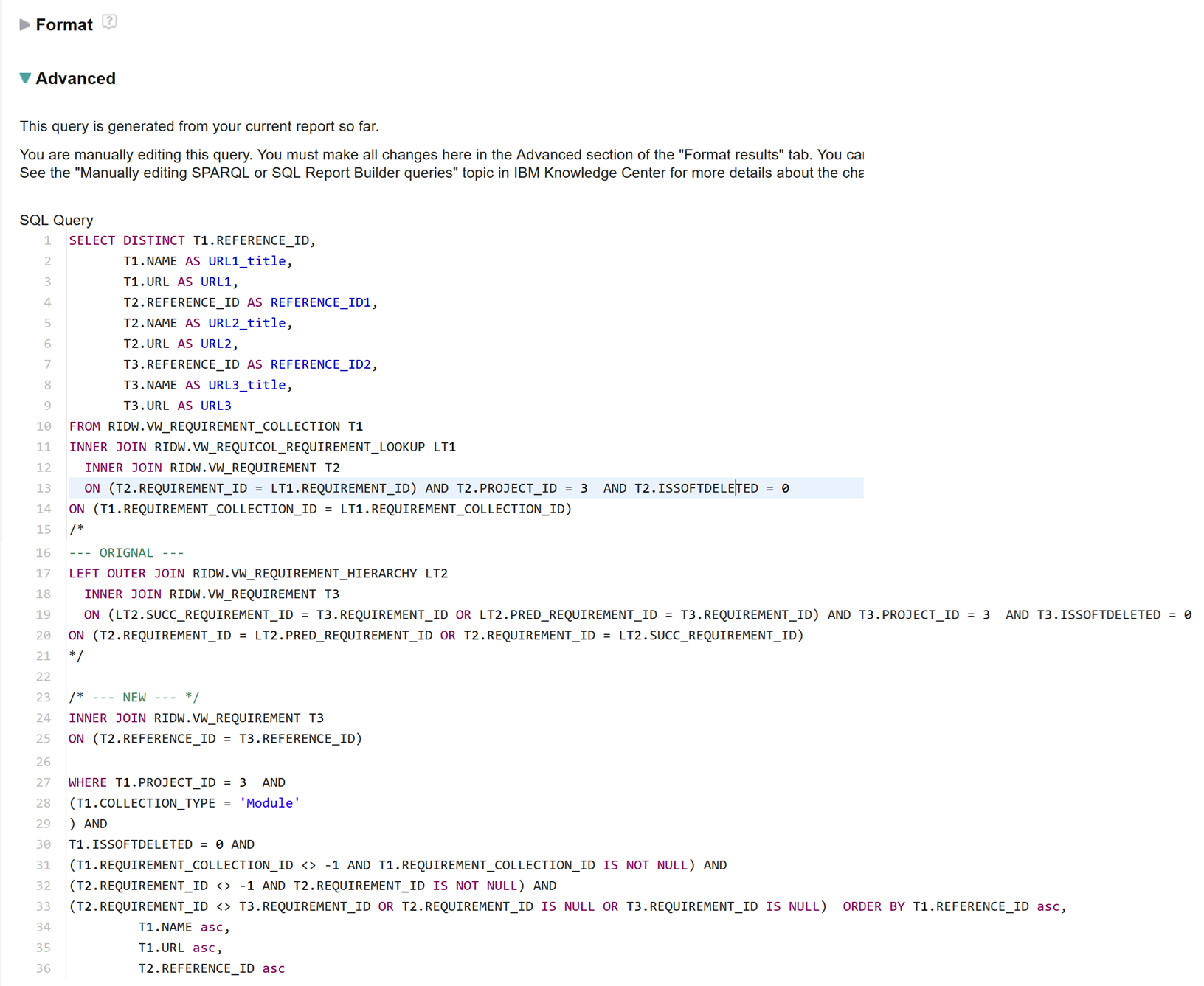
You will need to change the display of the URL fields to be String, otherwise they will be linked to the respective name columns
Comments
Hi and many thanks for this surprising solution which I am now trying to recreate. If I understand correctly for the second link in the picture above "ALL Link types" means that I need to manually insert a relation from "Requirement" to "Base" for all possible link types right? I am just asking before proceeding because in my setting there are many kinds of links and the report might grow quite big and its somehow painful to click through all the possible links that but I definitely want to try...

This is just a trick to allow you to keep using Report Builder wizard for as long as you can. In reality you will rarely see users making links from an artefact inside a model to the same artefact in its root context (usually it's a mistake or they are trying to use links to get around tweaking a report).
The thing is, you're not going to actually run this report the way it's built using the wizard, you're using the wizard to create a SQL skeleton that's mostly correct but that you'll tweak
Comments
Ian Barnard
FORUM ADMINISTRATOR / FORUM MODERATOR / JAZZ DEVELOPER Jan 30, 3:46 a.m.Note that the BI_ and TX_ prefixes are not technically part of the "API" of DOORS Next, i.e. they're not guaranteed to be there. In particular artifacts upgraded from 6.x will probably not have these and may have a completely different prefix. What this means is you shouldn't rely on their presence to make important decisions such as whether something is a binding or a core artifact.
1 vote