RTC scope components for the flow target with scm command line tool

Hello,
I would like to scope components for the flow target with scm.
With GUI it works fine:
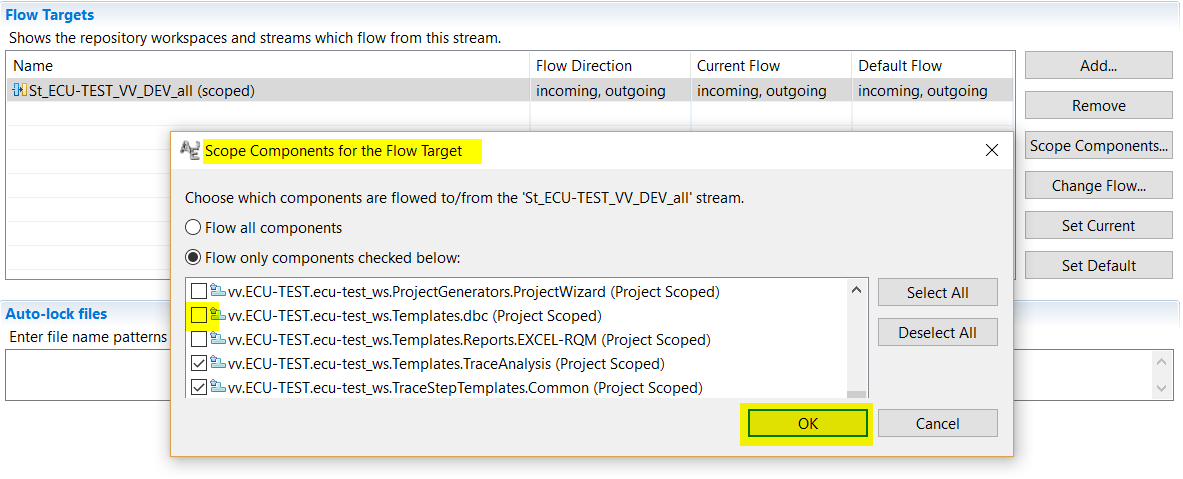
But with command line tool scm I run into an error:
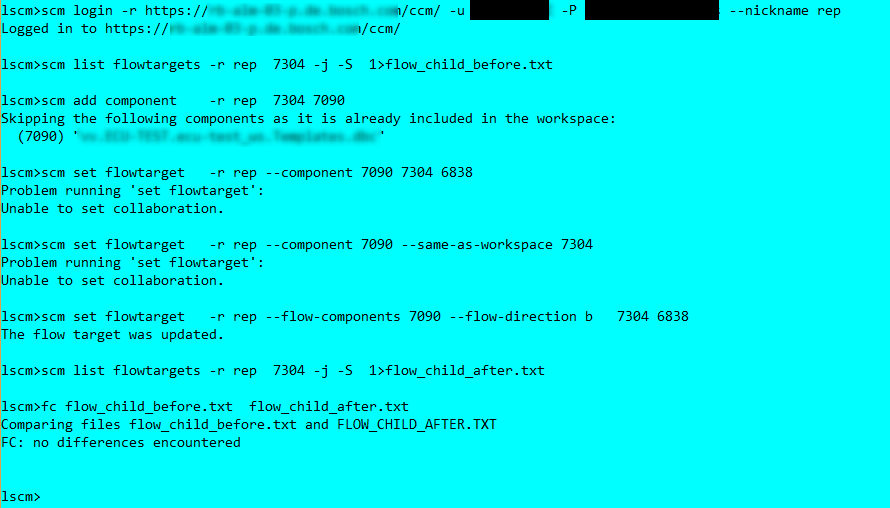
I can create components but how to use "scm set flowtarget" ?
I use different commands.
But either I get an error message
"Problem running 'set flowtarget':
Unable to set collaboration."
or I get
The flow target was updated.
but the action is not performed. i.e. if I open the GUI I do not see any change.
Thnaks fpr any hint, Jötg
3 answers
Jörg,
please find more about this defect and workarounds in this technote: http://www-01.ibm.com/support/docview.wss?crawler=1&uid=swg1PI87234
Apparently the defect was tracked in https://jazz.net/jazz/resource/itemName/com.ibm.team.workitem.WorkItem/438397
It should be fixed in CLM 6.0.5. What version scm Client are you running? If 6.0.5 or newer I would file a defect with suspected regression with IBM support.
If this is helpful please mark the answer as accepted.
- Arne
Thanks Arne!
We have already 6.0.6 iFix003 + TFR 85265
The command line tool had version 6.0.4.
I've now switched to the 6.0.6 command line version, but no change:
lscm> scm -v
Build-ID: RTC-CLIENT-I20180527-0114
Version: 6.0.6
lscm> scm login -r https://myserver.com/ccm/ -u myuser -P mypassword --nickname rep
Angemeldet bei https://myserver.com/ccm/
lscm> scm add component -r rep 7313 7090
Folgende Komponenten werden ⁿbersprungen, weil sie bereits im Arbeitsbereich enthalten sind:
(7090) "vv.ECU-TEST.ecu-test_ws.Templates.dbc"
lscm> scm set flowtarget -r rep --component 7090 --same-as-workspace 7313
Fehler bei Ausfⁿhrung von 'set flowtarget':
Die Zusammenarbeit kann nicht festgelegt werden.
lscm>
Is there any one who can explain what the error message "Unable to set collaboration" means or where I can get more details about this error message?
thanks, jörg
PS: Couldn't reply directly to the answer, because message text is too long :-(
Comments

Jörg,
You should consider to create a defect.
As a sidenote, there is a scm.ini file in the folders where the SCM commandline is defined. Adding the line
-Duser.language=en
should switch the output to English. The German output always confuses me, despite being German.
Thanks Ralph!
I was also surprised by the German text and switched now to English :-)
I'll open an defect.
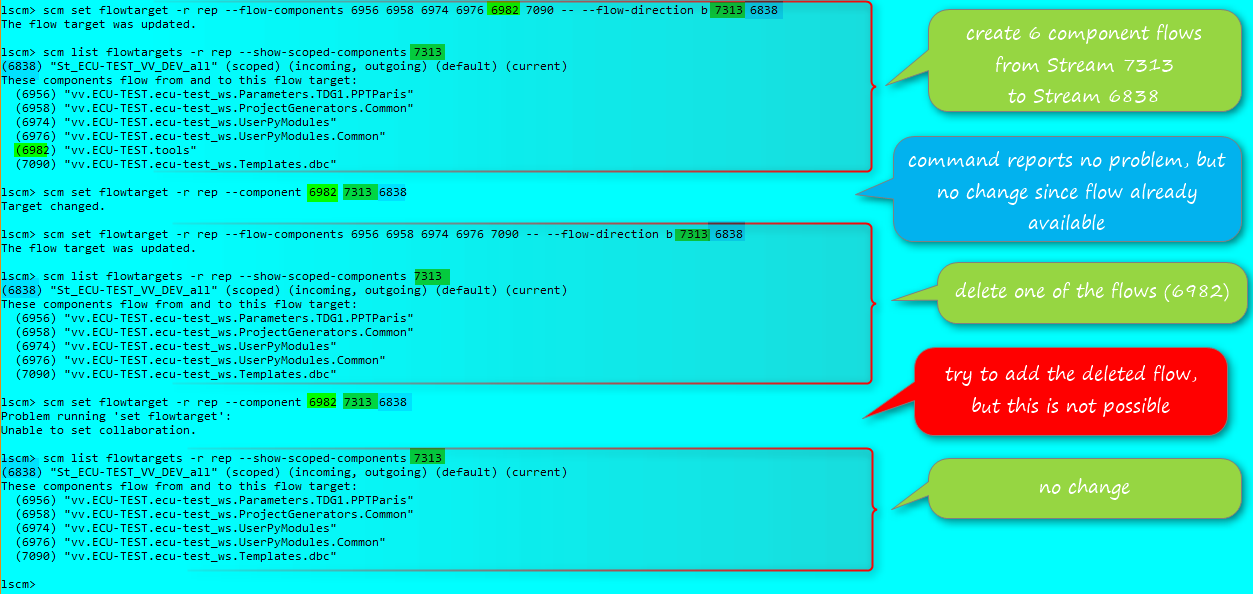
One lesson learned is, that
scm set flowtarget -r <rep> --flow-components <comp1> <comp2> ...
deletes(!) the flows of components not listed after --flow-components
Comments
Defect above was opened in wrong PA (RQM):
New Defect (in RTC PS): https://jazz.net/jazz/web/projects/Rational%20Team%20Concert#action=com.ibm.team.workitem.viewWorkItem&id=474179