How can default to WorkItem Type in the "Select Work-Item" Popup Window

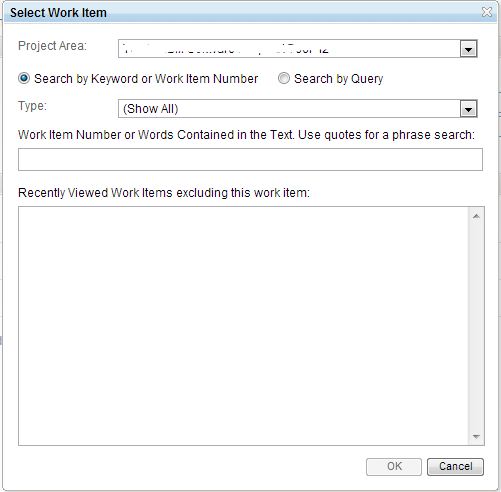
2 answers
This looks like an enhancement to me.
The default can be changed for the pop-up which shows up from the Links Tab by modifying the configuration source which is not recommended though.
From your project opened in Eclipse Client > Configuration Source Tab > you will notices the list of work item types under the tag :
Pick the <Type> ... </Type> you want to appear as a default and move it to the top and save it.
Some sample source which makes the story as a default is below:
Now on, when you get a pop-up for the work item type from the links tab, you will notice at the bottom that there is quick link to create a work item of type you moved to the top in the configuration source.
However, this does not affect the popup from the Work Item attribute in the work item. So, I see no other OOTB feature at the moment to get to this default. Suggest raising an enhancement.
Hope this helps.
The default can be changed for the pop-up which shows up from the Links Tab by modifying the configuration source which is not recommended though.
From your project opened in Eclipse Client > Configuration Source Tab > you will notices the list of work item types under the tag :
<data>
<configuration-data final="false" id="com.ibm.team.workitem.configuration.workItemTypes" xmlns="http://com.ibm.team.workitem/workitemTypes">
Pick the <Type> ... </Type> you want to appear as a default and move it to the top and save it.
Some sample source which makes the story as a default is below:
<data>
<configuration-data final="false" id="com.ibm.team.workitem.configuration.workItemTypes" xmlns="http://com.ibm.team.workitem/workitemTypes">
<type category="com.ibm.team.workitem.workItemType.story" icon="processattachment:/workitemtype/story.gif" id="com.ibm.team.apt.workItemType.story" name="Story">
<alias name="user story"/>
</type>
<type category="com.ibm.team.workitem.workItemType" icon="processattachment:/workitemtype/bug.gif" id="defect" name="Defect">
<alias name="bug"/>
</type>
<type category="com.ibm.team.workitem.workItemType.task" icon="processattachment:/workitemtype/task.gif" id="task" name="Task">
<alias name="work item"/>
<alias name="workitem"/>
<alias name="item"/>
</type>
Now on, when you get a pop-up for the work item type from the links tab, you will notice at the bottom that there is quick link to create a work item of type you moved to the top in the configuration source.
However, this does not affect the popup from the Work Item attribute in the work item. So, I see no other OOTB feature at the moment to get to this default. Suggest raising an enhancement.
Hope this helps.