Jazz Forum Welcome to the Jazz Community Forum Connect and collaborate with IBM Engineering experts and users

Strange formatting of some jazz.net pages

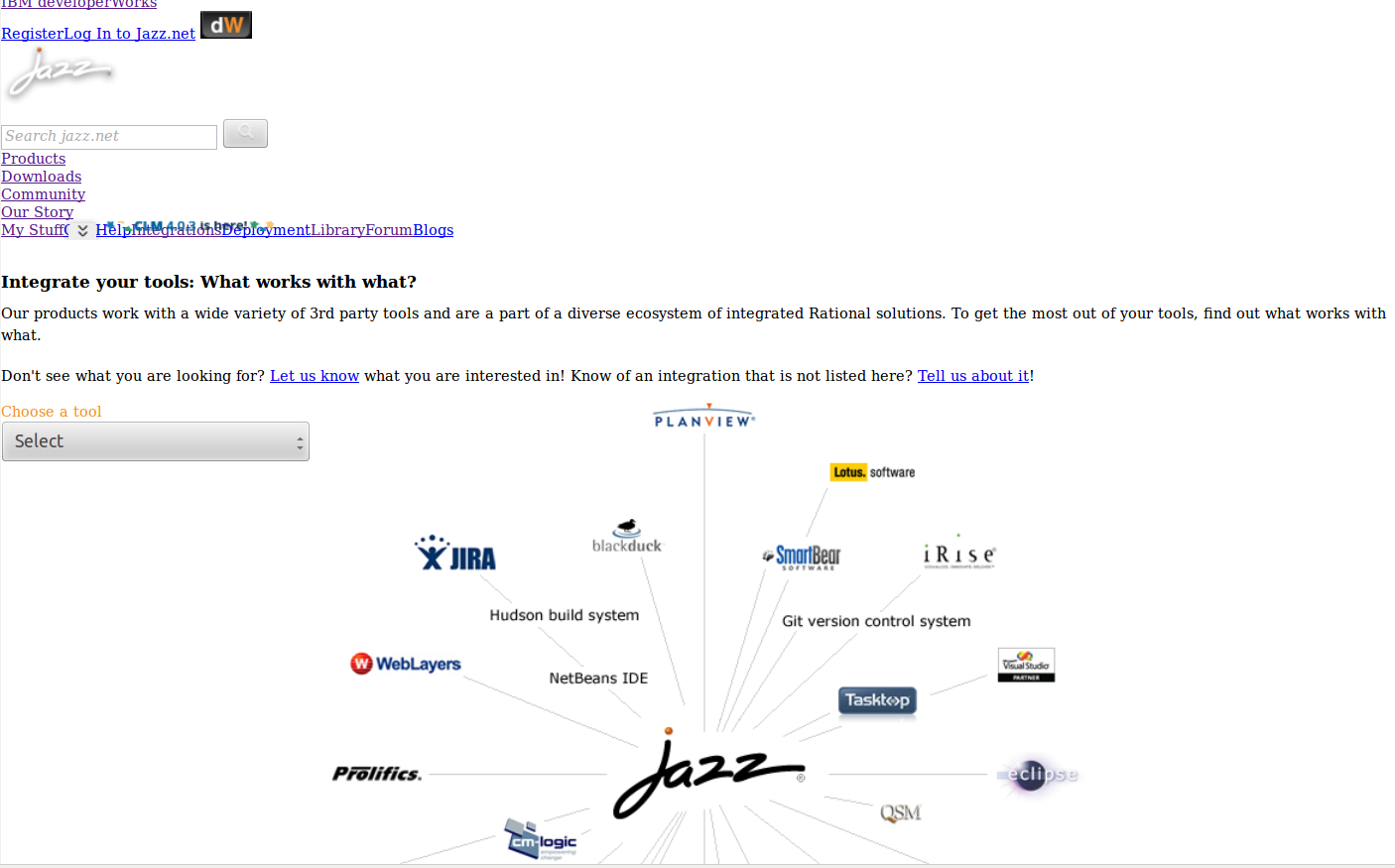
If I navigate thru some jazz.net pages, I often see strange formattings:
https://jazz.net/extend/integrations looks like: 

And picture upload in the forum does not work.
I'm running Firefox ESR 17.0.6
(To upload the picture above, I need to switch to chrome browser)

0 votes

Comments

Looks like the CSS isn't loading or is coming in slowly. 

That might be. But with chrome (but I prefer to use Firefox) on the same machine it all looks fine. What could I do?


5 answers

Permanent link
 I find the same problem with Firefox 17 ESR but not with Chrome or IE9. 

1 vote


Permanent link
Hello All,
I had similar problem with different pages on Firefox (not only jazz.net). Clearing cookies fixed the issue for me.
If it does not help, then you can try using Firebug to see which http request fails and what is error message.

I hope it helps for you.

Best regards,
Krzys.

1 vote

Comments

I have cleared all cookies of jazz.net, which does not change the behavior.

Hello Krzysztof, thanks for the suggestion.

This is the firebug output I get for this forum page:

"NetworkError: 404 Not Found - https://ajax.googleapis.com/ajax/libs/jqueryui/1/themes/base/jquery-ui.css"

ReferenceError: onload_comment_area is not defined
https://jazz.net/forum/questions/122485/strange-formatting-of-some-jazznet-pages?utm_campaign=forum&utm_medium=email&utm_source=forum-new-answer&utm_content=forum-question
Line 1111

And this is from the jazz.net main page:

Error: Could not load class 'jazzshared.NavBar
https://s-static.ak.facebook.com/connect/xd_arbiter.php?version=25
Line 13

Given URL is not allowed by the Application configuration.: One or more of the given URLs is not allowed by the App's settings.  It must match the Website URL or Canvas URL, or the domain must be a subdomain of one of the App's domains.


Permanent link
I did some further tests and clearing the Cached Web Contents in Firefox Options fixed the issue for me:

1 vote


Permanent link
I see the same problems in Firefox ESR 17.0.7, also some forum functions, like the tag auto completion doesn't work.
IE8 works fine.

Edit: Firefox 23 works fine as well

0 votes


Permanent link
I did the same.
Formatting: I don't know because today it had worked before clearing the cache.
Image Upload: Still does not work. (I can select the file and when I than click Open, the Upload window closes without doing the upload.

0 votes

Comments

Image upload is working properly for me now; I uploaded the one in my previous post from FF17, I don't recall making other changes.

I'm running FF 17.0.6 but still does not work

Your answer

Register or log in to post your answer.

Dashboards and work items are no longer publicly available, so some links may be invalid. We now provide similar information through other means. Learn more here.

Search context
Follow this question

By Email: 

Once you sign in you will be able to subscribe for any updates here.

By RSS:

Answers
Answers and Comments
Question details
× 1,726
× 10

Question asked: Aug 05 '13, 9:46 a.m.

Question was seen: 9,119 times

Last updated: Jan 20 '14, 9:50 a.m.

Confirmation Cancel Confirm