


Where are Caliber requirements displayed in Rational Quality Manager 3.0.1
In Rational Quality Manager 3.0.1, a user can associate Caliber requirements with test plans, but in the “Requirements” section of a test plan, there is no corresponding Caliber entry for a user to manage Caliber requirements. So where are the Caliber requirements in Rational Quality Manger 3.0.1?
Solution for Caliber requirements in Rational Quality Manager 3.0.1
Like DOORs requirements, Caliber requirements are pushed from the Caliber side to RQM. In Rational Quality Manager 3.0.1, both DOORs requirements and Caliber requirements are treated as external requirements. As a result, Caliber requirements don’t have a specific place holder as RequisitePro, RRC and DOORs. It shares space with DOORs requirement. A customer can manage their associated Caliber requirements in the Rational DOORs tab in the Requirements section of a test plan. If a user does not configure a Requisite Pro connection, there won’t be a Requisite Pro tab and a DOORs tab in the “Requirements” section. Only DOORs and Caliber requirements will be displayed in the table by default, as you can see in Figure 2 below. And in the requirement list table, the Source column will identify whether a requirement is from DOORs or Caliber, which is to say that a Caliber requirement in this requirement list will be displayed with “CaliberRM” in the Source column.
Examples
Here are some example image:

Figure 1: Caliber Requirements in DOORs tab

Figure 2: No RequisitePro configured
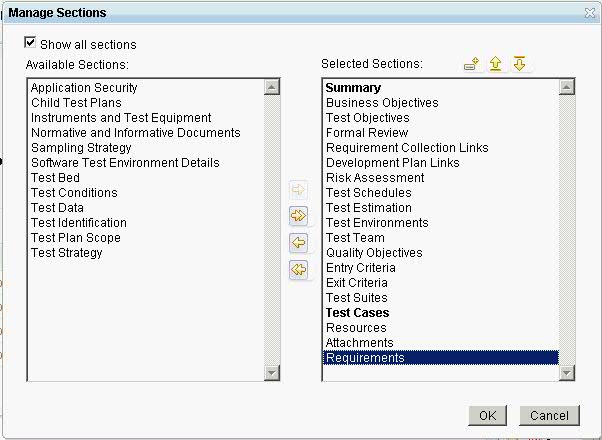
Figure 3: Add “Requirements” section in Test Plan
About the author
Xing Zhou is a developer in RQM team, CSDL IBM. Contact him through xingzhou@cn.ibm.com
Copyright © 2011 IBM Corporation