| Description | |
|---|---|
| Document Builder |
Search for templates by tag in Document Builder When you search for templates on the Design report page, you can now filter the templates by tags. In previous releases, you could only use keywords that matched the template name or description. Now you can filter the templates by their tags. Image of the list of templates grouped by tags: 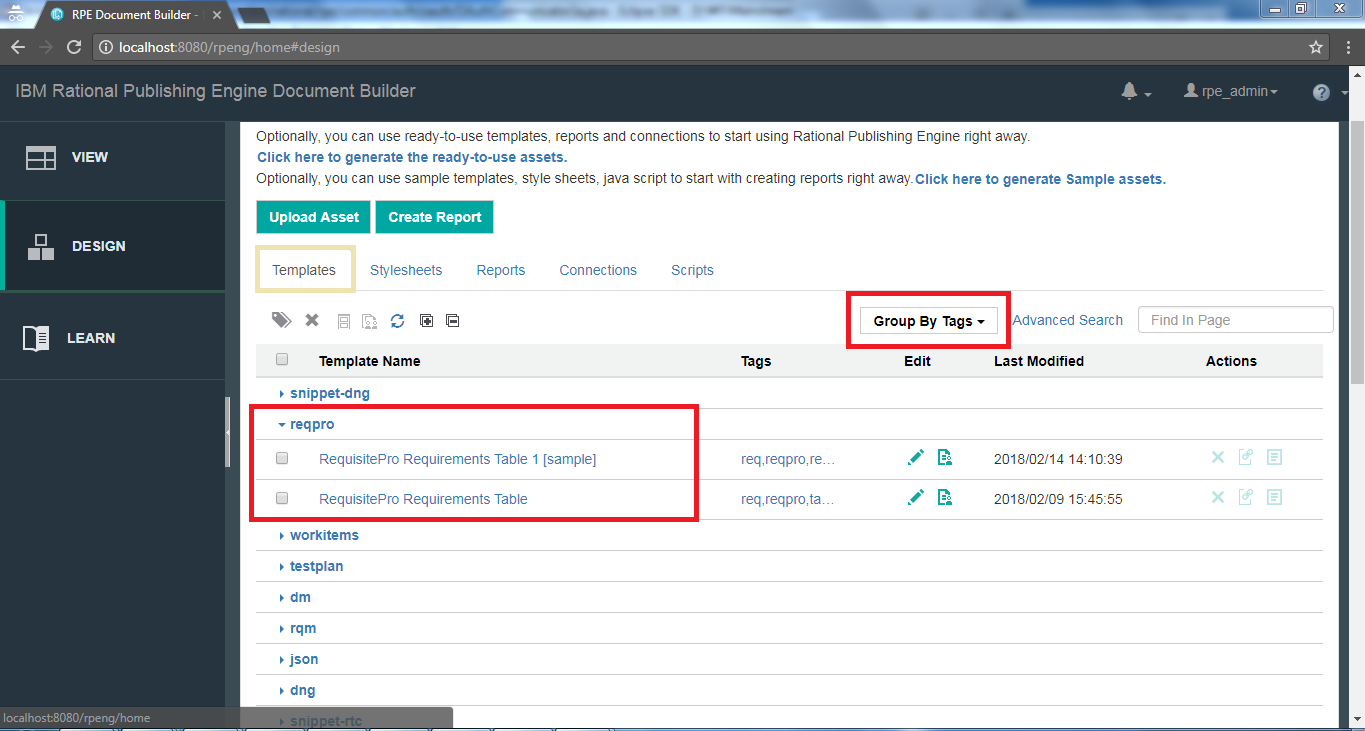 Image of searching for templates by using tags: 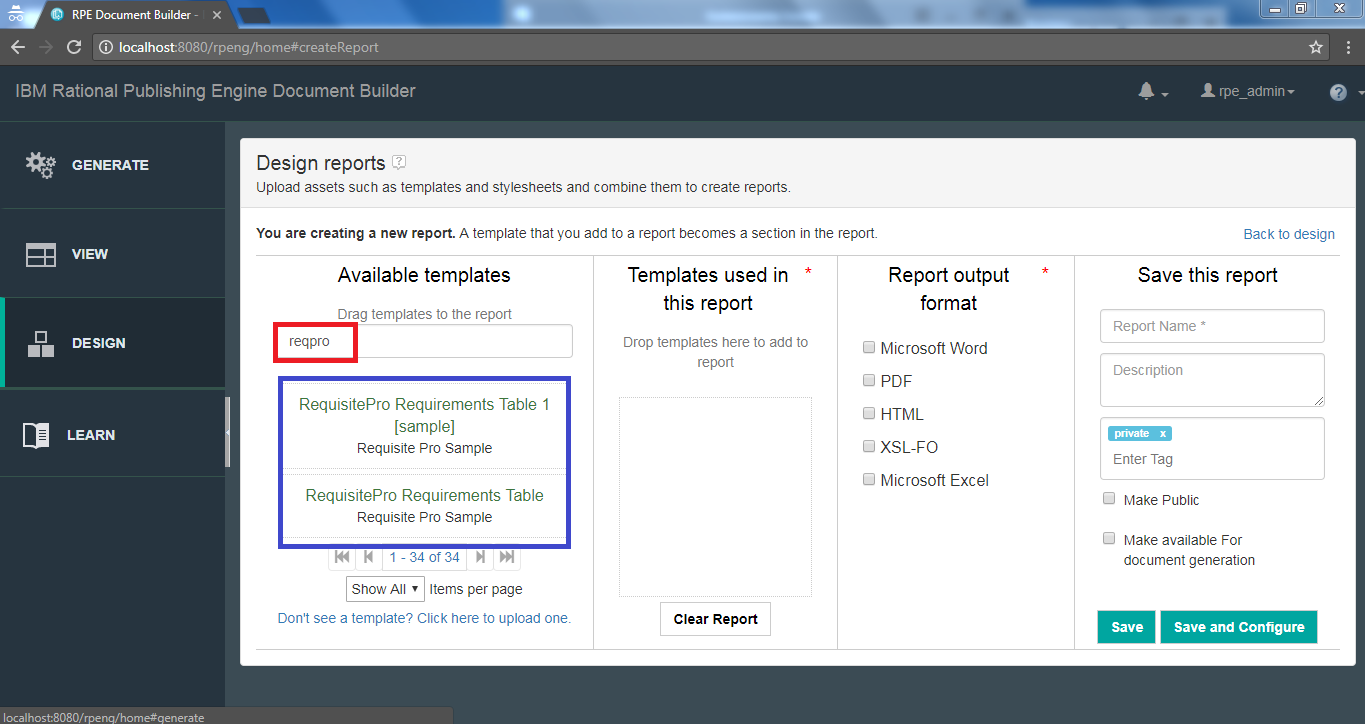
|
| Document Studio |
Document Preview view With live document preview, the output is previewed as you design the template in RPE Document Studio. The preview is refreshed either upon save or by clicking the Preview button. If the document is not as expected, correct the template or Javascript conditions and watch the preview without having to generate the document manually and open it. Image of the Preview view: 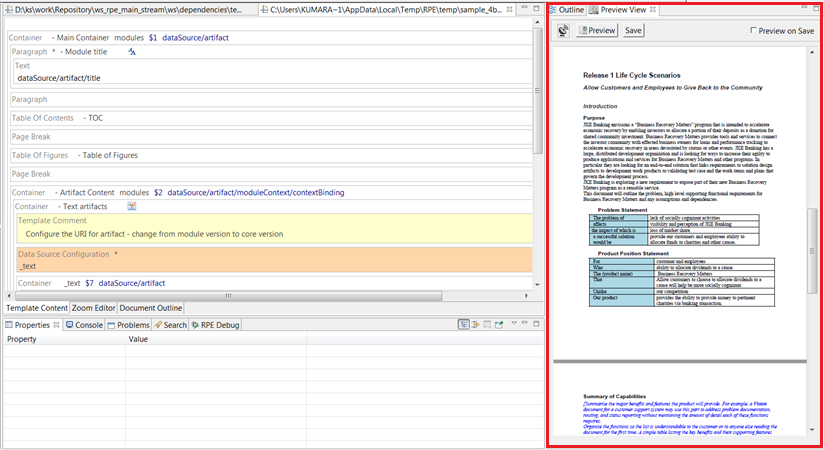 Data source configuration The data source and other parameters must be configured for the document specification in RPE Launcher, which is similar to normal document configuration and generation. Once the document specification is configured, the live preview uses the same document specification for generating the preview. The data from the data source is cached for subsequent previews for quick preview. If you do not want to use the cache, toggle the Cache button/icon in the Preview view. Refresh preview on Save Once you enable "Refresh on save" by selecting the check box in the Preview view, the preview is auto-refreshed upon saving the template in the Studio editor. Alternately you can preview manually by clicking the "Preview" button in the view. The number of records in the preview is limited to 10 by default for every query. This is a configurable number from RPE preferences (Window > Preferences. Under RPE > Engine preferences, set "Preview query results limit"). |