|
Report Builder
|
Report Builder beta
Report Builder (RB) user interface has now been modernized to provide a new user experience for listing reports and folders, exporting reports and scheduling exports, and RB administration
RB beta allows you to try the modernized RB in your test environment. RB beta can be enabled by an administrator and then each user also has the ability to turn RB beta on or off. Following are some key modifications currently available in RB beta: - The Reports listing page has a new visual style, displays additional information, includes new capabilities, and reports are exclusively organized by folders.
- Organizing reports by folders is a major shift compared to the existing RB; tags were the primarily organization mechanisms in the past. The old RB UI primarily organized reports by tags. The recommendation, for the RB beta, is to minimize the number of folders and reports at the root level.
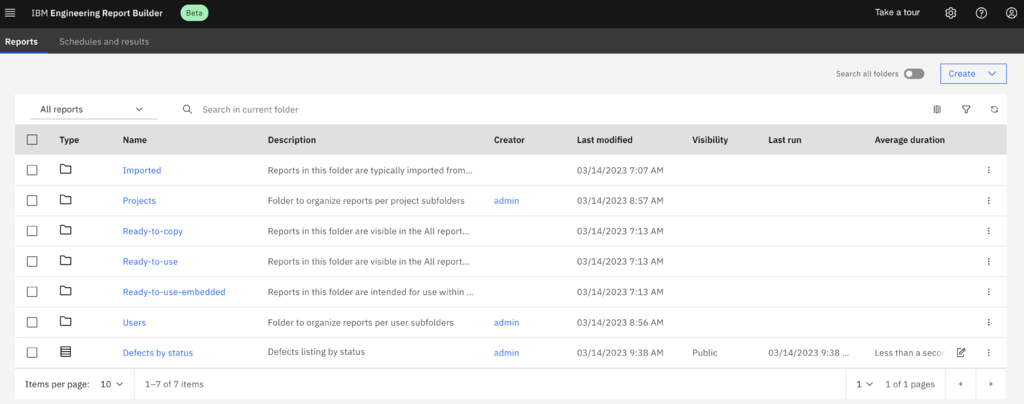
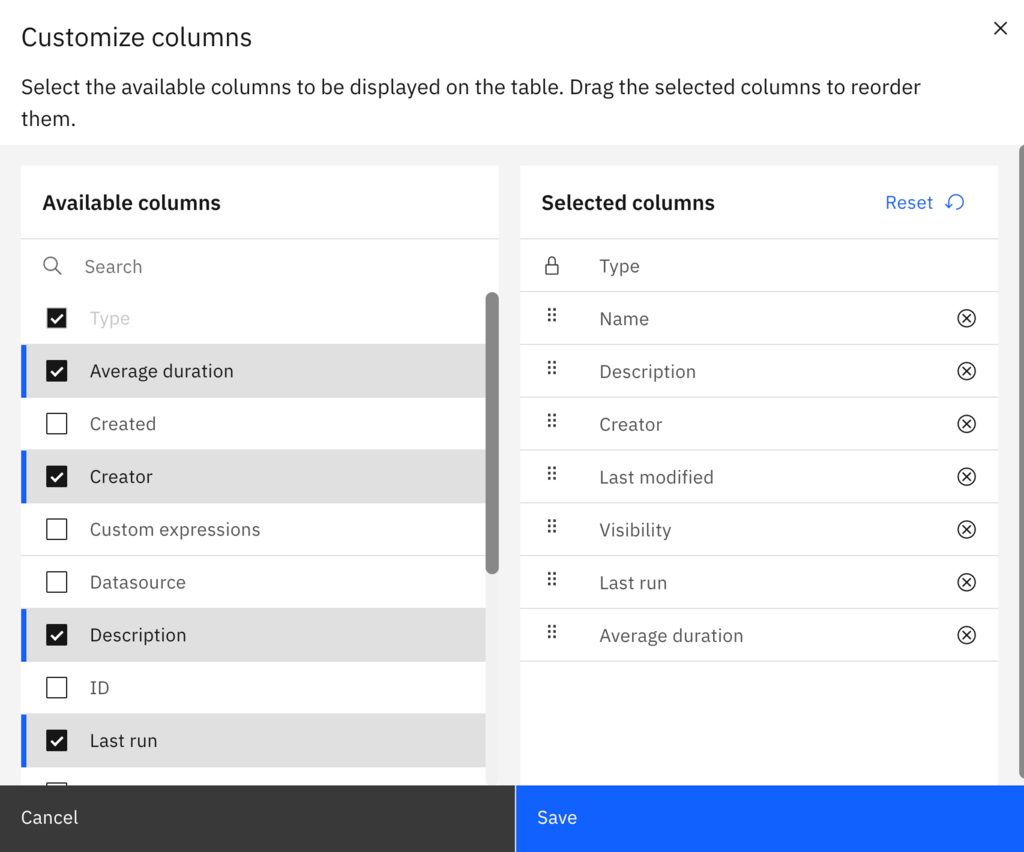
- The reports list displays additional information for each report, such as when a report or folder was last modified. There are even more columns you can select to display, such as ID, Last modified by, Last run, and Last run by. For a complete list of additional report listing columns, click on the Manage column icon and select the columns you prefer and in what order you want them to display.
The My reports and All reports views can be uniquely customized based on your column selections. This allows you to have specific information that you would like to view under My reports and different information under All reports.
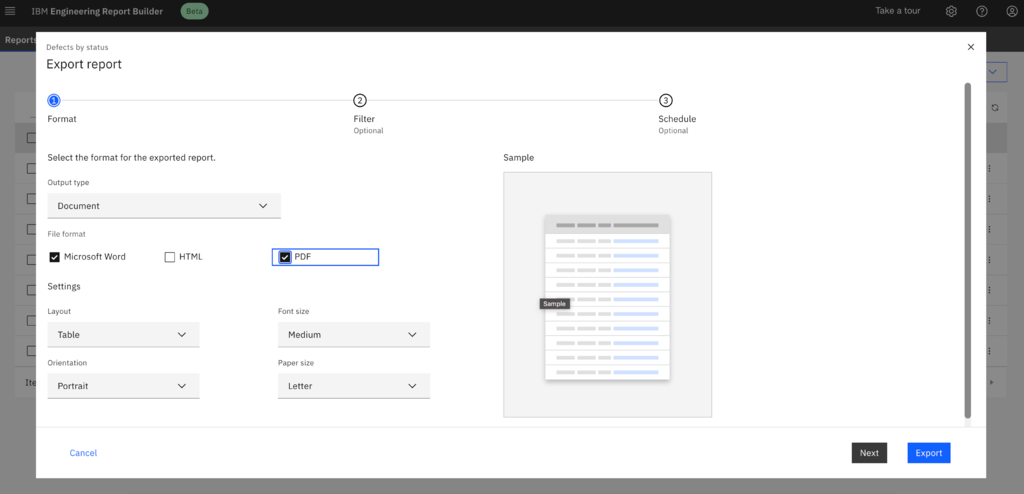
- The reports listing page now makes it easy to make simple changes or perform common tasks without having to open a report. For example, you can directly edit the name and description of reports and folders. You can also export a report or schedule to export a report directly from the reports listing.
The feature of Exporting and scheduling an export are streamlined into one improved UI that lets you export immediately, or helps you move through the steps to schedule the export on a recurring basis. With RB beta, you can now also schedule an export of image type, that was not possible in classic UI.
- Previously RB administration had three columns and a design quite a bit different than other ELM applications. It did not provide much flexibility to the RB administrators. With the modernised RB Beta, the following improvements have been made:
Additional information can be found in the RB beta documentation.
|