| Description | |
|---|---|
| Global Configuration Management |
Display Id for Components and Configurations
To allow better identification of global components, configurations and baselines, especially with long names, GCM will now display the ID of these resources along with their names across the application. The ID will be auto generated and read-only. It will be prefixed with the name when displayed as a header or be visible as a column where we display tables. The column can be removed or added back, as required. Sorting will also be possible. The IDs will be visible in the following screens in the current milestone and will be added to the remaining screen in the subsequent milestone:
Image of the Browse Components screen: 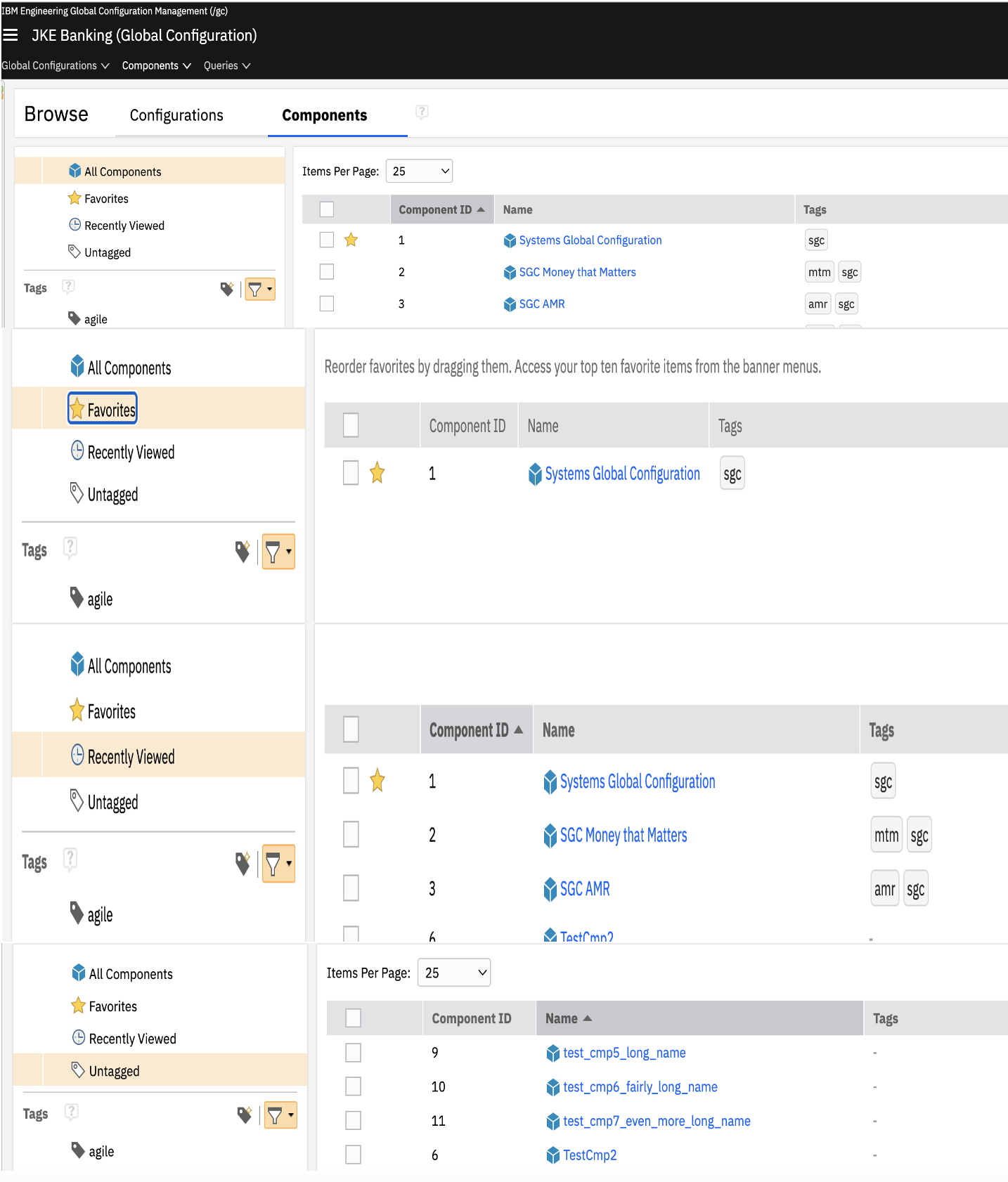 Image of the View Component screen: 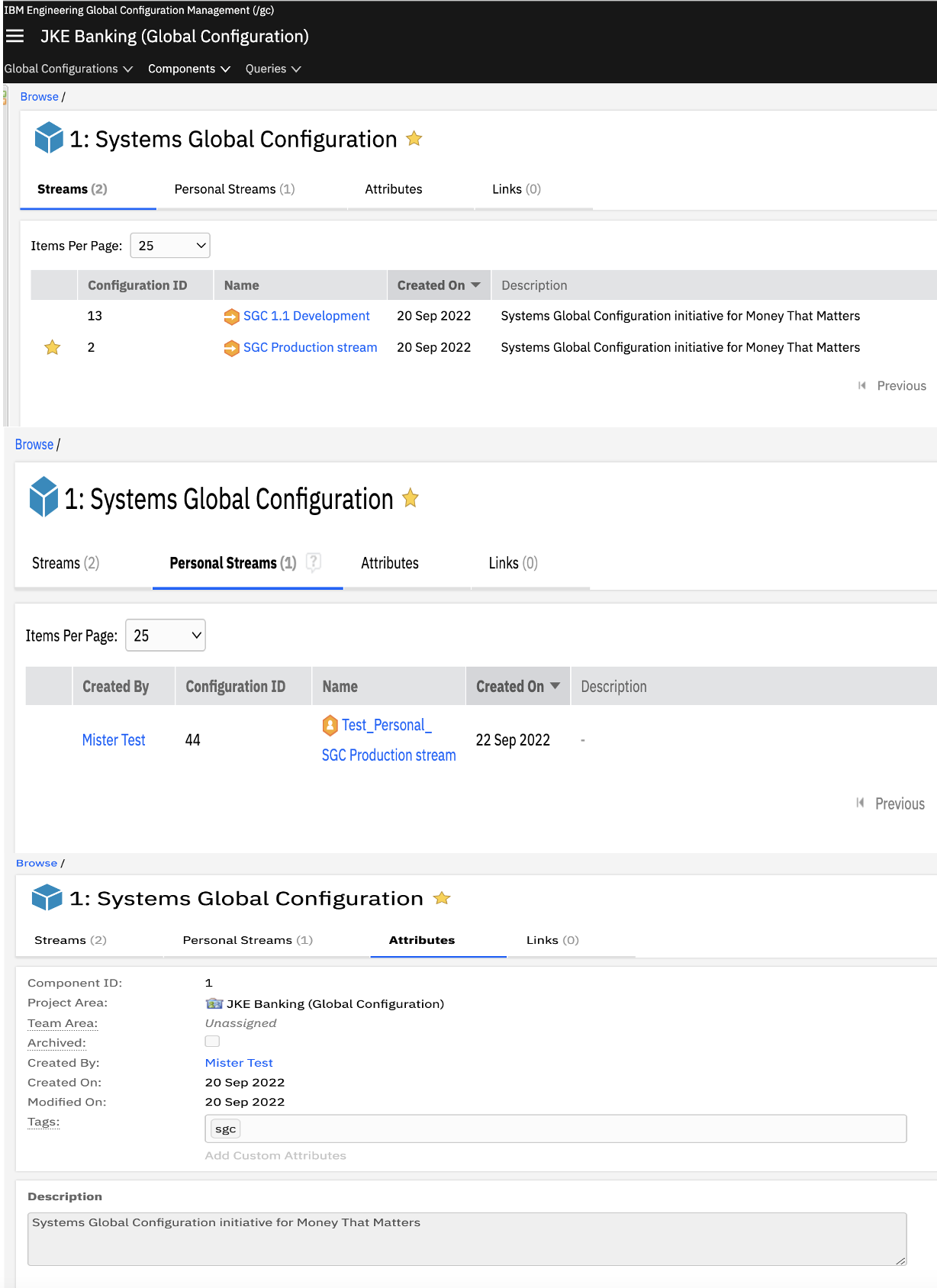 Image of the Edit and Archive Component screen: 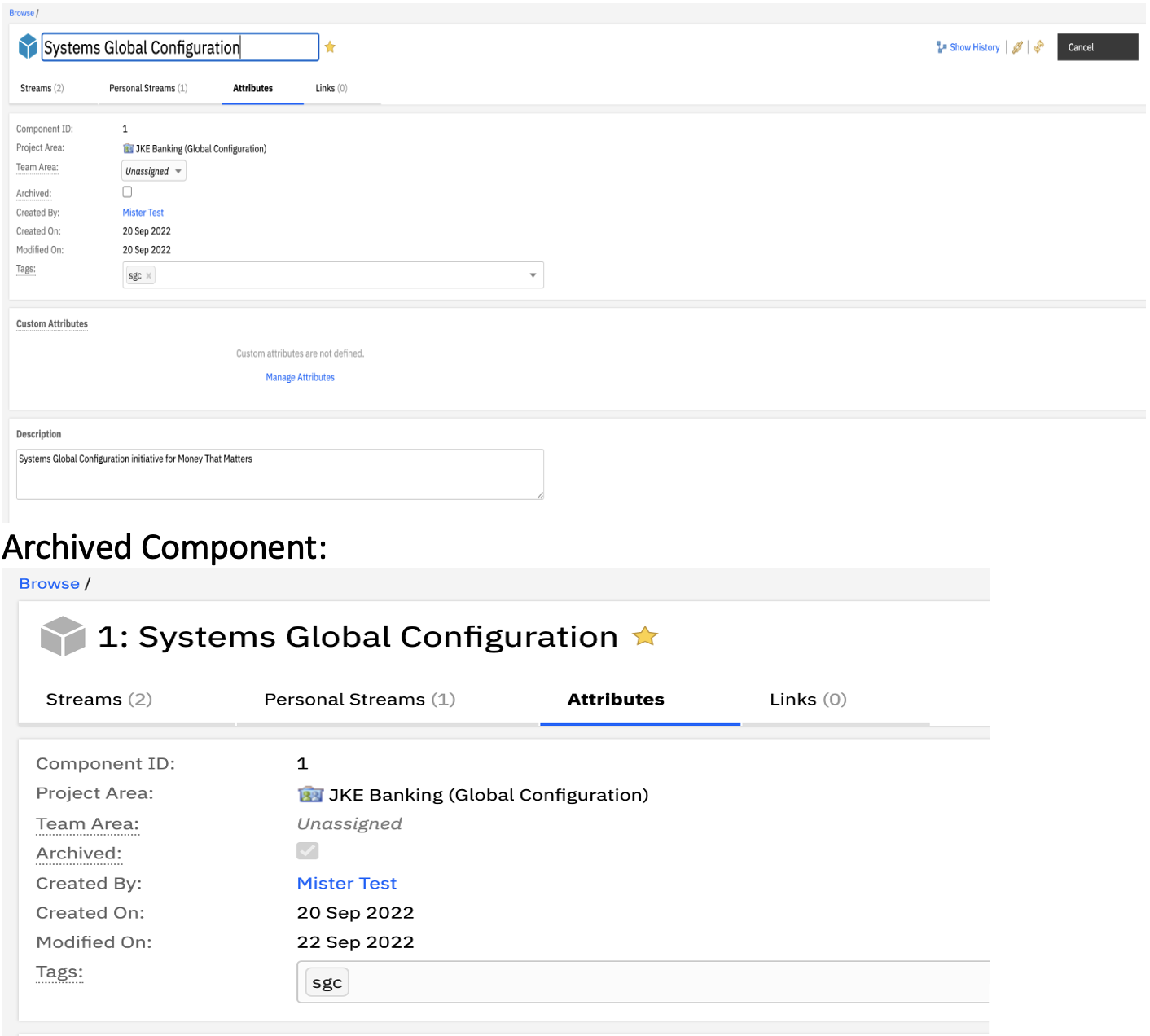 Image of the Browse Configurations screen: 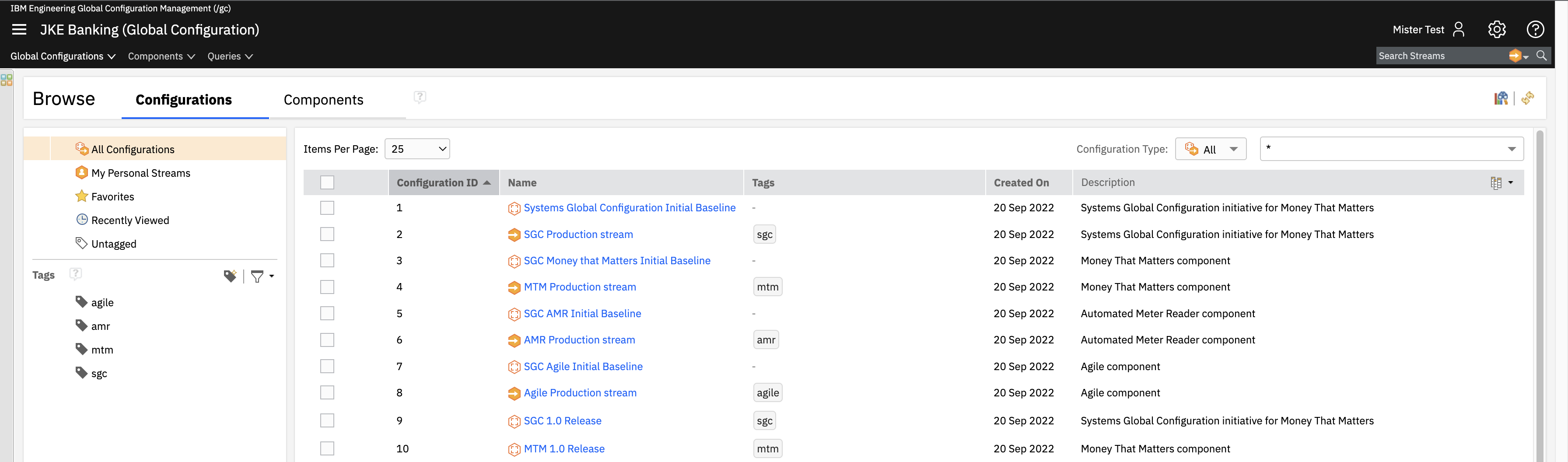 Image of the View Configuration screen: 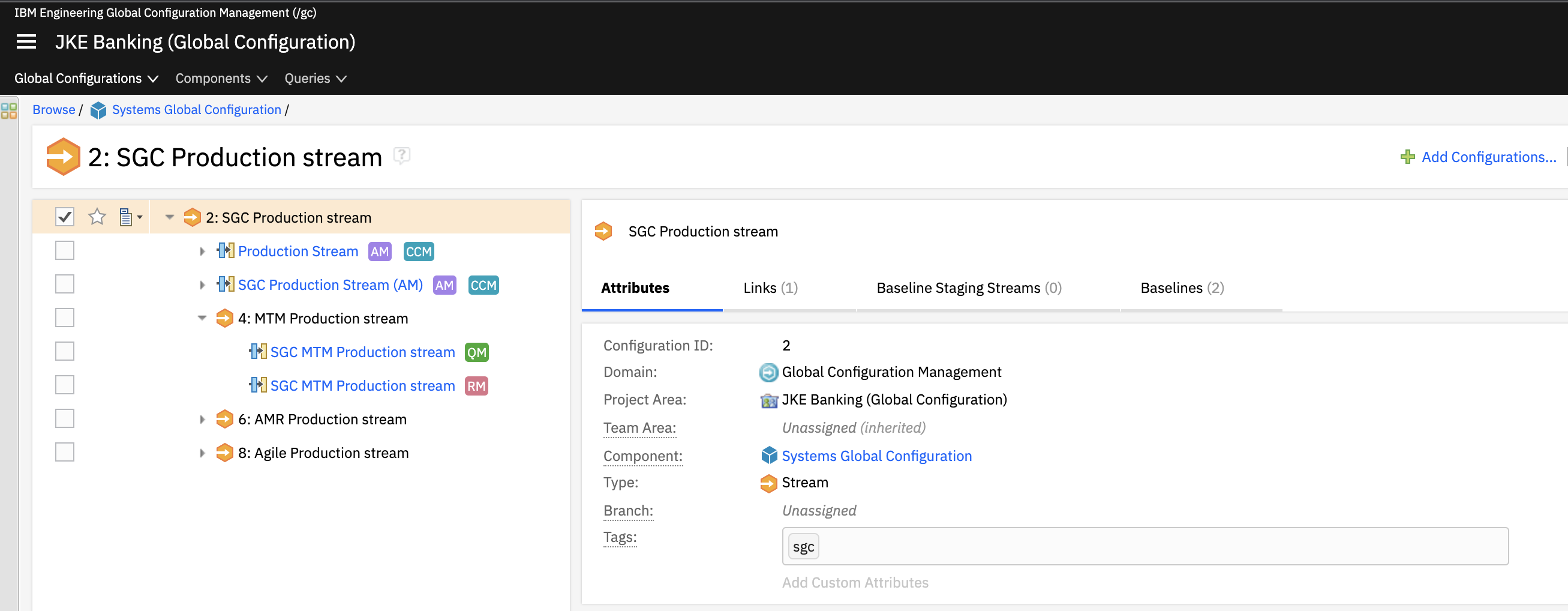 Image of the Configuration Picker: 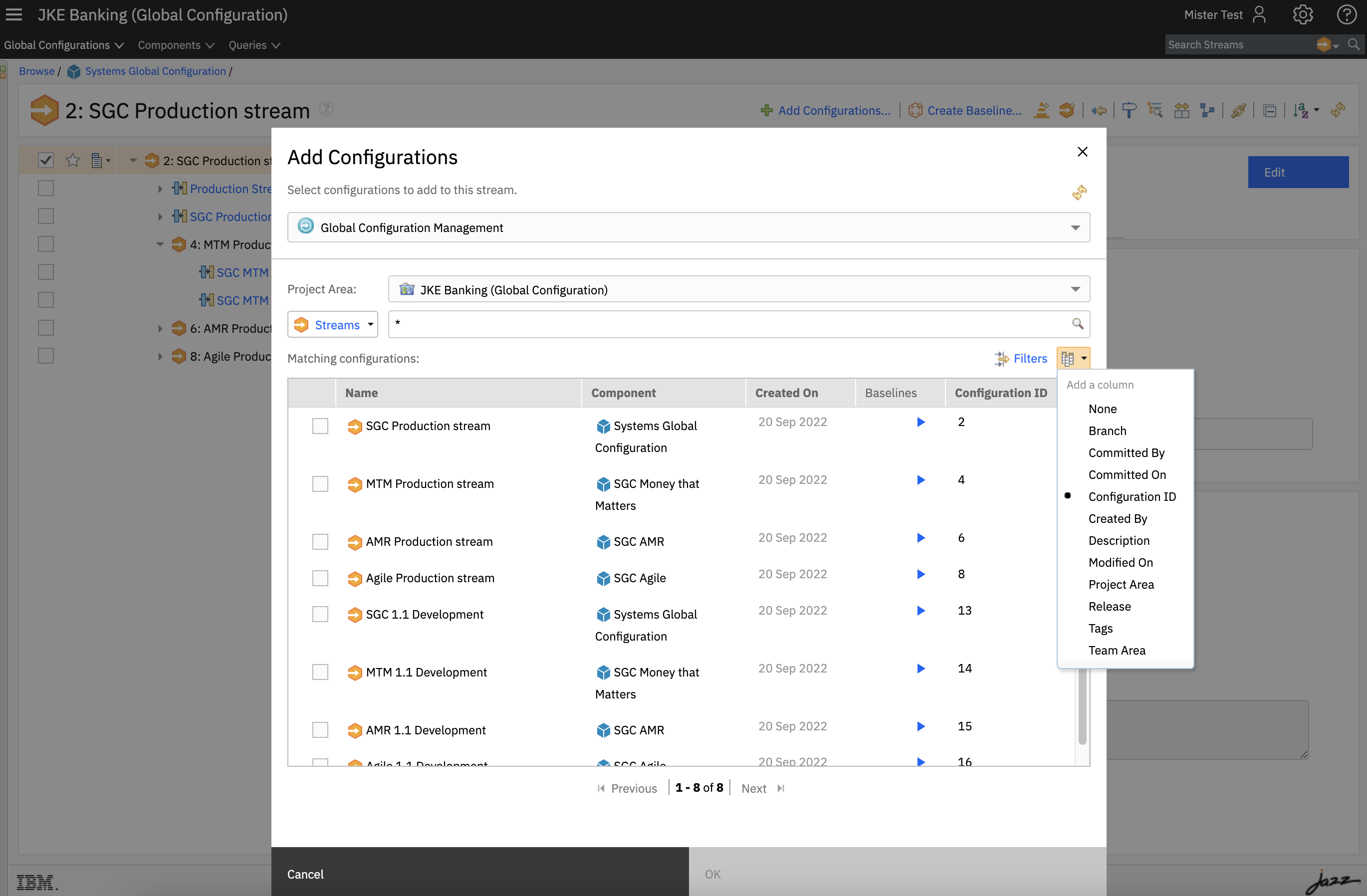 Image of the Recents and Favorites menu items: 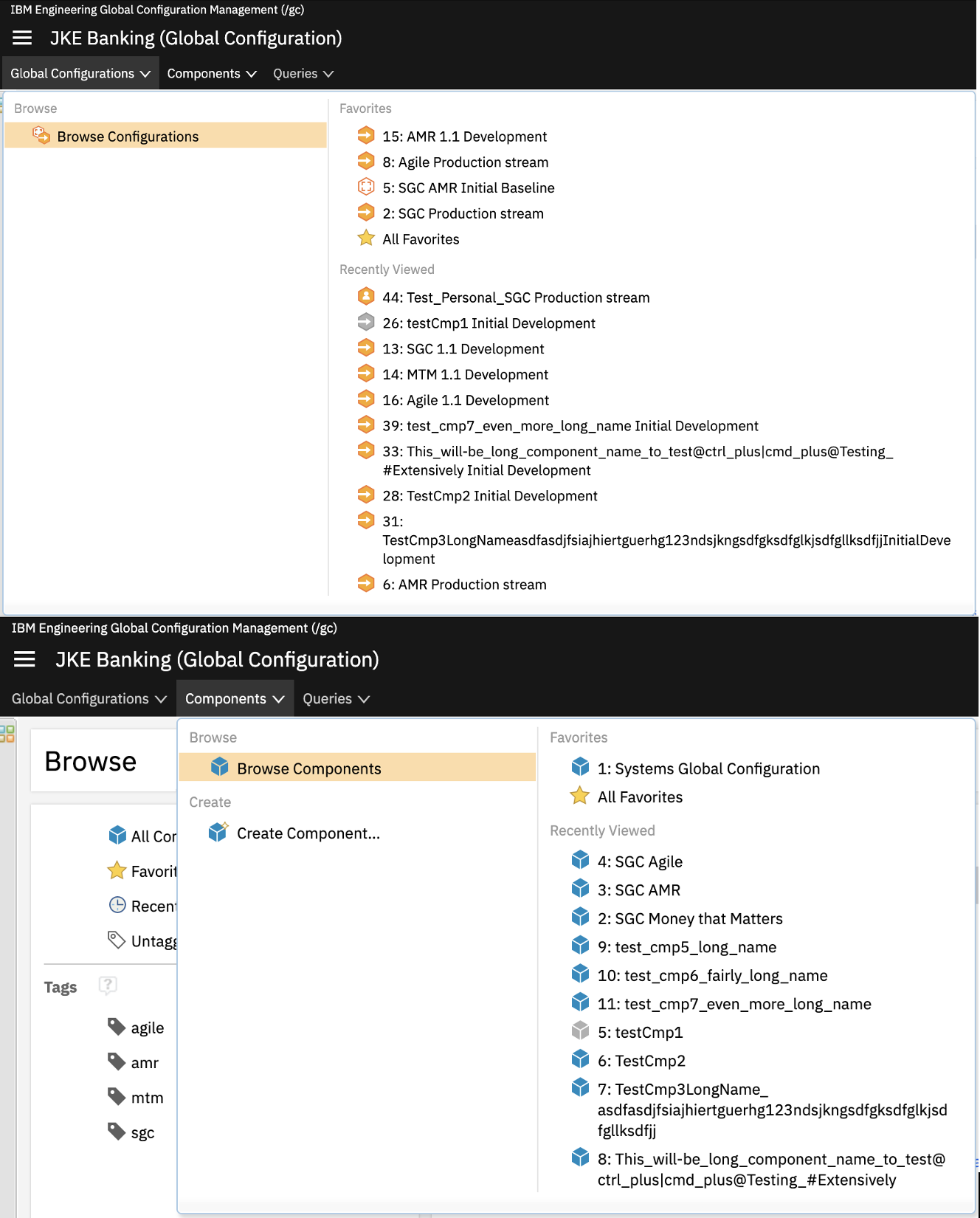 Image of the Compare Configurations screen: 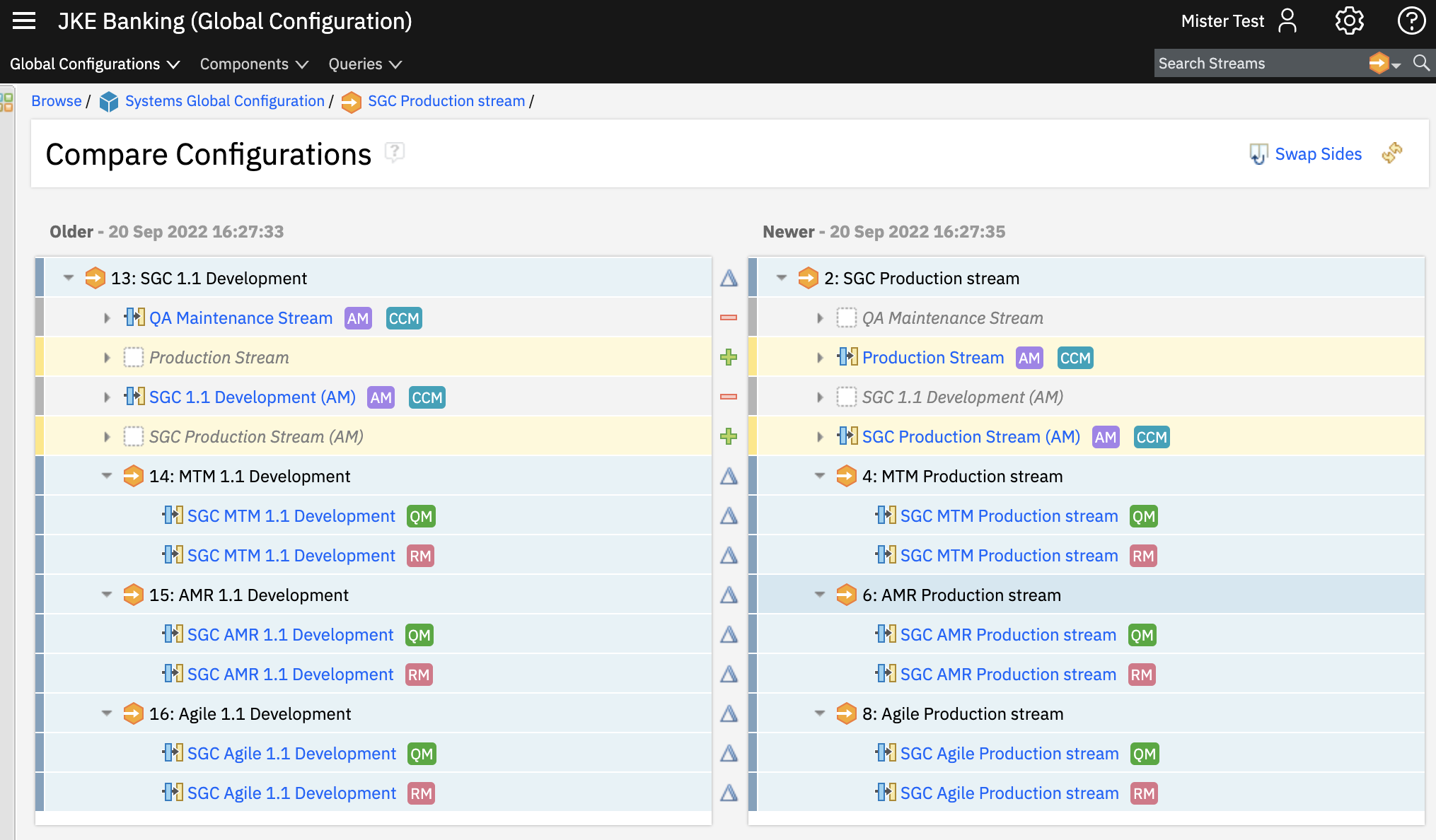
|
| Jazz Foundation |
New repotools commands for faster and efficient Database migration
Use the -exportConcurrent, -importConcurrent, and -compare repotools commands to migrate Engineering Lifecycle Management (ELM) application repositories from MS SQL Server to Db2 or Oracle much faster and more efficiently than the existing repotools export and import commands. To minimize migration time, the new commands are multi-threaded, and a compare action is done separately from the export and import. * Use the -exportConcurrent repotools command to export the data from the current database. /server/repotools_[app] -exportConcurrent -clean toFile=../export/[app].zip * Use the -importConcurrent repotools command to import the data into the new database. ./server/repotools_[app] -importConcurrent -clean fromFile=../export/[app].zip * Use the -compare repotools command to ensure that there are no discrepancies between the source database and the target database. ./server/repotools_[app] -compare target.teamserver.properties=ImportJazzServerInstall/server/conf/jts/teamserver.properties Note: You must run the compare command in a test environment before you migrate the data in the production environment. It is not recommended to run the compare command in the production environment because the downtime required might be longer than what is acceptable. For more information, see Migrating database from one vendor to another. |