| Description | |
|---|---|
| Clustering |
Distributed Cache Microservice for clustered applications
For Collaborative Lifecycle Management (CLM) applications that support clustering, such as Rational Team Concert, the distributed data is now managed by a standalone web application known as the Distributed Cache Microservice.
The Distributed Cache Microservice is a small Java application that consists of a main JAR file (distributedCache.jar) and its dependencies in the lib directory. The microservice provides a centralized management and storage location for distributed data for clustered CLM applications.
Setup considerations
Configuration properties If you plan to monitor the performance counters that the microservice publishes, you must enable counters and counter publishing in the configuration file, and also point broker to an MQTT broker URL. Alternatively, when counters are enabled in the configuration file, the following URL displays counter data on demand: http://<machine>:10001/dcm/counters
Running the Distributed Cache Microservice For the best performance, copy the Distributed Cache Microservice from the Jazz Team Server location and run it on a separate machine that is independent from Jazz Team Server. |
| Documentation |
New interactive backup and restore guide A new interactive guide is available that enables you to generate customized instructions for backing up databases, indexes, and configuration files for the Collaborative Lifecycle Management (CLM) and Continuous Engineering (CE) applications. The guide is accessible in IBM Knowledge Center on the landing page for interactive guides, and in the Administering section of the help. |
| Global Configuration Management |
New locking mechanism for shared type definitions When you export or import type definitions, you can mark them as final to prevent accidental changes and ensure consistency across projects that share them. Type definitions include artifact types, attributes, data types, and link types. When the type definitions are imported, you see a lock icon in the details on the right side of the page if they were marked as final. Only users who have the Modify imported type definitions marked as final privilege (such as someone assigned the Administrator role) can unlock and then edit these type definitions. Example: An attribute called Geo might have a data type of Country. The Country data type is set with an enumerated list of values, which include America, Britain, and Japan. If these type definitions are exported from Project_1 and marked as final, when they are imported into Project_2, you cannot change them without permission. Image of a locked attribute: 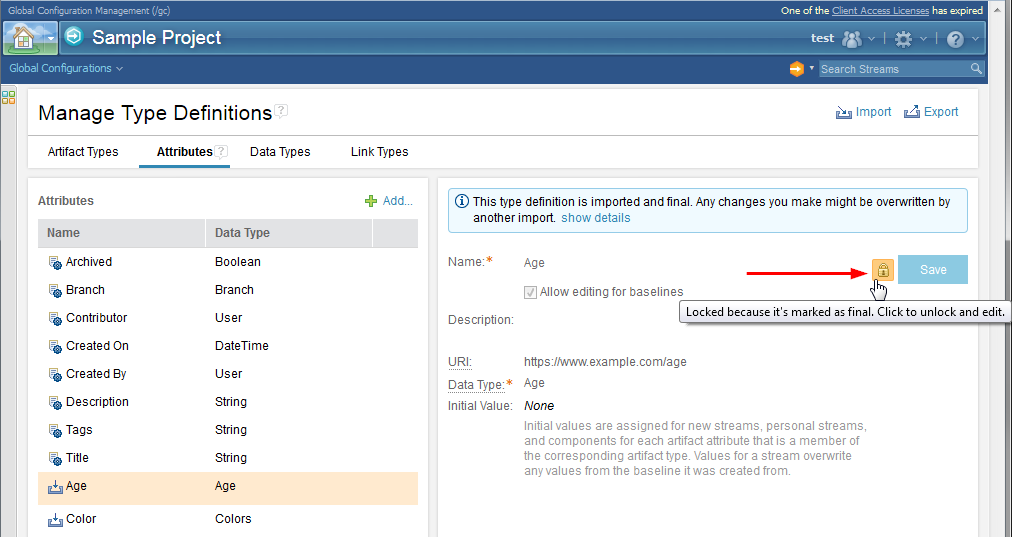 Image of an unlocked attribute: 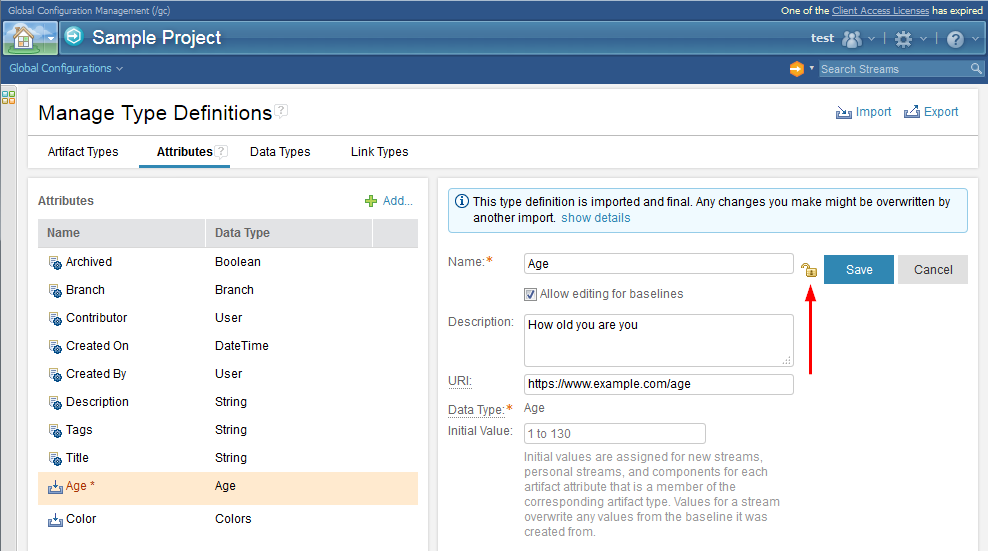 |
|
“Project Properties” have been renamed to “Type Definitions” Before, you worked with artifact types, attributes, data types, and link types on the Manage Project Properties page. That page is now called Manage Type Definitions because not all the elements are actually properties. The following tasks and permissions now refer to type definitions to better convey their purpose: • Manage Project Properties → Manage Type Definitions • Import Project Properties → Import Type Definitions • Export Project Properties → Export Type Definitions • The Project area properties permission group was renamed to Type definitions, and permissions in the group were also renamed. Image of the Manage Type Definitions menu item and page: 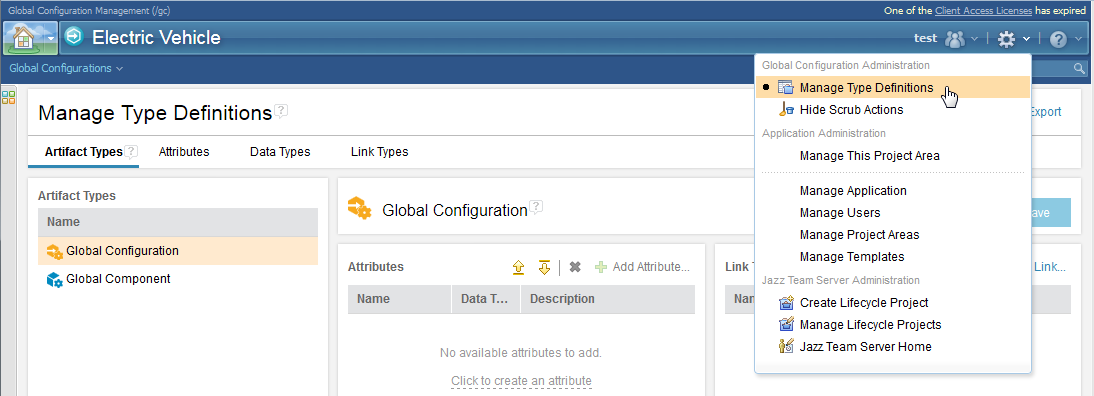 Image of the Export Type Definitions window: 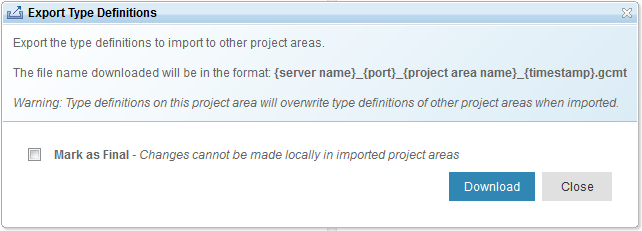 Image of the permissions that apply to type definitions: 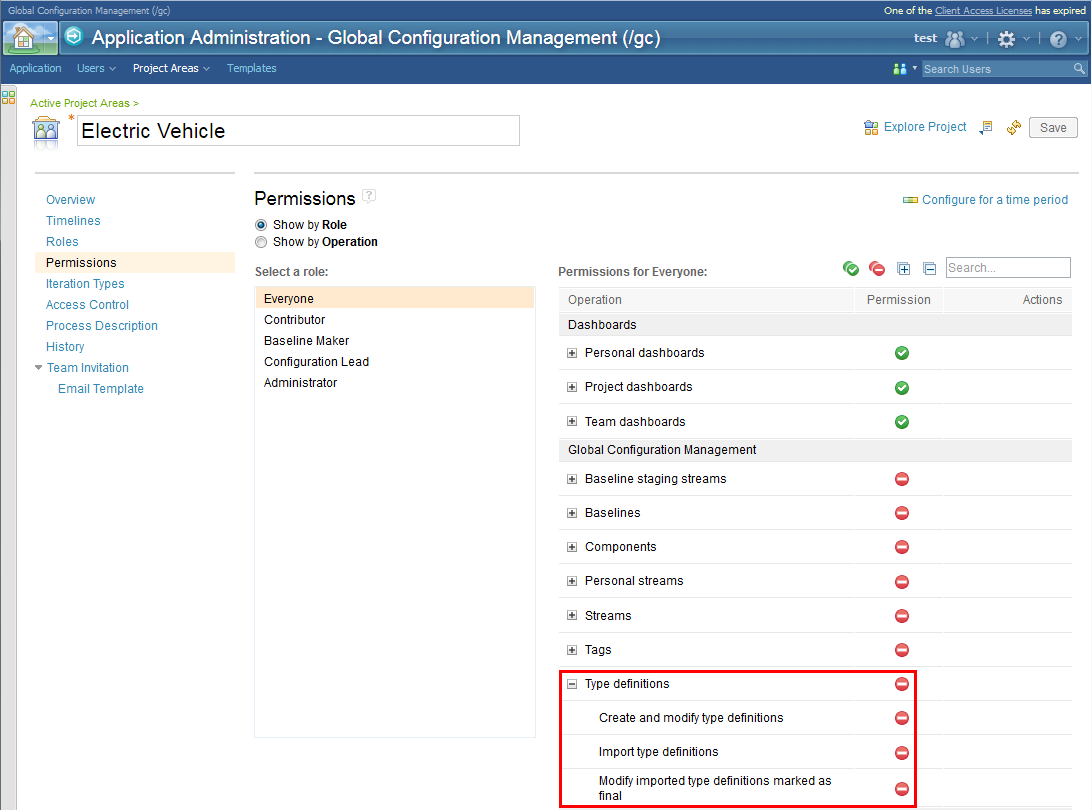 |