New & Noteworthy for IBM Engineering Workflow Management 7.0.3 M18


Description
Enterprise Extensions ISPF User Build in the EWM ISPF client

You can now submit a User Build from a loaded resource from the EWM ISPF client:
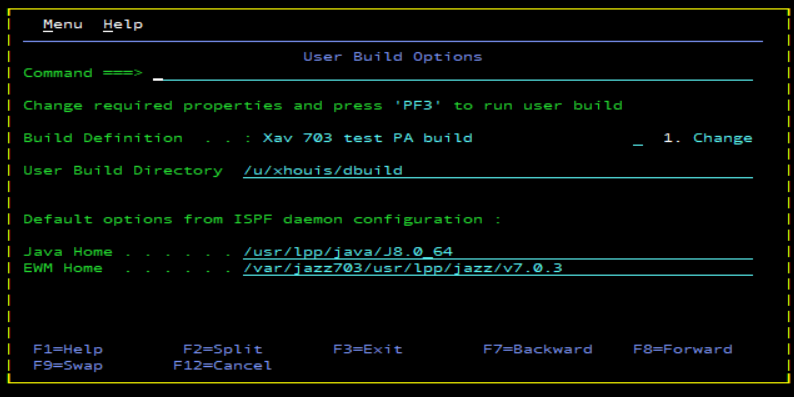
  • On the data set member list pane, you can now use a new action called "UBS" to submit a User Build of the selected resource.
  • A new "User Build Options" pane is proposed, including some default build parameters that are already set.
  • You can choose a build definition, enter a User Build directory, and then submit the build.
  • At the end of the User Build, the build log file is displayed.
    Image of the EWM ISPF client:
    Git integration Support for GitHub Enterprise server 3.1.7 in IBM Engineering Workflow Management

    IBM Engineering Workflow Management now supports GitHub Enterprise server 3.1.7 and future fix packs.
    Support for GitLab 14.x in IBM Engineering Workflow Management

    IBM Engineering Workflow Manager 7.0.3 now supports integration with GitLab 14.6.6 and future fix packs.
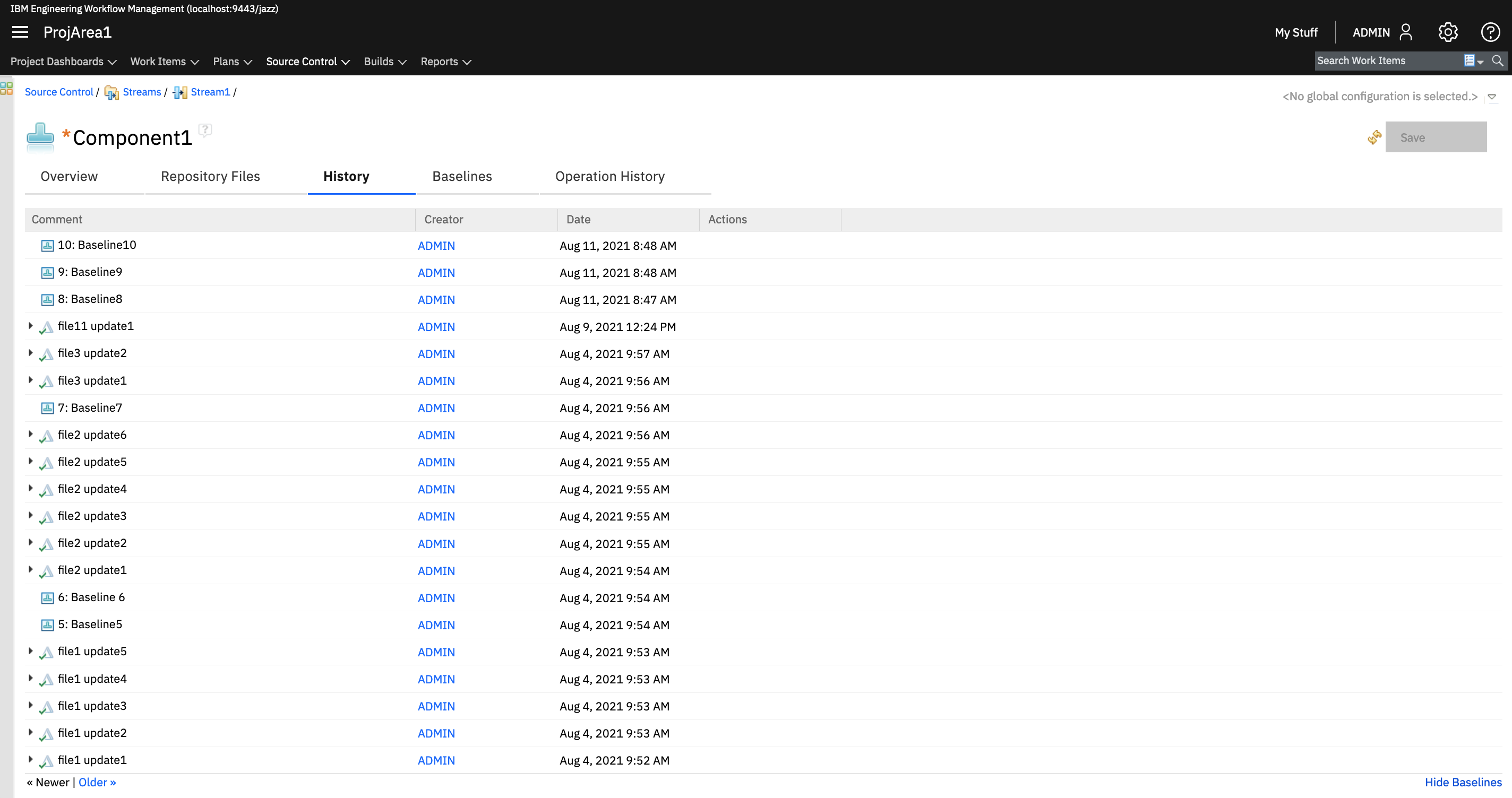
    Jazz source control Component history view of the web client now displays baselines with change sets

    In the component history view of the web client, you can now view baselines with the change sets of a component. The change sets or baselines are displayed in the order in which they enter the workspace.

    By default, the component history view displays only change sets. To display baselines with the changes sets, click the Show Baselines link in the lower right of the page. To switch to the original view, click the Hide Baselines link in the lower right of the page.

    Image of the history view displaying the baselines with the change sets:

    Jazz Source Control Component filters added in Source Control Management (SCM) editors and wizards

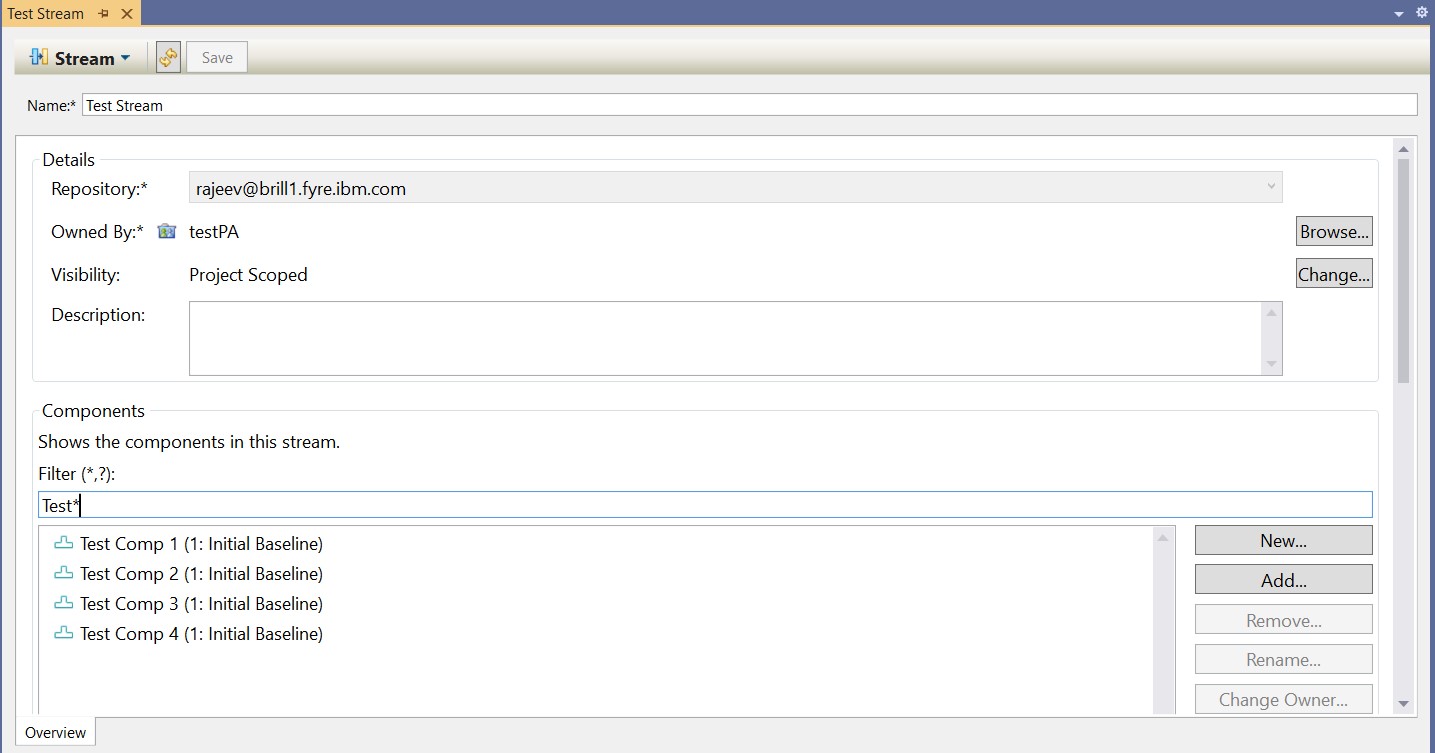
    To support customers with a large number of components, component name filters are introduced to the workspace, stream, and snapshot editors in the Microsoft Visual Studio client.

    In addition, a component name filter is added to the Add Component wizard when you add a component from another workspace or stream. Previously, the name filter was available only when you added a component from a baseline.


    In all cases, the component name filters are case-insensitive and can accept the standard wildcard characters, an asterisk (*), and question mark (?). Use an asterisk (*) to match zero or more characters. Use a question mark (?) to match any single character at the present position.

    Image of stream editor:


    Image of snapshot editor:


    Image of Add component wizard:

    Component History Improvements in the Web UI.

    The following improvements were made to the history of a component in a stream or workspace in the web UI:

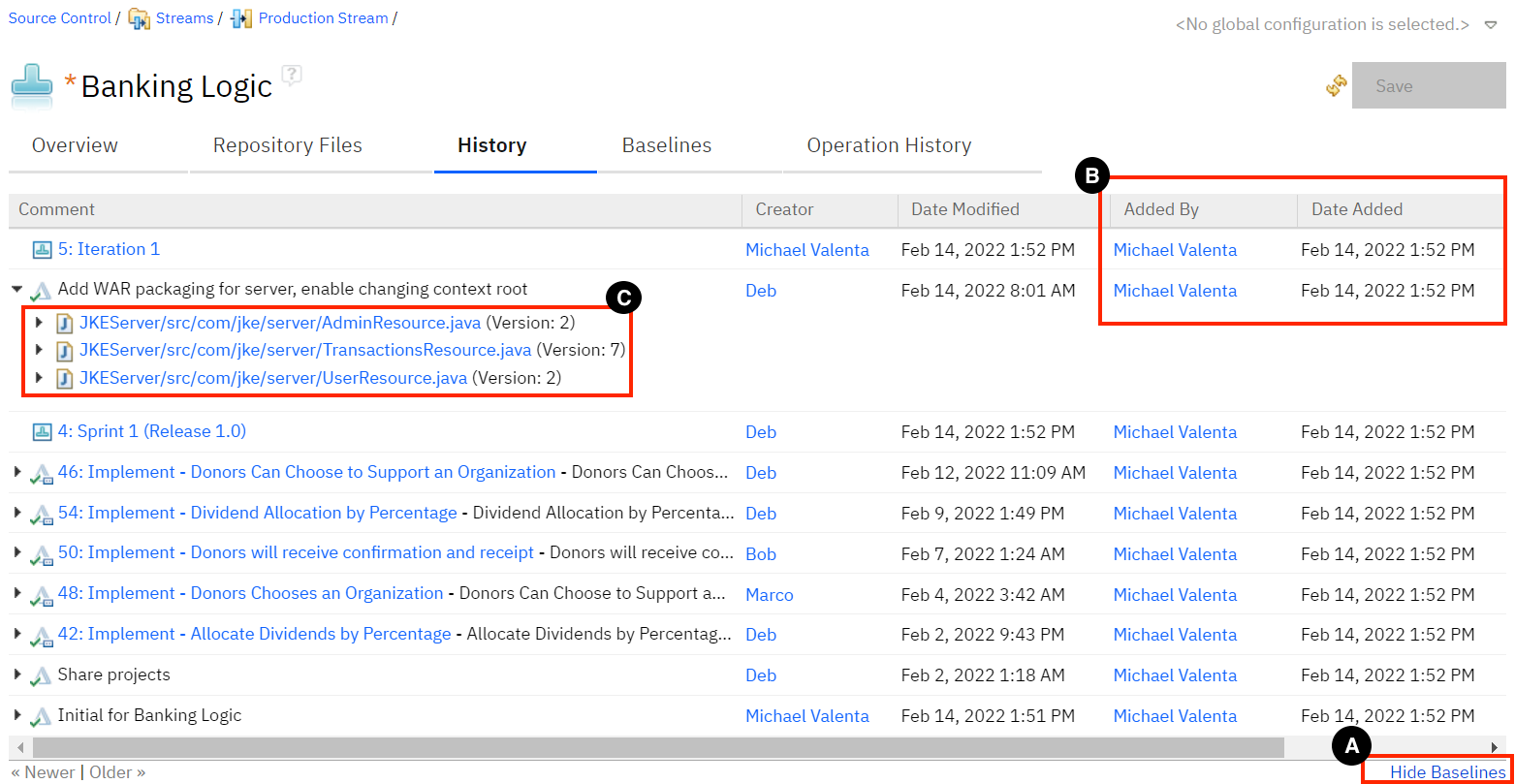
    ·  Use Show Baselines toggle to view both the baselines and change sets in the history of the component. Alternatively, Hide Baselines, as shown in callout A, hides the view.
    ·  The Added By and Date Added columns have been added to the change set information, as shown in callout B.
    ·   When you expand a change set, the files that were changed now have a link to the file contents and the file version, as shown in callout C.


    Screenshot:
    Download limit of 4GB removed from Web UI folder download

    In version 7.03, on the Repository Files tab in the web interface, the maximum size of 4 GB for zip files is removed when you download the contents of a folder.

    Security Log4j Version 2 Adoption

    Upgrading to the latest version of log4j
    Enterprise Workflow Management has updated its logging from log4j version 1 to log4j version 2.17.1.
    Consider the following points while migrating to EWM 7.0.3:
    • The format of the configuration properties file is changed. You can refer to the sample file, log4j2.xml in the Install_Dir/server/conf/ccm directory.
    • Merge your changes from the old log4j.properties file in the new log4j2.xml file. For more information about the new properties format, see the Logging Services in the Apache Log4j 2 documentation.
    • By default, logging dates follow ISO8601 format.
    Tracking and planning String list attribute values should be included when a work item is copied or moved to a different project area

    When you copy or move a work item to a different project area, the attributes with the String list type are included in the resulting work item.

    © Copyright IBM Corporation 2022  |   Contact  |   Privacy Policy  |   Terms of Use