| Description | |
|---|---|
| Administration |
New Project Area Metadata viewer for IBM Engineering Test Management (ETM)
From the ETM 7.0.2 release, a new Project Area Metadata viewer is now accessible that displays the metadata of all active project areas. The Project Area Metadata viewer displays the following metadata of all active project areas:
For more information, see Project Area Metadata Viewer. |
| Execution |
New project properties to enable ETM to automatically determine the test script to be executed for a test suite step during a test suite execution
Until now, you could manually change the test scripts of a test suite step in the Run Test Suite dialog box during a test suite execution. You might change the test script of a test suite step in the following scenarios:
From ETM 7.0.2 Sprint 4, the following project properties are added under the Execution Preferences section in the Manage Project Properties > Properties page to take care of these scenarios:
The automated test script with the highest ID (when the associated test case contains both automated and manual test scripts) or the manual test script with the highest ID is selected as the default test script.
|
| Integrations/ Excel & Word Import |
ETM Excel/Word Importer Utility shows error messages with category names and category values if the export operation fails due to permission issues when creating categories
Until now, if a test artifact export operation failed due to permission issues when creating categories, the ETM Excel/Word Importer Utility showed an error message in the ETM Export dialog box without category names or category values. |
| REST API |
Project Feed Service supports fields filtering
The Project Feed Service now supports fields filtering to easily resolve a project area based on the title or alias properties. |
| Server Start Up |
New readiness probe for ETM
From the ETM 7.0.2 release, a readiness probe is available for ETM. This service can be used to determine if an application is ready to use. |
| Test Environment |
New option to copy associated test environments to the target test plan while duplicating execution records
While duplicating test case execution records or test suite execution records, the Duplicate Execution Records dialog box now shows an option to include or exclude test environments that are associated with the execution records. If you select the Include test environments option, test environments that are associated with the execution records are copied to the target test plan along with the execution records. The option to include or exclude test environments has the following characteristics:
|
| Usability Enhancements |
Archive streams and baselines with dependent configurations
From ETM 7.0.2 Sprint 4, you can now archive baselines or streams when child streams or baselines have a dependency on these configurations. For example, if a parent baseline is associated with a child stream, you can now archive the parent baseline. |
| Web UI |
Smart people picker component
A new people picker component is now introduced as part of the ongoing user experience transformation and alignment with IBM's open source Carbon Design System. The people picker is a dialog box for selecting users and can be used for assigning an owner or a set of subscribers to an artifact. The new people picker is common across the following applications:
Image of the classic people picker component: 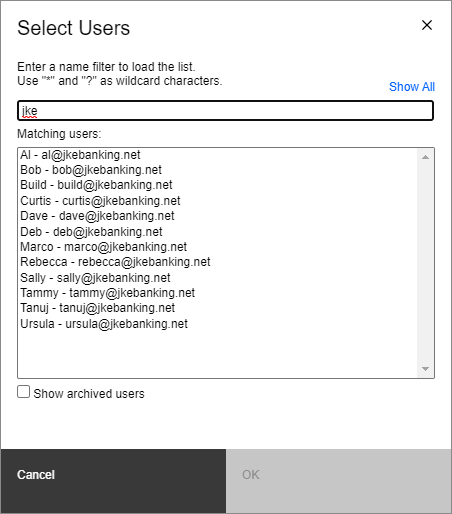 Image of the new people picker component (single-user mode): 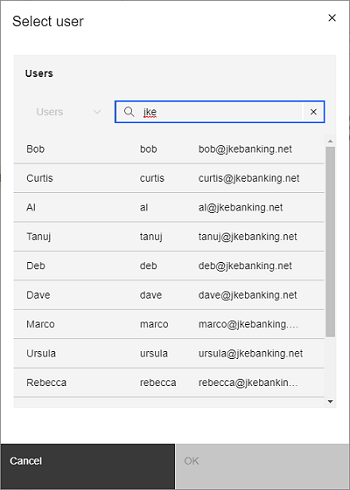 Image of the new people picker component (multiple-user mode): 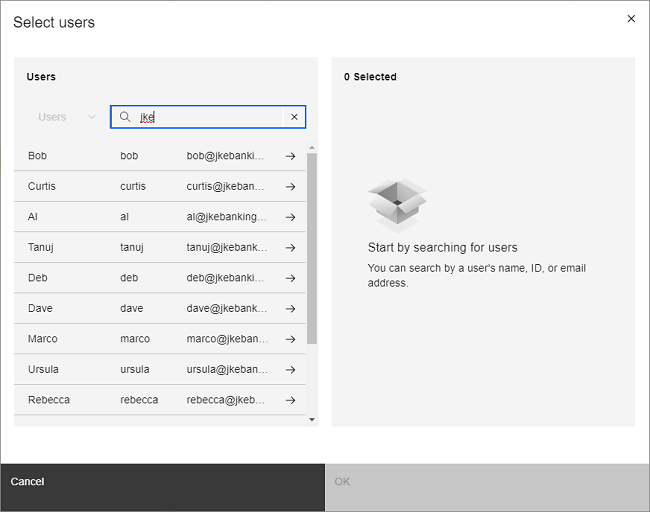
|