| Description | |
|---|---|
| Artifact Commands / Usability |
Copy the artifact information to system clipboard when using the artifact grid and artifact viewer
Starting with the 7.0.3 release, when you copy one or more artifacts from the artifact grid or artifact viewer, the artifact information is populated in the system clipboard along with the local storage. You can copy this artifact information that is populated in the system clipboard and paste the information in any other component. The artifact information that is pasted is in the following format: ARTIFACT_ID: ARTIFACT_SUMMARY. If you copy multiple artifacts, the pasted information is separated by break lines. The copy and paste function that uses the system clipboard is available only from the artifact grid and artifact viewer. Image of the Copy option: 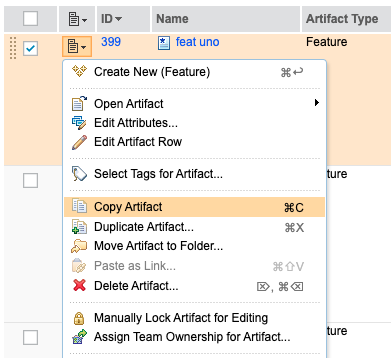 You can also cancel the copy function by using the Cancel Copy option that is available in the menu. When you use this option, the content that is already available in the system clipboard is removed and if you try to paste the artifact information, no information is added. Image of the Cancel Copy option: 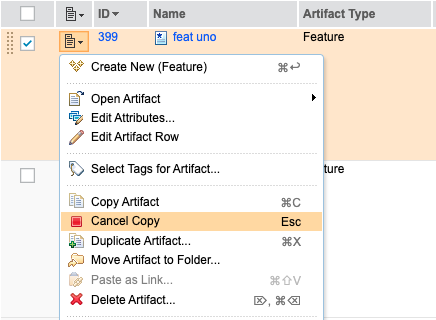 |
| Serviceability |
Built-in Storage Debug Tool supports enhanced reporting on historical module states
The built-in Storage Debug L3 Tool now supports enhanced reporting on historical module states. By using this tool, you can perform the following actions:
|
|
Repair module data issues reported by the Module Analysis Tool
You can use the Module Debug page to repair the following module data issues that are reported by the Module Analysis Tool:
|