Hi all, |
Re: export rtf without confirm dialog
If you want to use the script you attached then comment out all the ack dialog boxes, eg line 1110: // ack "There is no current module to export." |
Re: export rtf without confirm dialog SystemAdmin - Thu Dec 02 07:56:53 EST 2010
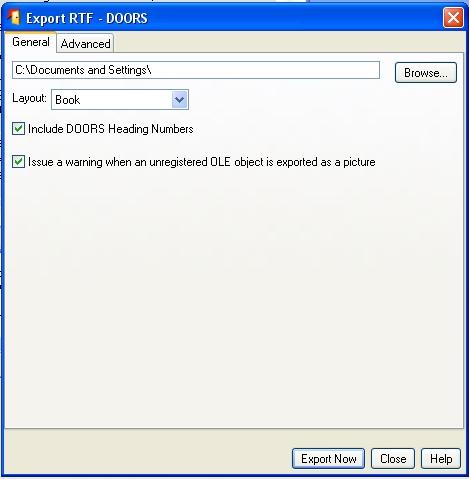
If you want to use the script you attached then comment out all the ack dialog boxes, eg line 1110: // ack "There is no current module to export." When I run the script i get following window:"test.jpg" I dont like tu push "Export Now", I like to run without dialog box like "Export Now" Thanks in advance Attachments attachment_14558738_test.jpg |
Re: export rtf without confirm dialog VBdo - Thu Dec 02 08:15:20 EST 2010 Is there a possibility to export automatically rtf.file? or a dxl script he automatically runs off? Thanks in advance |
Re: export rtf without confirm dialog VBdo - Fri Dec 03 07:58:18 EST 2010 Does exist a possibility to import/export a module Automatically with VB in Doors? Thanks in advance |
Re: export rtf without confirm dialog VBdo - Thu Dec 09 10:17:30 EST 2010 |
Re: export rtf without confirm dialog VBdo - Wed Jan 12 10:54:56 EST 2011 Well, in your example you are calling the dialogue box with makeExporterUI(rtfTitle, helpExportRichText, true, false, "rtf", "Rich Text Format") block exportBox
makeExporterUI(rtfTitle, helpExportRichText, true, false, "rtf", "Rich Text Format")
doExport(exportBox)
release exportBox
destroy exportBox
exportBox = null
then that should be equivalent to pressing the "Export..." button. |
Re: export rtf without confirm dialog Peter_Albert - Wed Jan 12 11:40:32 EST 2011 Well, in your example you are calling the dialogue box with makeExporterUI(rtfTitle, helpExportRichText, true, false, "rtf", "Rich Text Format") block exportBox
makeExporterUI(rtfTitle, helpExportRichText, true, false, "rtf", "Rich Text Format")
doExport(exportBox)
release exportBox
destroy exportBox
exportBox = null
then that should be equivalent to pressing the "Export..." button. |