Adam,
Here are couple of cases I ran into:
1> 0.009 / 3 returns wrong results => 0.0029999999999999996
2> 0.008/3 returns wrong results => 0.0026666666666666664 should be 0.0026666666666666667
Did you know about it. If so can you post fix for it.
|
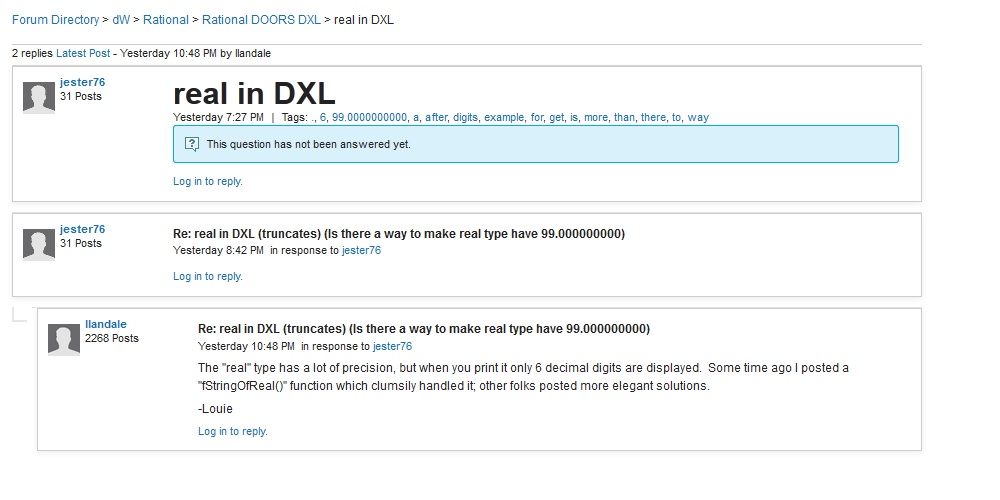
Re: real in DXL (truncates) (Is there a way to make real type have 99.000000000) |
Re: real in DXL (truncates) (Is there a way to make real type have 99.000000000) jester76 - Wed Apr 24 14:42:59 EDT 2013 The "real" type has a lot of precision, but when you print it only 6 decimal digits are displayed. Some time ago I posted a "fStringOfReal()" function which clumsily handled it; other folks posted more elegant solutions. -Louie |
Re: real in DXL As you can see in the attachment (I hope the upload will work): I do not know what you are speaking about, but it sounds interesting ...
Attachments RealInDxl.jpg |
Re: real in DXL (truncates) (Is there a way to make real type have 99.000000000) llandale - Wed Apr 24 16:48:29 EDT 2013 The "real" type has a lot of precision, but when you print it only 6 decimal digits are displayed. Some time ago I posted a "fStringOfReal()" function which clumsily handled it; other folks posted more elegant solutions. -Louie Thanks LLandale. Your function worked great for me. Sorry I had to post everything in the subject line as site wouldn't let me edit the body of the post. |
Re: real in DXL Wolfgang Uhr - Thu Apr 25 03:28:43 EDT 2013 As you can see in the attachment (I hope the upload will work): I do not know what you are speaking about, but it sounds interesting ...
When you print or assign real to object in DXL it only prints/assigns 6 digits after decimal points. So the function will help you go beyond 6 decimal points. |
Re: real in DXL (truncates) (Is there a way to make real type have 99.000000000) llandale - Wed Apr 24 16:48:29 EDT 2013 The "real" type has a lot of precision, but when you print it only 6 decimal digits are displayed. Some time ago I posted a "fStringOfReal()" function which clumsily handled it; other folks posted more elegant solutions. -Louie Hello, I am facinng an issue here. When supplying a value of 0.0000009999 to the function. It returns 0.0000009998. Can you please check why this is happening. Thanks Jester |
Re: real in DXL (truncates) (Is there a way to make real type have 99.000000000) jester76 - Mon Jun 10 17:58:49 EDT 2013 Hello, I am facinng an issue here. When supplying a value of 0.0000009999 to the function. It returns 0.0000009998. Can you please check why this is happening. Thanks Jester "real" is by nature imprecise. 1. On a computer, [a] "2*2" is not equal to [b] "2^^2" (exponent). [a] uses integers which are precise, [b] converts to real which is not. 2. You cannot accurately express "1/3" in a real number. Looks like "0.33333333333333333" which is very close but not quite. When I run this code:
I get these results (bolding added post results)
Perhaps at step [8] in the code I could "round" instead of just "truncating". Could you post the URL you found this? IIRC, someone else responded with a far more elegant solution. -Louie |
Re: real in DXL (truncates) (Is there a way to make real type have 99.000000000) llandale - Tue Jun 11 11:27:12 EDT 2013 "real" is by nature imprecise. 1. On a computer, [a] "2*2" is not equal to [b] "2^^2" (exponent). [a] uses integers which are precise, [b] converts to real which is not. 2. You cannot accurately express "1/3" in a real number. Looks like "0.33333333333333333" which is very close but not quite. When I run this code:
I get these results (bolding added post results)
Perhaps at step [8] in the code I could "round" instead of just "truncating". Could you post the URL you found this? IIRC, someone else responded with a far more elegant solution. -Louie Hello, Here is the link I found this @. I think rounding would be better then truncating. But the funny thing is that it does not do it with .0000008888 or any other number like this. Can you please post the solution with rounding. Thanks Jester |
Re: real in DXL (truncates) (Is there a way to make real type have 99.000000000) jester76 - Tue Jun 11 11:43:33 EDT 2013 Hello, Here is the link I found this @. I think rounding would be better then truncating. But the funny thing is that it does not do it with .0000008888 or any other number like this. Can you please post the solution with rounding. Thanks Jester I'll let you debug it. May look like:
-Louie |
Re: real in DXL (truncates) (Is there a way to make real type have 99.000000000) llandale - Tue Jun 11 13:07:03 EDT 2013 I'll let you debug it. May look like:
-Louie Actually it is not the question of rounding. if I supply 0.0000009999 it should return same right. Why is last 9 being converted to 8? That is the real question. Update: I found the issue: if I change the follwoign variable anything more than 25 the behavior changes cl_fStringOfRealExponent = 25 // Arbitrary limit of Digits away from decimal point
Not sure why that is. |
Re: real in DXL (truncates) (Is there a way to make real type have 99.000000000) jester76 - Tue Jun 11 14:09:55 EDT 2013 Actually it is not the question of rounding. if I supply 0.0000009999 it should return same right. Why is last 9 being converted to 8? That is the real question. Update: I found the issue: if I change the follwoign variable anything more than 25 the behavior changes cl_fStringOfRealExponent = 25 // Arbitrary limit of Digits away from decimal point
Not sure why that is. It isn't.
Now that I look at it, if we correctly "round" the 1st one to 0.0000009999 then we would "correctly?" "round" the 2nd one to 0.0000010000. I think this im-precision is the nature of the beast when manipulating real numbers. I don't know what to do about it. -Louie |
Re: real in DXL (truncates) (Is there a way to make real type have 99.000000000) llandale - Wed Apr 24 16:48:29 EDT 2013 The "real" type has a lot of precision, but when you print it only 6 decimal digits are displayed. Some time ago I posted a "fStringOfReal()" function which clumsily handled it; other folks posted more elegant solutions. -Louie I misspoke here. This has nothing to do with "printing". Only 6 fractional digits are preserverd when it is converted to a string. printing converts it to a string. |
Re: real in DXL I have attached my real formatting library code. It provides conversion between real and string (Base 10, decimal or scientific notation) in both directions. -Adam Attachments Real.inc |
Re: real in DXL Adamarla - Thu Jun 13 03:44:06 EDT 2013 I have attached my real formatting library code. It provides conversion between real and string (Base 10, decimal or scientific notation) in both directions. -Adam Wow, zero can be positive or negative and a real can be positive or negative infinity. Ran a couple routine tests of the code like this and confirmed the ToString and FromString functions didn't lose any precision, which is a real good sign. #include <Includes\NotYetReleased\Lib-Adamarle_Real_ToString.inc>
OK, so that last one DOES lose something. I wonder what print result [-1.#IND00] means. Even if IEEE doesn't recognize it, it appears that DOORS does. Didn't really study the code, but have these comments when reading it:
In any event it's an order of magnatude better than what I wrote. -Louie |
Re: real in DXL llandale - Fri Jun 14 16:47:23 EDT 2013 Wow, zero can be positive or negative and a real can be positive or negative infinity. Ran a couple routine tests of the code like this and confirmed the ToString and FromString functions didn't lose any precision, which is a real good sign. #include <Includes\NotYetReleased\Lib-Adamarle_Real_ToString.inc>
OK, so that last one DOES lose something. I wonder what print result [-1.#IND00] means. Even if IEEE doesn't recognize it, it appears that DOORS does. Didn't really study the code, but have these comments when reading it:
In any event it's an order of magnatude better than what I wrote. -Louie Ah, you managed to get an 'Indeterminate' (Not a Number) value with your last test. I have added it to the library. Note: It will still fail your (r1 == r2) test because NAN != NAN (which seems stupid to me!) Magic Numbers: 20.0 : to bit shift by 20 because no bit shift operator in dxl 1023, 1022 : IEEE specified for Normalise / Denormalize 0.3010299956639811: approximation of [ln(2) / ln(10)] which constrains the result to prevent it overshooting the precise answer -Adam Attachments Real.inc |
Re: real in DXL (truncates) (Is there a way to make real type have 99.000000000) llandale - Tue Jun 11 15:25:04 EDT 2013 It isn't.
Now that I look at it, if we correctly "round" the 1st one to 0.0000009999 then we would "correctly?" "round" the 2nd one to 0.0000010000. I think this im-precision is the nature of the beast when manipulating real numbers. I don't know what to do about it. -Louie Found something weird here. If I supply "0.9999999" to the it rounds it to 1.0000000999. Not sure why. Can you please please look into it. Thanks for the help Jester |
Re: real in DXL Adamarla - Mon Jun 17 04:22:05 EDT 2013 Ah, you managed to get an 'Indeterminate' (Not a Number) value with your last test. I have added it to the library. Note: It will still fail your (r1 == r2) test because NAN != NAN (which seems stupid to me!) Magic Numbers: 20.0 : to bit shift by 20 because no bit shift operator in dxl 1023, 1022 : IEEE specified for Normalise / Denormalize 0.3010299956639811: approximation of [ln(2) / ln(10)] which constrains the result to prevent it overshooting the precise answer -Adam I will try to test this one as well. What is the diff. between private and public funcations. How do you restrict the number of digits after the decimal place.
thanks jester |
Re: real in DXL jester76 - Wed Jul 03 16:15:13 EDT 2013 I will try to test this one as well. What is the diff. between private and public funcations. How do you restrict the number of digits after the decimal place.
thanks jester I've attached my UnitTests that I used during development. There is no real difference between private and public funcations. It is just my naming convention to make it clear which functions are safe to call and which are not. The private ones are just internal helpers for the safe functions. It converts the numbers without precision loss (a round trip of [Real -> String -> Real] will result in exactly the same real), so there is no functionality to truncate or round. If you need to do that, do it as a separate step afterwards. -Adam Attachments Real - UnitTests.dxl |
Re: real in DXL llandale - Fri Jun 14 16:47:23 EDT 2013 Wow, zero can be positive or negative and a real can be positive or negative infinity. Ran a couple routine tests of the code like this and confirmed the ToString and FromString functions didn't lose any precision, which is a real good sign. #include <Includes\NotYetReleased\Lib-Adamarle_Real_ToString.inc>
OK, so that last one DOES lose something. I wonder what print result [-1.#IND00] means. Even if IEEE doesn't recognize it, it appears that DOORS does. Didn't really study the code, but have these comments when reading it:
In any event it's an order of magnatude better than what I wrote. -Louie Oh, and I don't calculate 0.3010299956639811, because we need to avoid using reals in the conversion or we just introduce more precision loss. It is what it is to ensure the resulting number is suitable for the remaining algorithm.
I used the term Glyph to mean a character in decimal notation {0123456789}. I didn't call it number, because at that point in the algorithm it is just a sequence of Glyphs which need to be altered and arranged to form the number:
|
Re: real in DXL jester76 - Wed Jul 03 16:15:13 EDT 2013 I will try to test this one as well. What is the diff. between private and public funcations. How do you restrict the number of digits after the decimal place.
thanks jester Adam, Here are couple of cases I ran into: 1> 0.009 / 3 returns wrong results => 0.0029999999999999996 2> 0.008/3 returns wrong results => 0.0026666666666666664 should be 0.0026666666666666667 Did you know about it. If so can you post fix for it.
|
Re: real in DXL jester76 - Fri Oct 11 08:40:27 EDT 2013 Adam, Here are couple of cases I ran into: 1> 0.009 / 3 returns wrong results => 0.0029999999999999996 2> 0.008/3 returns wrong results => 0.0026666666666666664 should be 0.0026666666666666667 Did you know about it. If so can you post fix for it.
Initially, I thought you had found a bug in my library, but no... The problem is not in this code: it is correctly reporting the result of the calculation. The problem is that calculations with real (floating point) numbers do not always result in exactly the correct answer. [NB. Not really a 'problem', it is just the way it is] Classic example: (0.1+0.2 == 0.3) is false. Why? Because the result of the calculation is actually 0.30000000000000004. Why? Because the numbers are stored as the closest number that can be represented in floating point (real). Not all numbers can be represented in floating point (eg. 0.1). This happens in all languages which use floating point - javascript, python etc
So why does the DOORS string seem correct... It is rounding it to six decimal places. -Adam |
Re: real in DXL Adamarla - Fri Oct 11 09:13:18 EDT 2013 Initially, I thought you had found a bug in my library, but no... The problem is not in this code: it is correctly reporting the result of the calculation. The problem is that calculations with real (floating point) numbers do not always result in exactly the correct answer. [NB. Not really a 'problem', it is just the way it is] Classic example: (0.1+0.2 == 0.3) is false. Why? Because the result of the calculation is actually 0.30000000000000004. Why? Because the numbers are stored as the closest number that can be represented in floating point (real). Not all numbers can be represented in floating point (eg. 0.1). This happens in all languages which use floating point - javascript, python etc
So why does the DOORS string seem correct... It is rounding it to six decimal places. -Adam I am not "real" good with "real"s. I wonder if you could do real comparisons
By converting to a string, "rounding" to perhaps 15 characters, convertinb back to real and THEN comparing? or perhaps multiplying by 2**15, rounding to whole numbers, and comparing them? I suppose we'd have to write some "rounding" function. -Louie |
Re: real in DXL llandale - Fri Oct 11 11:34:36 EDT 2013 I am not "real" good with "real"s. I wonder if you could do real comparisons
By converting to a string, "rounding" to perhaps 15 characters, convertinb back to real and THEN comparing? or perhaps multiplying by 2**15, rounding to whole numbers, and comparing them? I suppose we'd have to write some "rounding" function. -Louie Just accept that you cannot represent an infinate number of values with a finite number of bits. Most values have to be stored as a slightly different number. It is just the way it works. The normal way to compare floating point numbers is to check they are within some tolarance:
Most of the complexity in the library is due to the inherant precision loss of floating point calculations, trying to avoid it and to recover from it when unavoidable. That is why I don't calculate the logarithm. - Adam |
Re: real in DXL llandale - Fri Oct 11 11:34:36 EDT 2013 I am not "real" good with "real"s. I wonder if you could do real comparisons
By converting to a string, "rounding" to perhaps 15 characters, convertinb back to real and THEN comparing? or perhaps multiplying by 2**15, rounding to whole numbers, and comparing them? I suppose we'd have to write some "rounding" function. -Louie when comparing numbers(real/double/float) you should only use <, > never ==, <=, >= |
Re: real in DXL EHcnck - Tue Jan 21 00:33:08 EST 2014 when comparing numbers(real/double/float) you should only use <, > never ==, <=, >= Huh? These are not ALWAYS the same?
-Louie |
Re: real in DXL llandale - Tue Jan 21 12:22:13 EST 2014 Huh? These are not ALWAYS the same?
-Louie Do you have some numbers where it is different? |
Re: real in DXL Adamarla - Wed Jan 22 10:46:47 EST 2014 Do you have some numbers where it is different? EHcnck suggests never using ">=", which I presume to mean it is inaccurate. I figure that if it is inaccurate then it must not always be the opposite of "<". Trying to get clarification. |
Re: real in DXL llandale - Wed Jan 22 12:15:25 EST 2014 EHcnck suggests never using ">=", which I presume to mean it is inaccurate. I figure that if it is inaccurate then it must not always be the opposite of "<". Trying to get clarification. Ah, I see. I disagree with it. I see no reason not to use those comparison operators. You just have to keep in mind that floating point calculations may not give you the exact answer you are expecting. If you are not doing any calculations, there is no problem.
real r1 = 0.1
real r2 = obj."someRealAttr"
if (r1 == r2) {...}
I think Computerphile are following this thread... This was posted yesterday: Floating Point - Computerphile - Adam |
Re: real in DXL (truncates) (Is there a way to make real type have 99.000000000) llandale - Wed Apr 24 16:48:29 EDT 2013 The "real" type has a lot of precision, but when you print it only 6 decimal digits are displayed. Some time ago I posted a "fStringOfReal()" function which clumsily handled it; other folks posted more elegant solutions. -Louie
Hi, |
Re: real in DXL (truncates) (Is there a way to make real type have 99.000000000) Viditshah - Wed Dec 09 11:40:13 EST 2015
Hi, Viditshah, I attached the code in my reply here. You just need to use it in attribute or layout DXL.
#include <Real.inc>
real rValue = obj."RealTypeAttribute"
display(Real_ToString(rValue))
-Adam |