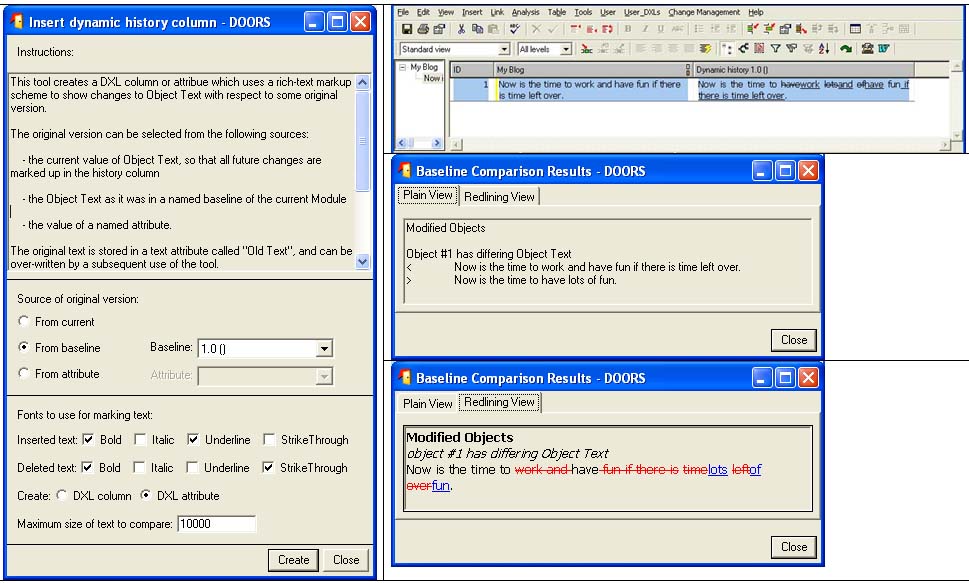
Re: Baseline Comparisons
Peter_Albert - Thu Oct 07 04:02:31 EDT 2010 Peter_Albert - Thu Oct 07 04:01:45 EDT 2010
O.K., I thought I throw in my own baseline comparison script here as well.
It is a layoutDXL script, which compares either the attributes in the current view, or a selectable list of attributes, to a given baseline.
Differences are displayed with underline and strikethrough. Deleted and created objects are not handled per attribute, but the script rather reports "Object deleted in current version", or "Object created after baseline xyz". But if there is a need it would be relatively straightforward to implement a display with underline and strikethrough per attribute also for deleted and created objects.
Please note that modifications of OLE objects are not detected!
Finally, the script can be tasked to also report (or not) on attribute creation or deletion in between the baseline to compare with and the current version.
Now, if you want to give it a try, the easiest way of calling it would be a layoutDXL with the following lines:
#include <../layout/include/versionCompare.inc> modifications()
which compares the attributes of the current view to the previous baseline and does not report explicitly on attribute creations / deletions.
Now, if you want to specify a baseline, this is done à la
#include <../addins/../layout/include/versionCompare.inc> modifications(true, true, 3,2,
"")
Here, the first "true" switches between highlighting differences with underline and strikethrough (true) or the plain display of the baselined attribute value (false). The second "true" switches between only reporting on attribute value modifications (true), or the additional reporting of attribute deletion / creation (false).
Finally, if you want to specify the attributes explicitly rather than taking the list from the view, this is achieved as follows:
#include <../addins/../layout/include/versionCompare.inc> versionCompare__use_view =

false versionCompare__attribute_list = create() put(versionCompare__attribute_list, 0,
"Object Heading") put(versionCompare__attribute_list, 1,
"Object Text") put(versionCompare__attribute_list, 2,
"Comments") modifications(true, false, 3,2,
"")
It is layoutDXL, so it is not the fastest script on earth, but it does its job.
Regards,
Peter
// Compare current module version with previous baseline
/* Display modifications of attributes displayed in current view with respect to a previous baseline. The current view can either be the current module or a baseline version. Modified OLE objects are NOT detected! Modifications are either shown w.r.t to a specified baseline, the last baseline, the last minor baseline or the last major baseline Optionally, the attribute value(s) from the previous baseline can be shown To use the script, create a new column and put the following lines into Layout DXL: #include <include/versionCompare.inc> modifications( bool show_changes_inline, show_only_modifications, string baseType ) Alternatively, the routine call can be like modifications( bool show_changes_inline, show_only_modifications, int bmajor, bminor, string bsuffix ) Options: - show_changes_inline: -- true: show changes in form of underline / strikethrough -- false: just show the attribute values from the respective baseline - show_only_modifications: -- true: Only show modifications, hide creation and deletion of attributes -- false: Show modifications as well as creation and deletion of attributes - baseType -- "Major": Compare with last Major baseline (e.g. 1.0, 2.0, etc) -- "Minor": Compare with last Minor baseline (e.g. 2.1, 2.2, etc) -- "Any": Compare with most recent baseline (e.g. 1.2 test, 2.3 update, etc) Alternatively: - bmajor: Integer variable: Major number of baseline - bminor: Integer: Minor number of baseline - bsuffix: String: Suffix of baseline */
// ============================================================================
// Global variables
// ============================================================================
// Object status
//                                                           Old Module version    New module version

const string c_objectStatusNotExisting     =
"not existing"
// Null                Null

const string c_objectStatusObsolete        =
"obsolete"
// Null                Deleted

const string c_objectStatusCreated         =
"created"
// Null                Not deleted

const string c_objectStatusPurged          =
"purged"
// Deleted             Null

const string c_objectStatusNormalDeleted   =
"normal deleted"
// Deleted             Deleted

const string c_objectStatusUndeleted       =
"undeleted"
// Deleted             Not deleted

const string c_objectStatusDeletedPurged   =
"deleted and purged"
// Not deleted         Null

const string c_objectStatusDeleted         =
"deleted"
// Not deleted         Deleted

const string c_objectStatusNormal          =
"normal "
// Not deleted         Not deleted
// Status of attribute w.r.t. to previous baseline

const string c_attStatusNotChanged =
"not changed"

const string c_attStatusCreated    =
"created"

const string c_attStatusModified   =
"modified"

const string c_attStatusDeleted    =
"deleted"

const string c_attStatusNone       =
"not existing in both baselines"
//bool versionCompare__showDeletions                   = true bool versionCompare__show_attributeName              =

true bool versionCompare__use_view                        =

true bool versionCompare__showAllHeadings                 =

false bool versionCompare__showNewObjectsAsNewText         =

false bool versionCompare__showDeletedObjectsAsDeletedText =

false bool versionCompare__hideNewDeletedObjects           =

false bool versionCompare__displayAllObjects               =

false Skip versionCompare__attribute_list   Skip attList =

null
// ============================================================================
// Include files for finding an object regardless of display state
// ============================================================================ Object fn_object(

int absNum, Module mod)
{
// Replace the "object(int absNum, Module mod)" routine
// which only returns objects when they are visible Object loopObj, returnObj =

null

if (!

null mod)
{
// Module is not null returnObj= object(absNum, mod)

if (

null returnObj)
{
// Object not found directly
// but the 'object' perm ignores filtered objects

for loopObj in entire mod

do
{
// Find object in module

if (loopObj.
"Absolute Number"
"" == absNum
"")
{
// Object found returnObj = loopObj

break
}
// Object found
}
// Find object in baseline
}
// Object not found directly
}
// Module is not null

return returnObj
}
// Replace the "object(int absNum, Module mod)" routine
// ============================================================================
// Include files for reading the current version of a module
// ============================================================================ Module read_module(string modName, bool disp, &wasOpen)
{
// Return handle to module in read-only mode
// Use "disp = true" to display Module Module returnValue =

null wasOpen =

false

if (exists module modName)
{

if (open module modName && !disp)
{
// n.B.: (module modName) is of type ModName_, while
// item modName is of type module wasOpen =

true returnValue = module item modName
}

else
{returnValue = read(modName, disp,

true)
}
}

return returnValue
}
// ============================================================================
// Include files for managing baselines
// ============================================================================
// ----------------------------------------------------------------------------

void stringToBaseline(string s,

int &iMajor, &iMinor, string &sSuffix)
{
// Transform a string à la "3.2" or "4.2 test" in the individual baseline specifications Regexp r_Baseline = regexp
"([0-9]+).([0-9]+)" iMajor = -1 iMinor = -1 sSuffix =
""

if (r_Baseline s)
{
// String matches specification template iMajor = intOf(s[match 1]) iMinor = intOf(s[match 2]) sSuffix = s[end 2 + 1:]

if (length sSuffix > 0)
{

while (sSuffix[0:0] ==
" ")
{sSuffix = sSuffix[1:length sSuffix - 1]
}
}
}
// String matches specification template
}
// Transform a string à la "3.2" or "4.2 test" in the individual baseline specifications
// ---------------------------------------------------------------------------- bool baselineEqual(Baseline a, Baseline b)
{
// Check if baselines a and b are identical
// For reasons I don't know, (a == b) does not give
// the correct result. I therefore compare the major
// and minor number and the suffix

if (

null a &&

null b)
{

return

false
}

if (

null a ||

null b)
{

return

false
} bool returnVal = ( major a == major b && minor a == minor b && suffix a == suffix b )

return returnVal
}
// ---------------------------------------------------------------------------- Baseline getPreviousBaseline(Module m, string baseType)
{
// Return the previous baseline compared to the current
// module version
// baseType = "Major" --> find last Major baseline
// baseType = "Minor" --> find last Minor baseline
// baseType = "Any"   --> find the most recent baseline
//
// N.b.: Here, any baseline without a suffix is considered a minor
// baseline. Therefore, is the existing baselines are e.g.
// 0.1
// 0.1 mod
// 0.2
// 1.0
// 1.0 mod
// 1.1
// , the previous minor baseline for 1.1 would be 1.0 and not 0.2.
// The main goal for using "Minor" is to surpress suffix baselines Baseline b, prevBase, prevMajor, prevMinor Baseline callBaseline = baseline moduleVersion m prevBase =

null prevMajor =

null prevMinor =

null

for b in m

do
{
// Loop through the baselines until we reach the
// baseline version of the calling Module.
// Thus we don't have to worry if the calling
// Module is the current Version (i.e. not baselined).
// In that case prevBase will just be the most recent baseline.

if (baselineEqual(b, callBaseline))
{

break
} prevBase = b
// Any baseline without a suffix is considered a minor baseline

if (

null suffix b)
{prevMinor = b
}
// Any baseline without a suffix and with the minor number zero is
// considered a major baseline

if (

null suffix b && minor b == 0)
{prevMajor = b
}
}

if (baseType ==
"Major")
{

return prevMajor
}

if (baseType ==
"Minor")
{

return prevMinor
}

if (baseType ==
"Any")
{

return prevBase
} prevBase =

null display
"Typo"

return prevBase
}
// ---------------------------------------------------------------------------- Baseline getPreviousBaseline(Module m)
{
// Overloaded routine: Return previous baseline, regardless of
// major number, minor number or suffix

return getPreviousBaseline(m,
"Any")
}
// ---------------------------------------------------------------------------- Module read_baseline(string name,

int major, minor, string suffix)
{
// Return handle to specified module baseline Module returnValue =

null Module currMod = current

if (exists module name)
{
// Module exists ModuleVersion mv = moduleVersion( module name, baseline(major, minor, suffix) )

if (!baselineExists mv)
{

return

null
} returnValue = data mv

if (

null returnValue)
{returnValue = load(mv,

false)
}
}
// Module exists

return returnValue
}
// ============================================================================
// Main include files
// ============================================================================
// ---------------------------------------------------------------------------- Skip displayedAttList()
{
// Return a skip list with the displayed attributes in the order
// of the displayed columns
// For the main column, add Object Heading and Object Text
// Ignore Object Identifier, as this attribute can't be changed
// Also ignore attribute "Modifications" if it exists, as this is the
// attribute DXL object for displaying this information
//
// Optionally, a Skip list of attributes to be compared can be provided by
// defining and filling the Skip list 'attList'
// prior to calling 'modifications()' Skip attSkip = create Column c Module m = current string s_attName

int i = 0 bool useAttList = !

null attList

if (useAttList)
{
// Use a user-defined list of attributes

for s_attName in attList

do
{
// Loop through Skip list with attribute names put(attSkip, i++, s_attName)
}
// Loop through Skip list with attribute names

return attSkip
}
// Use a user-defined list of attributes

else
{
// Use the attributes currently displayed

for c in m

do
{
// Loop through columns

if (main(c))
{
// Main column put(attSkip, i++,
"Object Heading") put(attSkip, i++,
"Object Text")
}
// Main column

else
{
// Any other column s_attName = attrName(c)

if (!

null s_attName)
{
// Valid attribute name, i.e. no layout DXL column

if (s_attName ==
"Object Identifier")
{

continue
}

if (s_attName ==
"Modifications")
{

continue
} put(attSkip, i++, s_attName)
}
// Valid attribute name
}
// Any other column
}
// Loop through columns

return attSkip
}
// Use the attributes currently displayed
}
// Return a skip list with the displayed attributes
// ---------------------------------------------------------------------------- bool compare_objects(Object o1, o2, string attr)
{
// Check whether two objects differ w.r.t to a given attribute
// returnValue: true:  no differences
//              false: differences bool returnValue =

false string s1, s2 s1 = probeAttr_(o1,attr) s2 = probeAttr_(o2,attr)
//if (!versionCompare__showDeletions && s2 == ""){returnValue = true}
//else {returnValue = s1 == s2} returnValue = s1 == s2
//display attr ": " returnValue ": " s1 ": " s2 ""

return returnValue
}
// ----------------------------------------------------------------------------

void displayAttributeModifications(
// Display modifications of one attribute- Object o1, o2, string attr, string attrStatus, bool show_changes_inline, show_only_modifications )
{ bool   useHighlight =

false Buffer disp Buffer oldValue Buffer newValue Buffer difference string Sdiff disp = create

if (versionCompare__show_attributeName)
{disp =
"{\\b " attr
": }"
}

else
{disp =
""
}

if (show_changes_inline)
{
// The attribute was changed w.r.t. the other baseline
// Display modifications with strikethroughs and underlines oldValue = create newValue = create difference = create

if (!isDeleted o1)
{oldValue = probeAttr_(o1,attr)
}

else
{oldValue =
""
}

if (!isDeleted o2)
{newValue = probeAttr_(o2,attr)
}

else
{newValue =
""
}

if (useHighlight)
{ Sdiff = diff( difference, oldValue, newValue,
"\\b\\strike\\highlight1 ",
"\\b\\ul\\highlight2 " )
}

else
{Sdiff = diff(difference, oldValue, newValue,
"\\strike ",
"\\ul ")
} disp += tempStringOf difference disp +=
"\n" delete oldValue delete newValue delete difference displayRich tempStringOf disp
}
// The attribute was changed w.r.t. the other baseline

else
{
// The attribute was changed w.r.t the previous baseline
// but you chose to only display the previous attribute value disp += richTextWithOle o1.attr displayRich tempStringOf disp
}
// Display the modifications and delete buffer delete disp
}
// ============================================================================
// Main routine
// ============================================================================
// ----------------------------------------------------------------------------
// General routine for module comparison / layout DXL:
// Both module handles provided as variables
// Overloaded routines including reading the appropriate baseline
// provided below

void modifications( bool show_changes_inline, show_only_modifications, Module oldModule, newModule )
{ Skip    displayedAttListSkip string  objStatus bool    compareObjects string  attName, attrStatus AttrDef oldModuleAttrDef, newModuleAttrDef

int     absno = obj.
"Absolute Number" Object  oldObject Object  newObject string  oldModuleVersion string  newModuleVersion bool    effectivelyEqual
// Get the list of attributes currently displayed

if (versionCompare__showAllHeadings)
{
// Show the Object Headings in any case

if (length obj.
"Object Heading"
"" > 0)
{
// Object has a Heading displayRich
"{\\b " (number obj)
" " obj.
"Object Heading"
"}"
}
// Object has a Heading
}
// Show the Object Headings in any case

if (versionCompare__use_view)
{displayedAttListSkip = displayedAttList()
}

else
{displayedAttListSkip = versionCompare__attribute_list
} oldObject        = fn_object(absno, oldModule) newObject        = fn_object(absno, newModule) oldModuleVersion =
"baseline " version(oldModule) newModuleVersion =
"baseline " version(newModule)

if (!isBaseline oldModule)
{oldModuleVersion =
"current version"
}

if (!isBaseline newModule)
{newModuleVersion =
"current version"
}
// Get Object status

if (

null oldObject)
{
// Old object is null

if (

null newObject)
{
// New object is null objStatus = c_objectStatusNotExisting
}
// New object is null

else
{
// New object is not null objStatus = isDeleted(newObject) ? c_objectStatusObsolete : c_objectStatusCreated
}
// New object is not null
}
// Old object is null

else
{
// Old object is not null

if (

null newObject)
{
// New object is null objStatus = isDeleted(oldObject) ? c_objectStatusPurged : c_objectStatusDeletedPurged
}
// New object is null

else
{
// New object is not null

if (isDeleted oldObject)
{
// Old object is deleted objStatus = isDeleted(newObject) ? c_objectStatusNormalDeleted : c_objectStatusUndeleted
}
// Old object is deleted

else
{
// Old object is not deleted objStatus = isDeleted(newObject) ? c_objectStatusDeleted : c_objectStatusNormal
}
// Old object is not deleted
}
// New object is not null
}
// Old object is not null
// Check whether the objects' attributes are to be compared compareObjects =

false

if      (objStatus == c_objectStatusNormal)
{compareObjects =

true
}

else

if (objStatus == c_objectStatusDeleted)
{
// Not deleted --> Deleted

if (versionCompare__showDeletedObjectsAsDeletedText)
{compareObjects =

true
}

else
{display
"Object deleted in " newModuleVersion
""
}
}
// Not deleted --> Deleted

else

if (objStatus == c_objectStatusDeletedPurged)
{
// Not deleted --> Purged

if (versionCompare__showDeletedObjectsAsDeletedText)
{compareObjects =

true
}

else
{display
"Object deleted and purged in " newModuleVersion
""
}
}
// Not deleted --> Purged

else

if (objStatus == c_objectStatusUndeleted)
{
// Deleted --> Not deleted

if (versionCompare__showNewObjectsAsNewText)
{compareObjects =

true
}

else
{display
"Object undeleted after " oldModuleVersion
""
}
}
// Deleted --> Not deleted

else

if (objStatus == c_objectStatusNormalDeleted)
{display
"Object deleted in both versions"
}

else

if (objStatus == c_objectStatusPurged)
{display
"Object purged in " newModuleVersion
""
}

else

if (objStatus == c_objectStatusCreated)
{
// Null --> Not deleted

if (versionCompare__showNewObjectsAsNewText)
{compareObjects =

true
}

else
{display
"Object created after " oldModuleVersion
""
}
}
// Null --> Not deleted

else

if (objStatus == c_objectStatusObsolete)
{

if (!versionCompare__hideNewDeletedObjects)
{display
"Object created and deleted after " oldModuleVersion
""
}
}

else

if (objStatus == c_objectStatusNotExisting)
{

if (!versionCompare__hideNewDeletedObjects)
{display
"Object not existing in both versions"
}
}

if (compareObjects)
{
// Compare objects' attributes

for attName in displayedAttListSkip

do
{
// Loop through attributes

if (attName ==
"Object Level")
{

continue
} oldModuleAttrDef = find(oldModule, attName) newModuleAttrDef = find(newModule, attName) effectivelyEqual = compare_objects(oldObject, newObject, attName)

if (

null oldModuleAttrDef)
{attrStatus =

null newModuleAttrDef ? c_attStatusNone    : c_attStatusCreated
}

else
{attrStatus =

null newModuleAttrDef ? c_attStatusDeleted : (effectivelyEqual ? c_attStatusNotChanged : c_attStatusModified)
}

if (!show_only_modifications && (attrStatus == c_attStatusCreated || attrStatus == c_attStatusDeleted || attrStatus == c_attStatusNone) && !effectivelyEqual)
{display
"Attribute " attName
" " attrStatus
}

if (!effectivelyEqual || versionCompare__displayAllObjects)
{ displayAttributeModifications( oldObject, newObject, attName, attrStatus, show_changes_inline, show_only_modifications )
}
}
// Loop through attributes
}
// Compare objects' attributes delete displayedAttListSkip
}
// ============================================================================
// Overloaded routine calls
// ============================================================================
// ----------------------------------------------------------------------------
// Overloaded routine call: Call with two baseline specifications

void modifications( bool show_changes_inline, show_only_modifications,

int bmajor1, bminor1, string bsuffix1,

int bmajor2, bminor2, string bsuffix2 )
{ Module currentMod = current Module oldModule = read_baseline( fullName currentMod, bmajor1, bminor1, bsuffix1) Module newModule = read_baseline( fullName currentMod, bmajor2, bminor2, bsuffix2) string msg =

null

if (

null oldModule ||

null newModule)
{msg =
"Failed to load baseline(s) "
}

if (

null oldModule)
{ msg = msg bmajor1
"." bminor1
""

if (!

null bsuffix1)
{msg = msg
" (" bsuffix1
")"
} msg = msg
" "
}

if (

null newModule)
{ msg = msg bmajor2
"." bminor2
""

if (!

null bsuffix2)
{msg = msg
" (" bsuffix2
")"
}
}

if (!

null msg)
{display msg
}

else
{ modifications( show_changes_inline, show_only_modifications, oldModule, newModule)
}
}
// ----------------------------------------------------------------------------
// Overloaded routine call: When called with one baseline
// sepcification, use the current Module as new Module

void modifications( bool show_changes_inline, show_only_modifications,

int bmajor1, bminor1, string bsuffix1 )
{ Module currentMod = current bool b =

true

if (isBaseline currentMod)
{currentMod = read_module(fullName currentMod, false, b)
}
//if (isBaseline currentMod){currentMod = read(fullName currentMod, false)} Module oldModule = read_baseline( fullName currentMod, bmajor1, bminor1, bsuffix1) string msg =

null

if (

null oldModule)
{ msg =
"Failed to load baseline(s) " msg = msg bmajor1
"." bminor1
""

if (!

null bsuffix1)
{msg = msg
" (" bsuffix1
")"
} display msg
}

else
{ modifications( show_changes_inline, show_only_modifications, oldModule, currentMod)
}
}
// ----------------------------------------------------------------------------
// Overloaded routine call: Automatically choose last
// major, last minor or last repsective baseline
// based on "baseType" ["Major" | "Minor" | "Any"]
// Always compare to current Module

void modifications( bool show_changes_inline, show_only_modifications, string baseType)
{ Baseline b = getPreviousBaseline(current Module, baseType)

if (!

null b)
{ modifications( show_changes_inline, show_only_modifications, major b, minor b, suffix b )
}

else
{display
"No baseline found"
}
}
// ----------------------------------------------------------------------------
// Default when called with no options:
// Only modifications, last Baseline

void modifications()
{modifications(true, true,
"Any")
}
// ----------------------------------------------------------------------------
// Don't use the current view; provide attributes for comparison instead
// ----------------------------------------------------------------------------

void modifications__object_text()
{
// Only display modifications for Object Text versionCompare__use_view =

false versionCompare__attribute_list = create() put(versionCompare__attribute_list, 0,
"Object Text") put(versionCompare__attribute_list, 0,
"Comments") modifications()
//delete versionCompare__attribute_list
}
// Only display modifications for Object Text
// ----------------------------------------------------------------------------

void modifications__compareBaselineWithCurrent()
{
// Only display modifications for Object Text versionCompare__use_view =

false versionCompare__attribute_list = create() put(versionCompare__attribute_list, 0,
"Object Text") put(versionCompare__attribute_list, 1,
"Last Modified Baseline") Module thisMod = current Module string thisModName = fullName thisMod bool wasOpen =

false Module currModVersion = read_module(thisModName, false, wasOpen) modifications(true, true, thisMod, currModVersion)
//delete versionCompare__attribute_list
}
// Only display modifications for Object Text
// ----------------------------------------------------------------------------
|